 Bloomz
Let parents see their child's messages
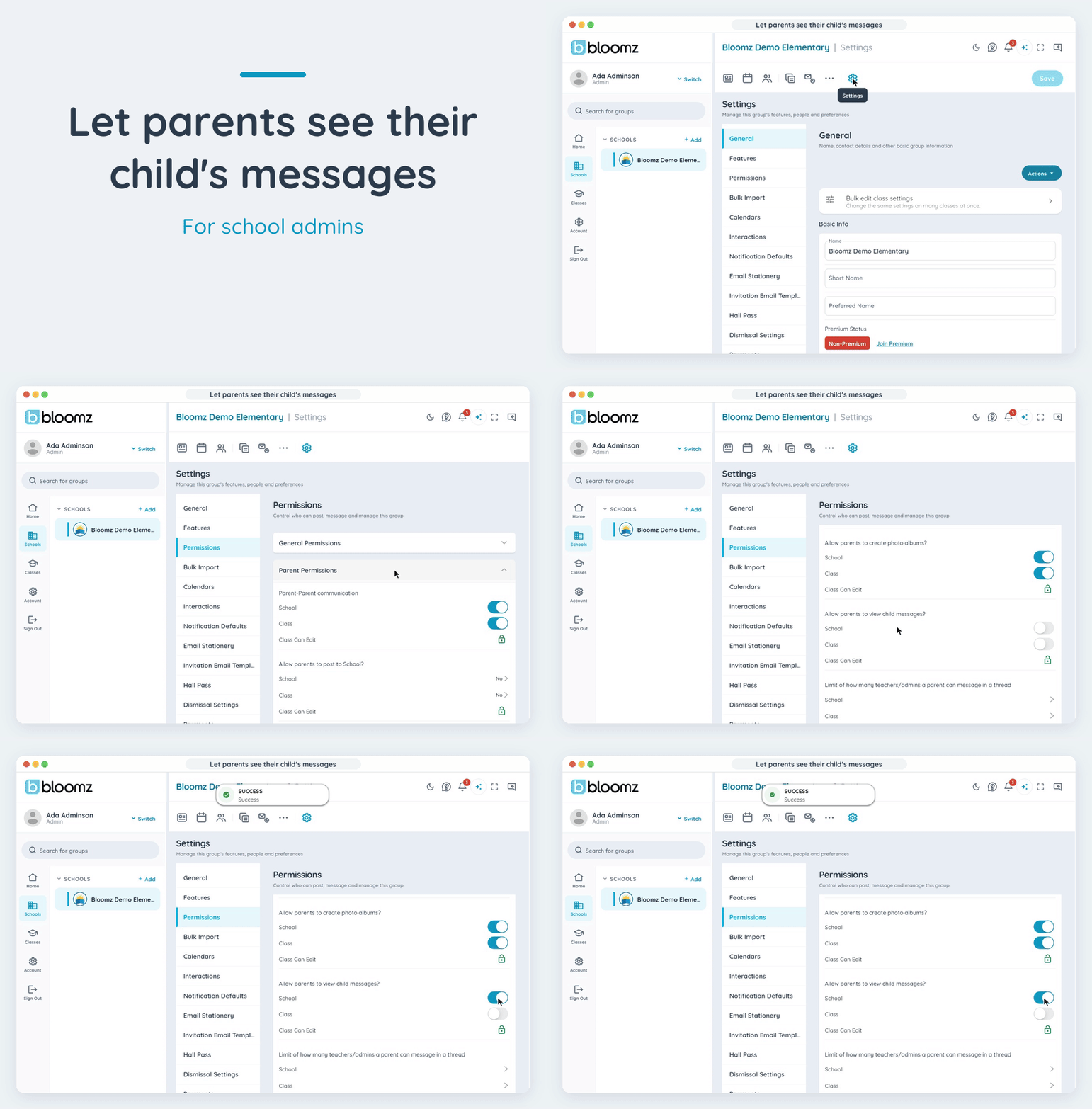
Decide, at the school level, whether parents can view their child's direct messages with staff — the policy that the family-facing "See your child's messages" feature depends on.
Before you start
You need school-admin or district-admin access. This is a school-wide policy, not a per-family or per-teacher setting — turning it on applies to every parent and staff conversation at the school.
Step 1 — Open Permissions
In your school, select the gear-icon Settings tab, then Permissions, then open Parent Permissions. The setting is not on the Interactions page: that page has a similar-sounding switch, Ability for parents to view child's interactions, which controls behavior points, not messages.
Step 2 — Find the setting
Scroll to Allow parents to view child messages?. It shows a School switch, a Class switch and a Class Can Edit lock. It is off by default.
Step 3 — Turn it on or off
Flip the School switch (and the Class switch if you want it on at class level too). There's no confirmation dialog and no Save button — the change saves as you flip it and a green Success message appears.
Watch out: once this is on, parents can open their child's conversations with staff, so check with your staff about what they've written in student conversations before enabling it school-wide.
What parents see once it's on
Parents gain a View All Messages button on each child's profile, which opens the message conversations that involve that child.
Tell your staff before you flip this on district-wide or school-wide: many teachers write more casually in one-to-one student threads when they assume only the student reads them, and this setting changes that assumption going forward.