 Bloomz
See your child's messages
If your school has turned this on, you can see every message conversation your child is part of in Bloomz — the ones with teachers and staff, and the ones with other students — from one place on your child's profile.
Before you start
Two things both have to be true, or you will not see the button this article is about:
- Your district or school has enabled parent visibility into student messages. It is off by default — a deliberate school decision, because it covers your child's conversations with classmates as well as with staff.
- You are one of this child's linked guardians in the school's records. Bloomz verifies this against the school's own records every time — being able to open the child's profile is not enough on its own.
Step 1 — Open your child's profile
Go to your child's profile in the app — the same profile you use for their other information.
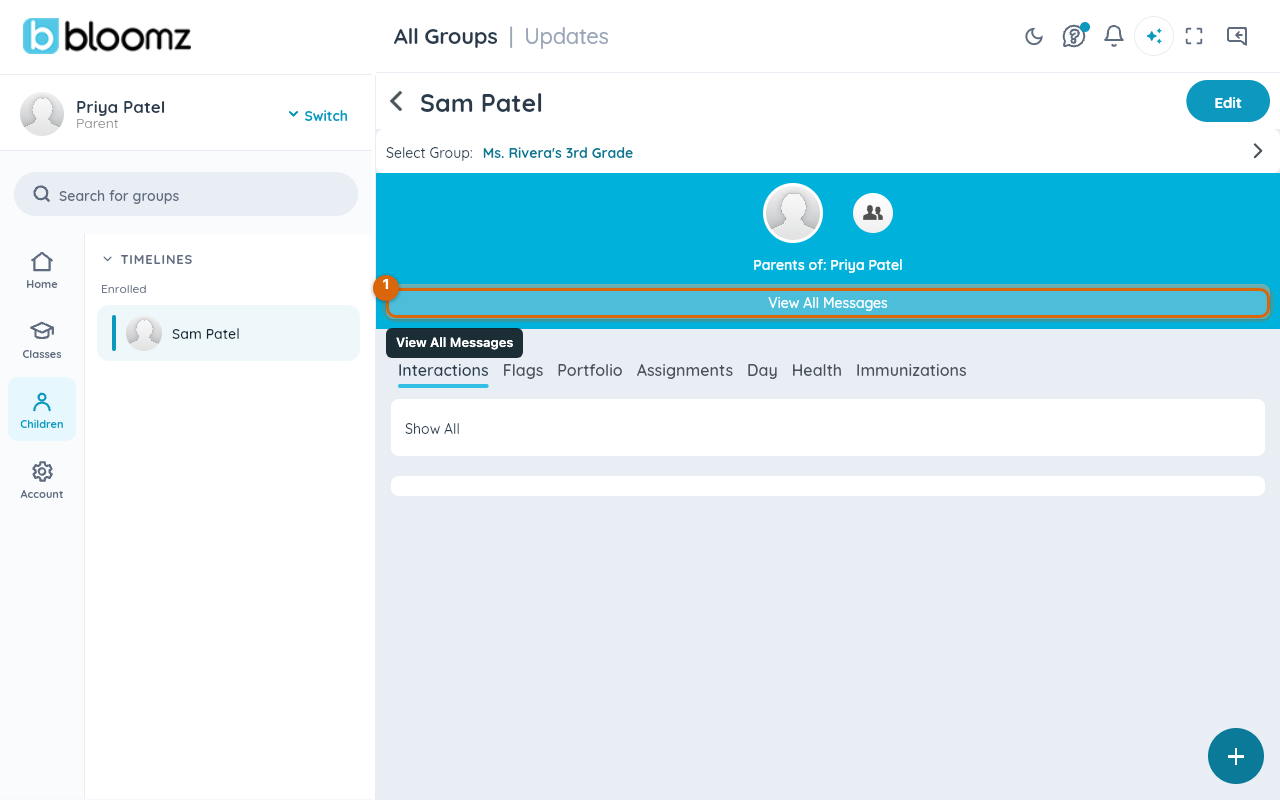
Step 2 — Choose View All Messages
Select the View All Messages button on the profile. The list of your child's conversations opens.

Watch out: if the button is not there, it is one of two things — your school has not enabled this feature, or you are not linked to this student in the school's records. Neither is something you can fix from the app; ask the school which it is.
Step 3 — Browse the conversations
You see every conversation your child participates in. Each row shows who the conversation is with, the most recent message, when it was sent, and an unread badge.
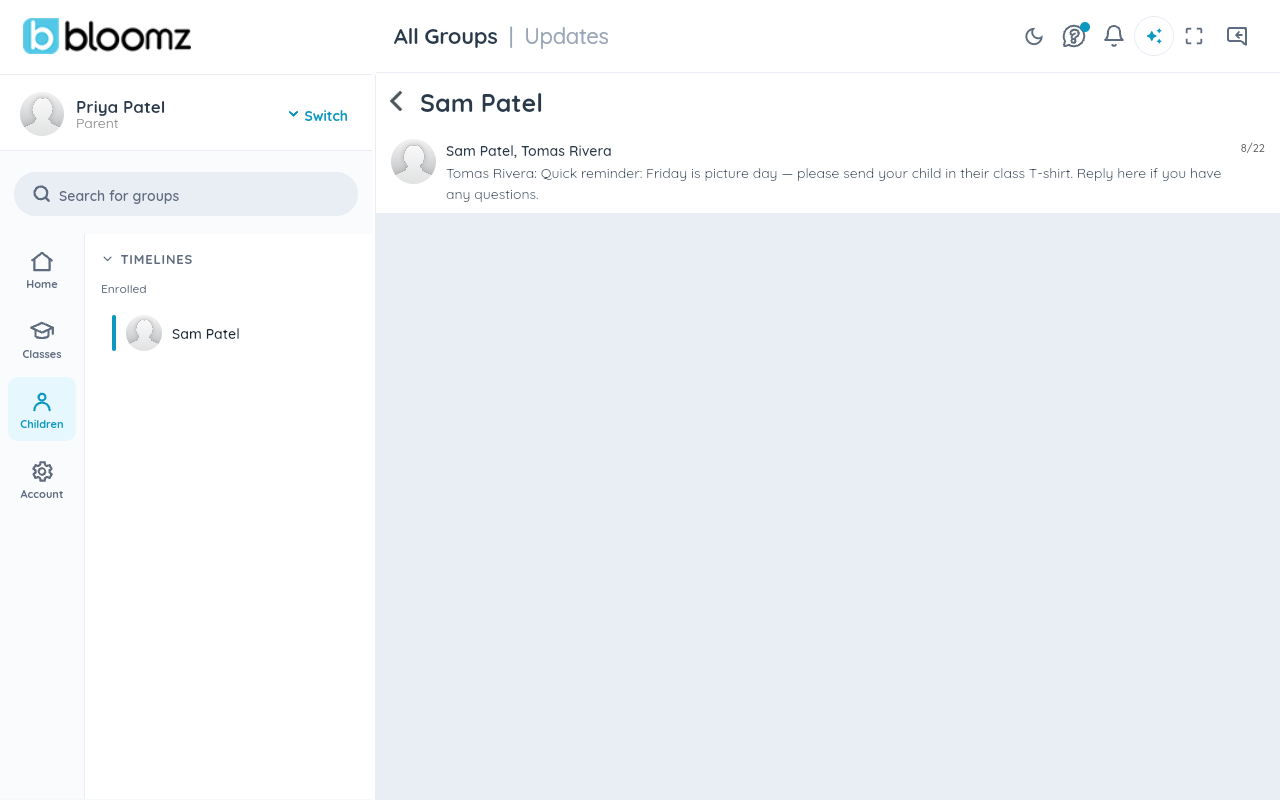

Step 4 — Open a conversation
Tap any conversation to open it and read the messages, just as you would one of your own.
What you can and cannot see
You see all of your child's conversations — there is no filter that hides student-to-student threads and shows only staff ones. That breadth is exactly why the feature ships turned off and is switched on school by school: your school has weighed the privacy trade-off for its community before you ever see the button.
You can only do this for your own children. A parent who is not linked to a student sees nothing — no button, no list — and the check happens on the school's records, not on anything in the app.
Note: viewing a conversation this way is silent. Neither your child nor the other participants are notified that you looked.
Related
- Message your family
- Search, sort, and clean up your messages
- Create a post to share news with a whole class