 Bloomz
Browse the district-wide classroom feed (Walk the Halls)
Walk the Halls is a live, district-wide feed of what every classroom is posting — scroll through Riverside High School's Spirit Week photos, then a kindergarten reading circle at Riverside Elementary, without opening either class. It used to be its own page; it now lives inside Oversight as a second mode, alongside the sent-communications Feed described in Use Oversight as an administrator. This article is for district and community administrators.
Before you start
You need a district or community-admin role with Walk the Halls turned on for your organization — a school-level admin never sees this mode. Reach it either from Oversight in the More menu (then switch modes, Step 1) or from a separate Walk the Halls tile in the same menu, which opens straight into this feed.
Step 1 — Open Oversight and switch to Walk the Halls
Open Oversight from the More menu, then select Walk the Halls on the two-pill switch above the search bar (the other pill, Feed, is today's Oversight — see the related article for that side).

What you should see: the page's body is replaced entirely — the search bar, chips and filters from Feed mode are gone, along with any search term or filter you had set there.
Step 2 — Narrow by grade or school
Two rows of pills sit above the feed: grade (All Grades, then K–12) and school (All Schools, then one chip per school in your scope), with a live running count of posts per school underneath.
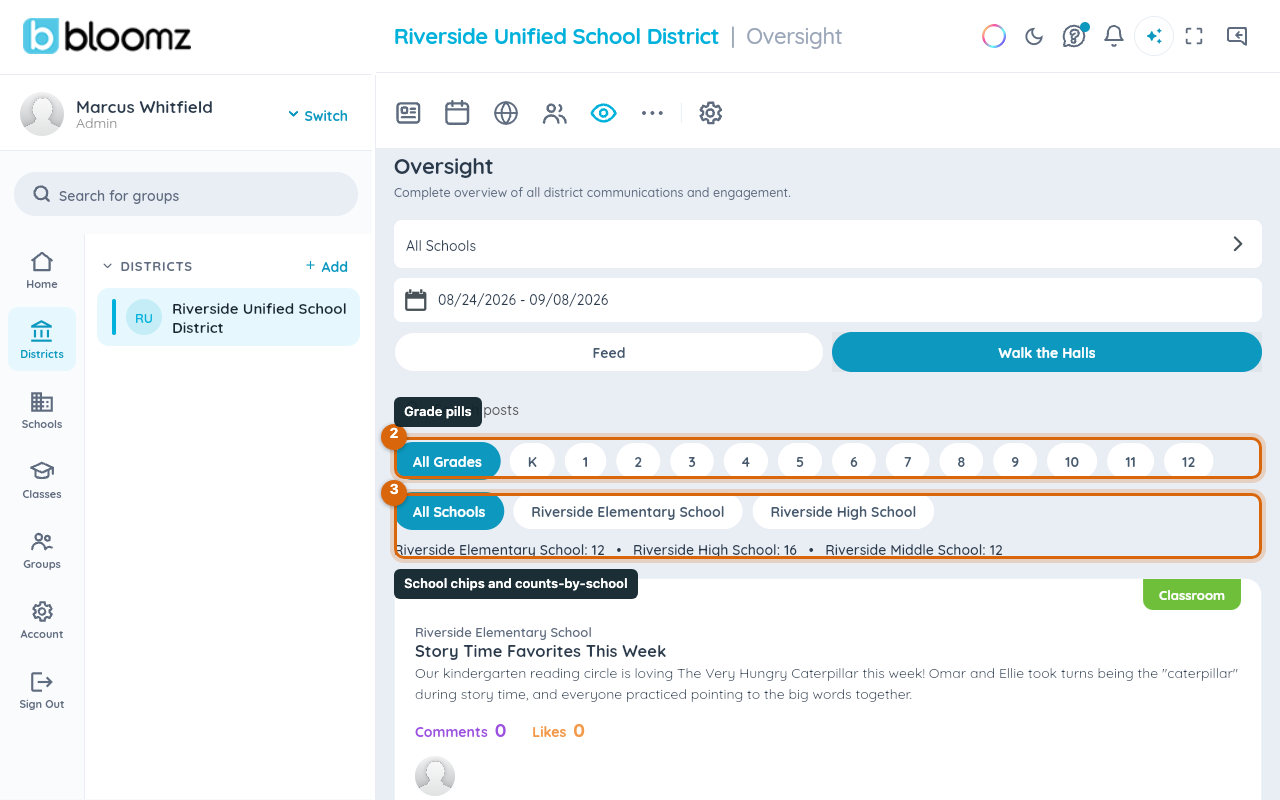

What you should see: the feed narrows to whichever grade and school you picked, newest post first. Walk the Halls has its own simple text search too, separate from Feed's — it isn't part of the filter builder described in the Feed article.
Step 3 — Read a classroom's post
Each card carries a green Classroom tag and shows Comments and Likes counts — not the Sent/Received/Read delivery stats a Feed post shows, because Walk the Halls is about activity, not delivery. Select a card to open the real post, with its real author and school resolved (not a placeholder).
Watch out: switching back to Feed — or leaving Oversight entirely and coming back — drops whatever grade/school narrowing you had set here; a fresh app launch always starts back on Feed, never Walk the Halls, even if that's the mode you had open when you last closed the app.
Related
- Use Oversight as an administrator
- What's new in Bloomz 2026
- See everything you have sent