 Bloomz
Submit a safety tip
A safety tip lets you raise a concern — bullying, a threat, something that just feels wrong — and get it in front of your school's safety team quickly. There are two ways to submit one, and they make different promises about your identity; the form tells you which applies before you write anything.
Before you start
- Your school must have safety tips turned on (off by default).
- The in-app form is confidential, not anonymous. The staff who receive your report will not see who sent it — nothing on their screens names you, and there is no control anywhere in the product that could reveal you to them — but Bloomz does record who submitted, so the school can follow up through proper safeguarding or legal channels if a situation ever requires it.
Step 1 — Open Report a Concern
Signed in, open the left drawer's Help panel and select Report a Concern.
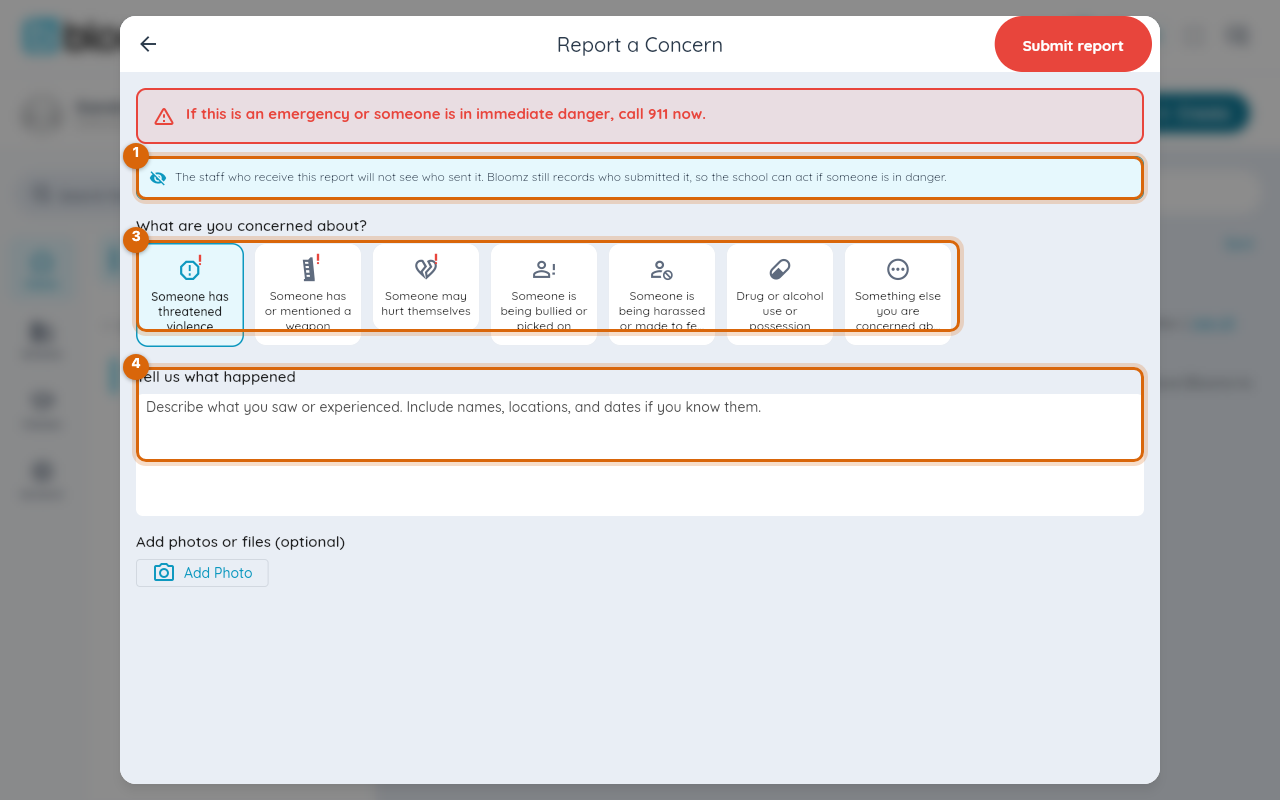
Step 2 — Read the identity notice
The notice at the top of the form — above the categories, before you write — tells you exactly what this channel promises: the staff who receive the report will not see who sent it.

Watch out: the in-app channel is confidential, not anonymous — your submission is recorded even though staff never see your name.
Step 3 — Pick a category
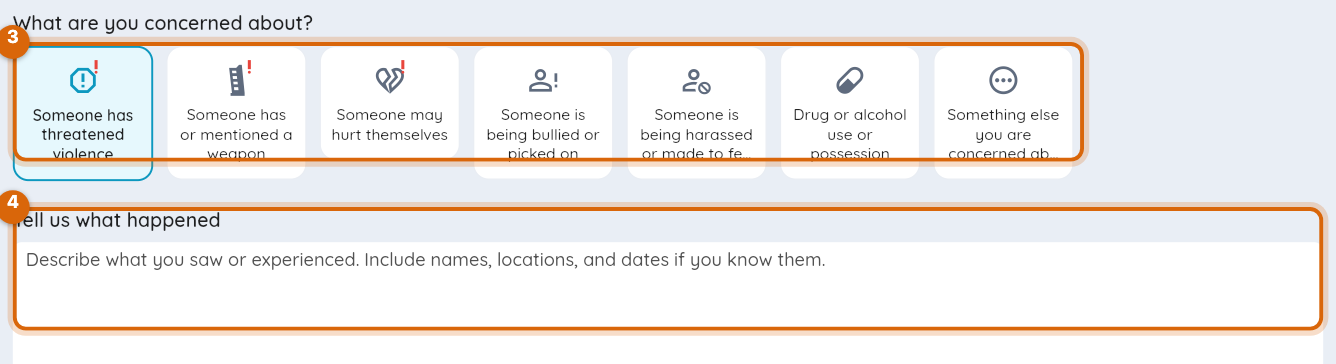
Choose the category that fits the concern. The category (with a priority) is what the safety team is notified about — never who reported.
Step 4 — Describe the concern
Write what you saw or know in the description field. Specifics — who, where, when — help the team act.
Step 5 — Submit
Submit the tip. It lands in the safety team's triage queue, and the team is notified. On their screens, an in-app tip shows only "The reporter's name is not shown."
Note: the in-app form is confidential, not anonymous — staff never see your name, but Bloomz still records that you submitted it, so the school can act if someone is in danger.
After you submit
The safety team may ask follow-up questions on your tip. You can reply to them without your name attaching to your messages — staff replies show who wrote them; yours do not.
Related
- Set up safety tip reporting
- Student check-in and immunizations
- Issue a hall pass