 Bloomz
Take attendance for your class
Mark who is present, absent or tardy for today in under a minute, from the class you are standing in. Attendance feeds the school's records and, where the school uses Thrive, the early-warning signals that flag a student before absences pile up.
Before you start
Teachers of the class can take attendance; your school may also let office staff do it. Attendance is for today's date — it cannot be back-dated from this screen.
Step 1 — Open Attendance
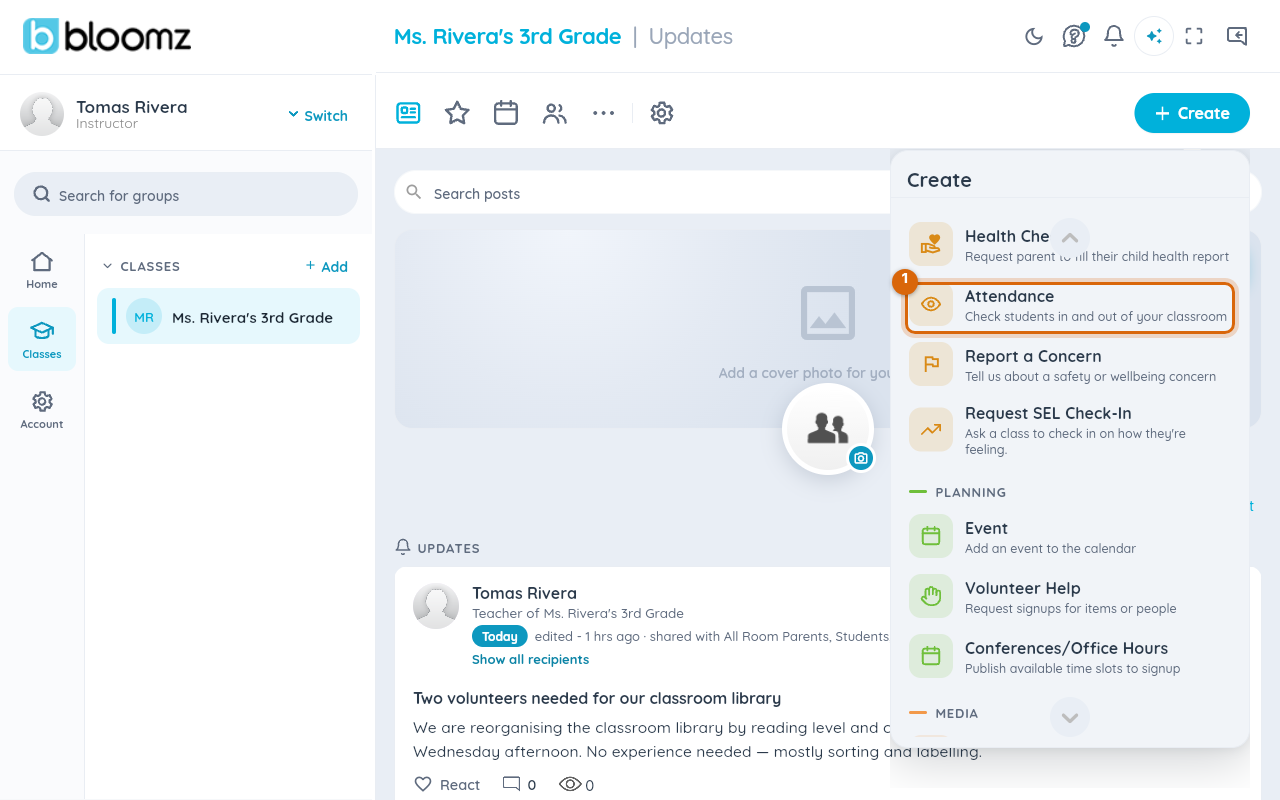
Open your class, select Create in the top corner, scroll the menu to Safety & Wellbeing and choose Attendance.
Step 2 — Mark each student
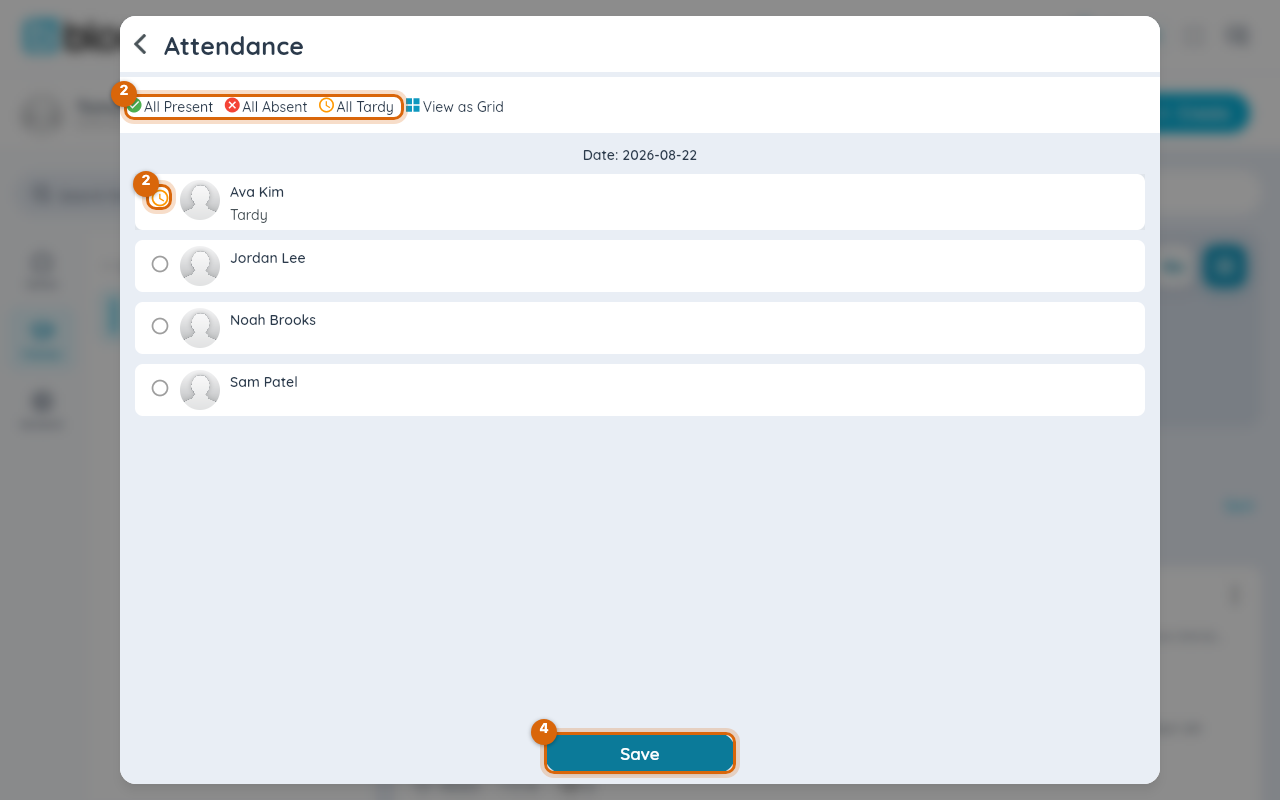
Every student has a circle. Select it once for present (green check), again for absent (red cross) and a third time for tardy (amber clock); the status is written next to the name. Use All Present, All Absent or All Tardy at the top to set everyone at once, then change the exceptions.
Step 3 — Switch to the grid if you prefer faces
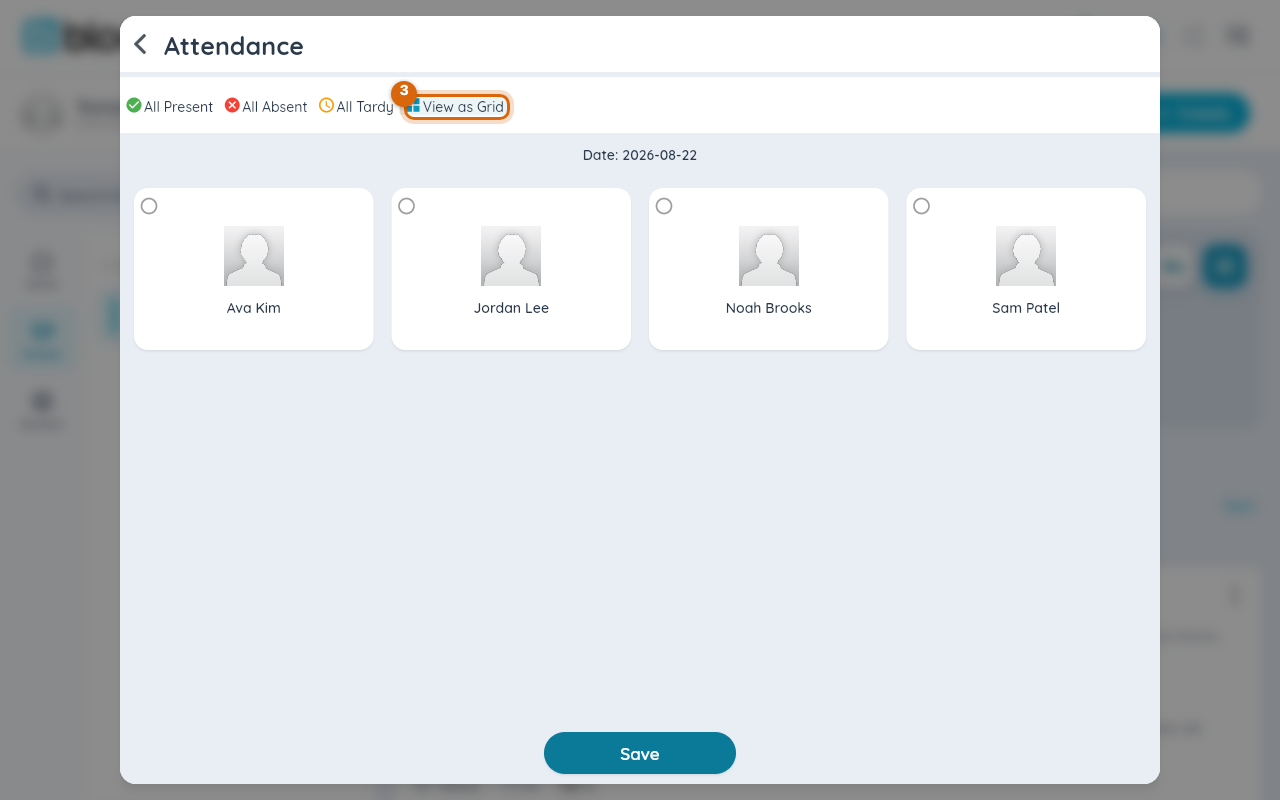
View as Grid shows the same students as photo tiles with the circle in the corner — quicker in a full room.
Step 4 — Save
Select Save. Today's attendance is recorded; open Attendance again to correct it.
Watch out: a student with no status is not "present" — they are unmarked, and the record shows a gap. Use All Present first if most of the class is in, then mark the absences.
What the school sees
Absences and tardies appear in the school's attendance reports and, for schools using Thrive, count toward the day-count rules that open a case when absences cross a threshold.
Related
- Check a student in and out
- Issue a hall pass
- Set your child's weekly pickup plan