 Bloomz
Find and comment on your city's meeting agendas
As a resident, your city's Agendas & Minutes list shows every meeting your city has published — upcoming and past — with the option to comment on any agenda item and say whether you support, oppose or are neutral on it. This is reached from your own City group in the app; you need to be a signed-in member of the City (a resident account, not a staff role) to comment — the same agenda list is also published on your city's public website with no sign-in required, for anyone who isn't yet a Bloomz member.
Before you start
You need a Bloomz account and membership in your city's group. Your city must have Agendas & Minutes turned on.
Step 1 — Open Agendas & Minutes from your City
From Home, select your city, then the Agendas & Minutes icon in the top bar.
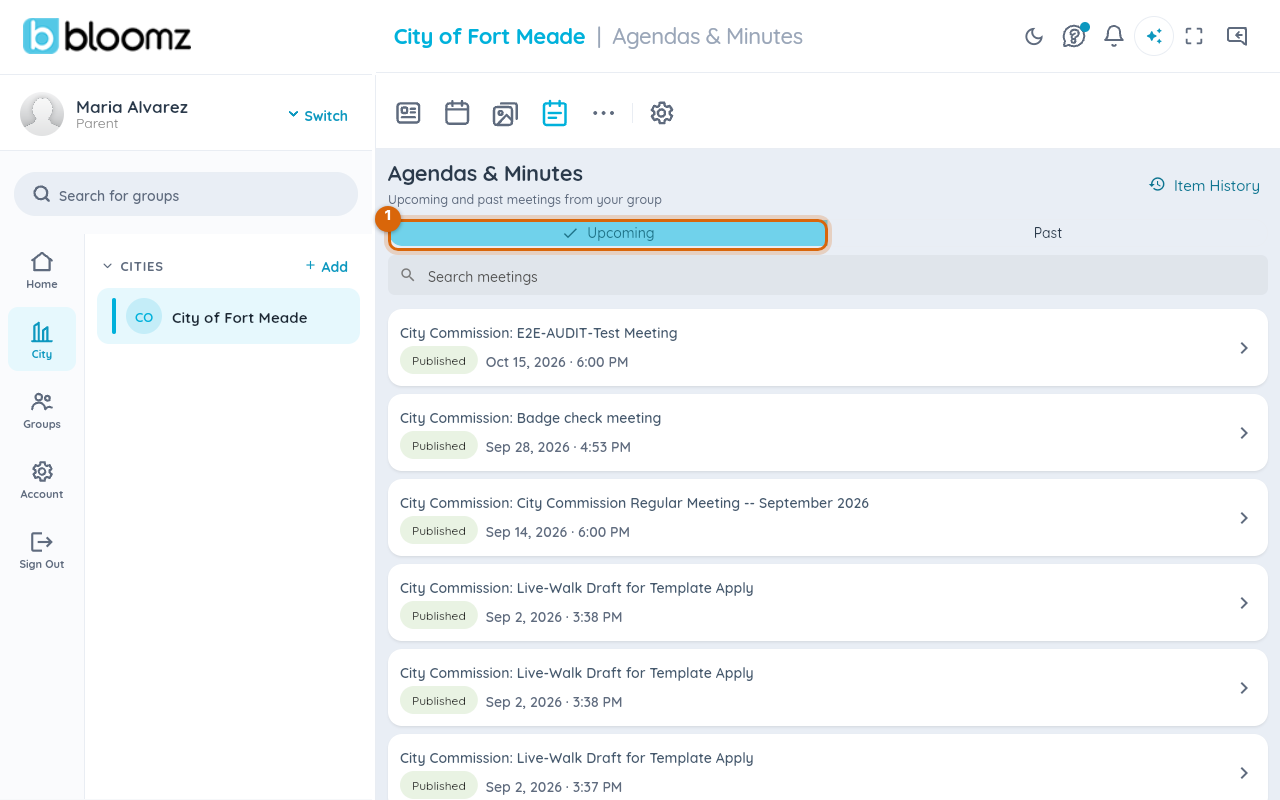
Switch between Upcoming and Past meetings, or select Item History to see how a specific item has moved across meetings.
Step 2 — Open a meeting
Select any meeting to see its full detail — the meeting date, location, an Agenda PDF link, and every item on the agenda.
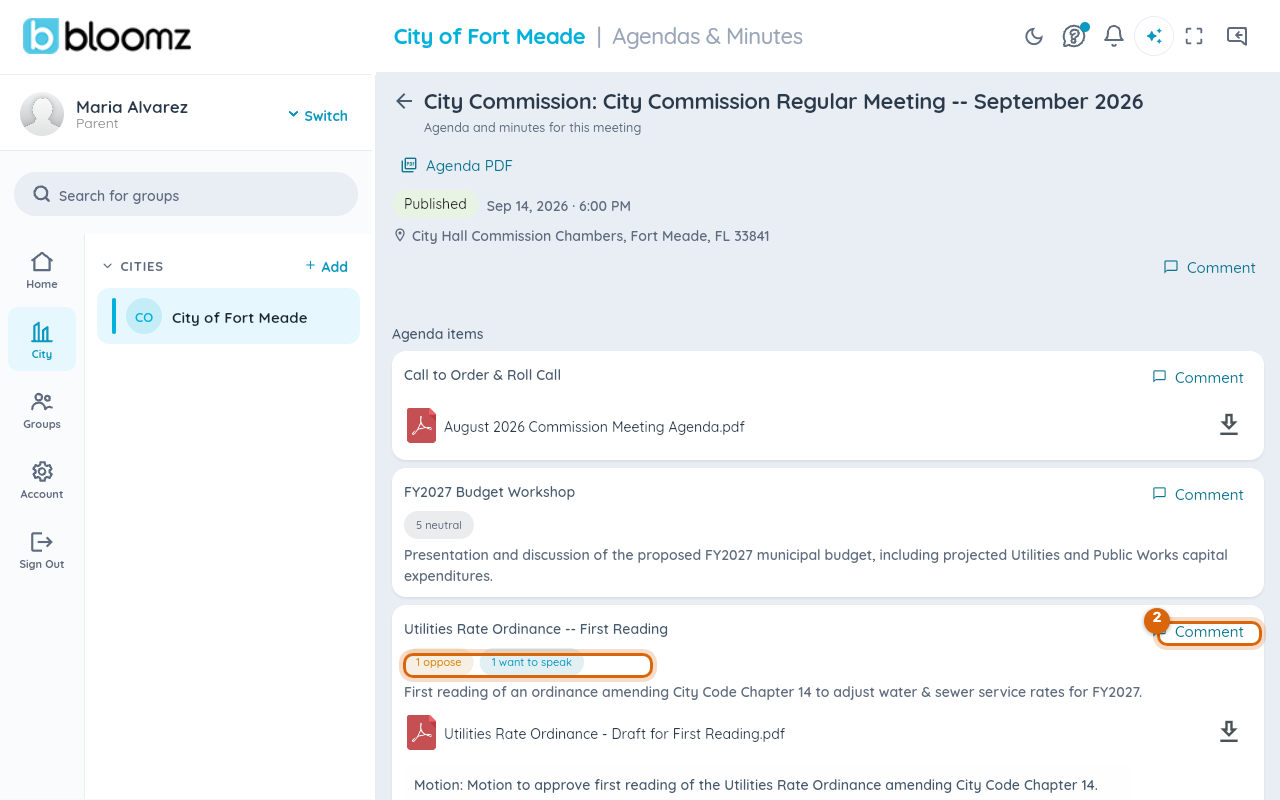
Items that already have public comments show small badges — "1 oppose", "5 neutral" — a running tally of everyone's stated position.
Step 3 — Select Comment on an item
Select Comment next to the specific item you want to weigh in on — not the meeting as a whole, so your comment attaches to exactly what you're responding to.
Step 4 — Choose your position and write your comment
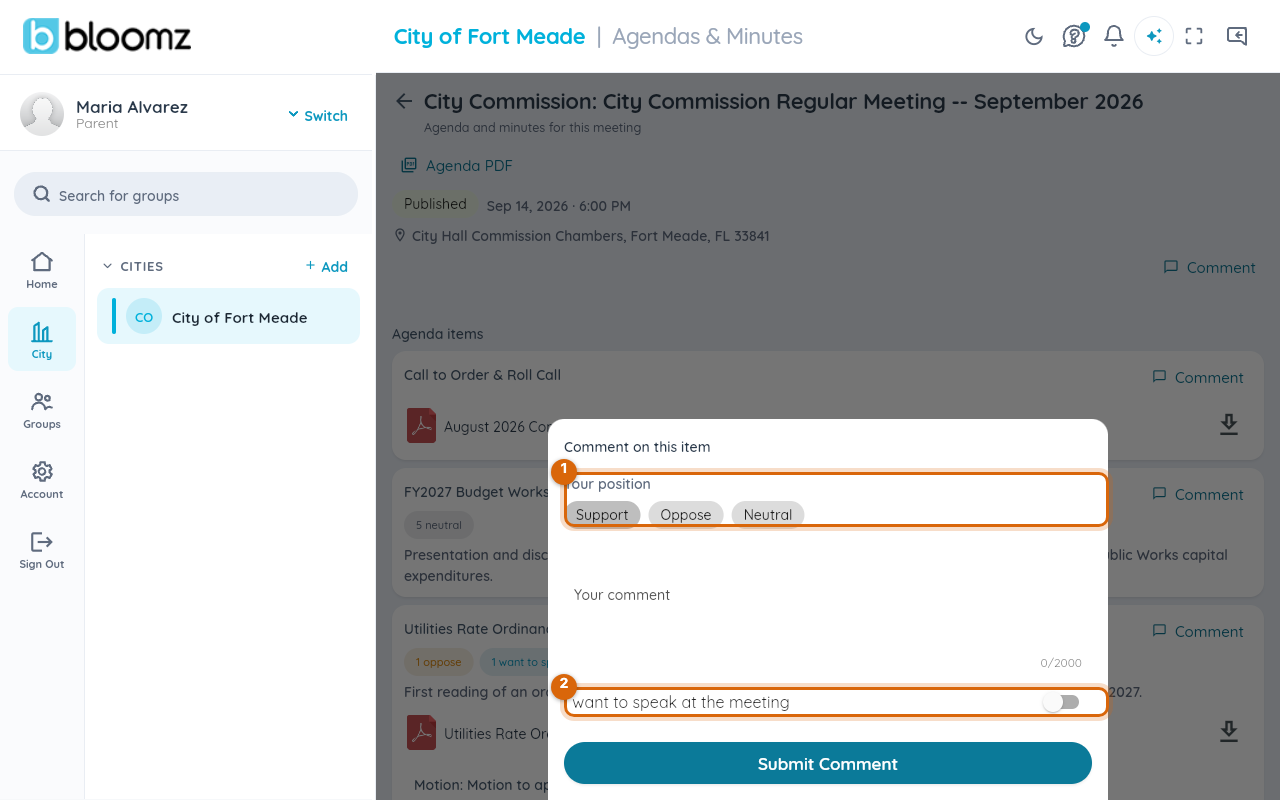
Select Support, Oppose or Neutral, then write your comment (up to 2,000 characters).
Step 5 — Turn on "I want to speak at the meeting" if you plan to attend
This flags your intent to speak during the live meeting's public comment period — city staff running the meeting see it as a speaker sign-up, not just a written comment.
Step 6 — Select Submit Comment
Your comment posts under that agenda item for staff and other residents to read.
Watch out: once a meeting's comment window closes (staff can close comments early, or they close automatically after the meeting), the Comment option disappears from that item — read the agenda before the meeting if you want to weigh in.
What staff see
Staff running the meeting see every comment and speaker sign-up in a queue next to the live item, and the same Support/Oppose/Neutral tallies you saw as a resident — see Run a live city meeting and record the minutes.
Related
- Publish an agenda for your city meeting
- Run a live city meeting and record the minutes
- Set up your city's departments, neighborhoods and community groups