 Bloomz
Handle office overrides and the absence queue
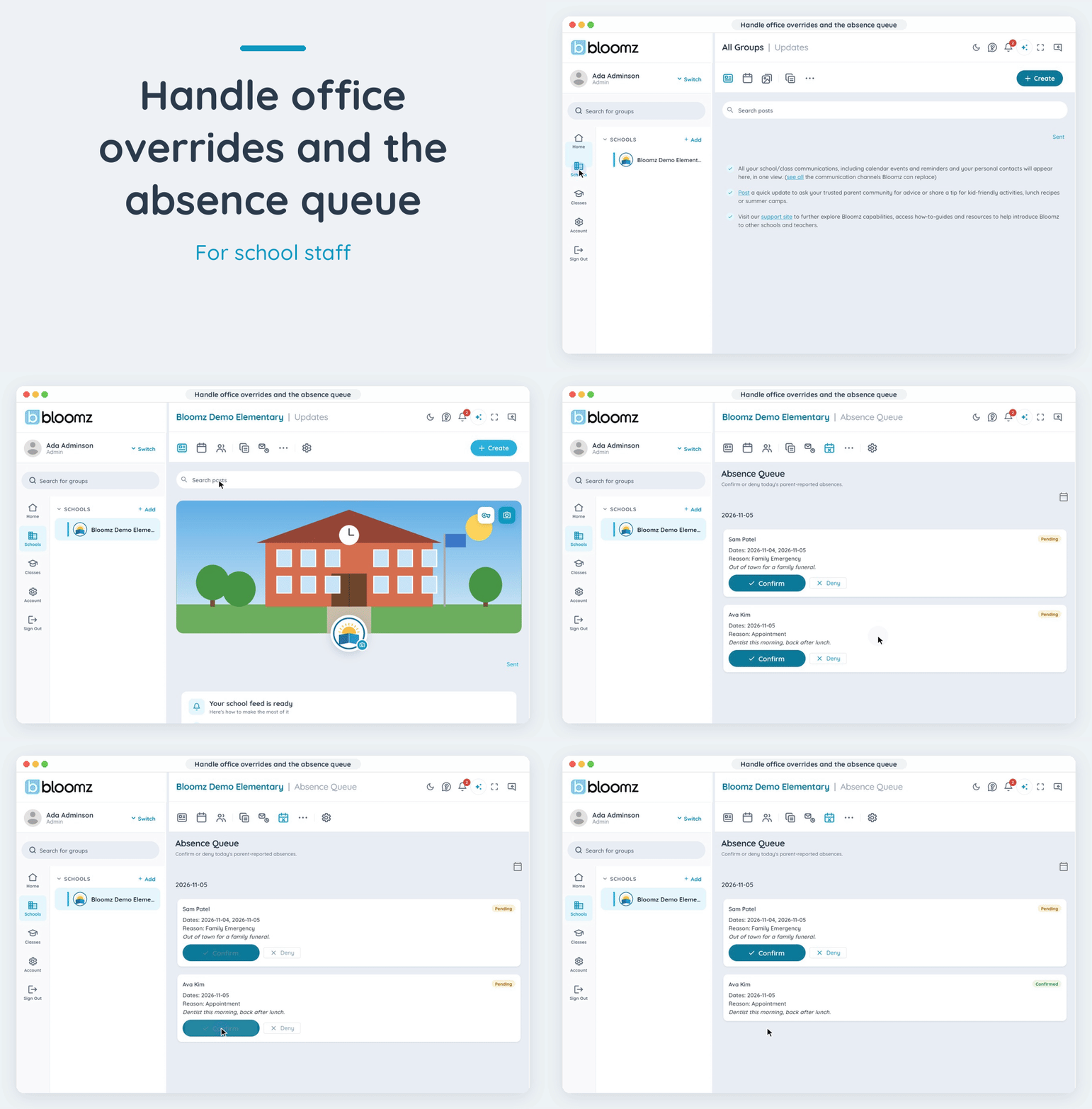
Families report absences in Bloomz, and plans change on the day: a grandparent shows up instead of mom, or a family calls after the cutoff. The Absence Queue is where the office confirms the absences families report, and Office Override changes how a student leaves today without touching the family's saved plan.
Before you start
- The Absence Queue needs Absence Reporting turned on for your school. It does not need Dismissal.
- Office Override is part of Dismissal, so your school must have Dismissal switched on to use it.
- You need an office role at the school: Admin, School Admin, School Office Admin or Attendance Clerk (District Admins and District Office Admins can too). Teachers and other staff don't see the queue.
Step 1 — Open the Absence Queue
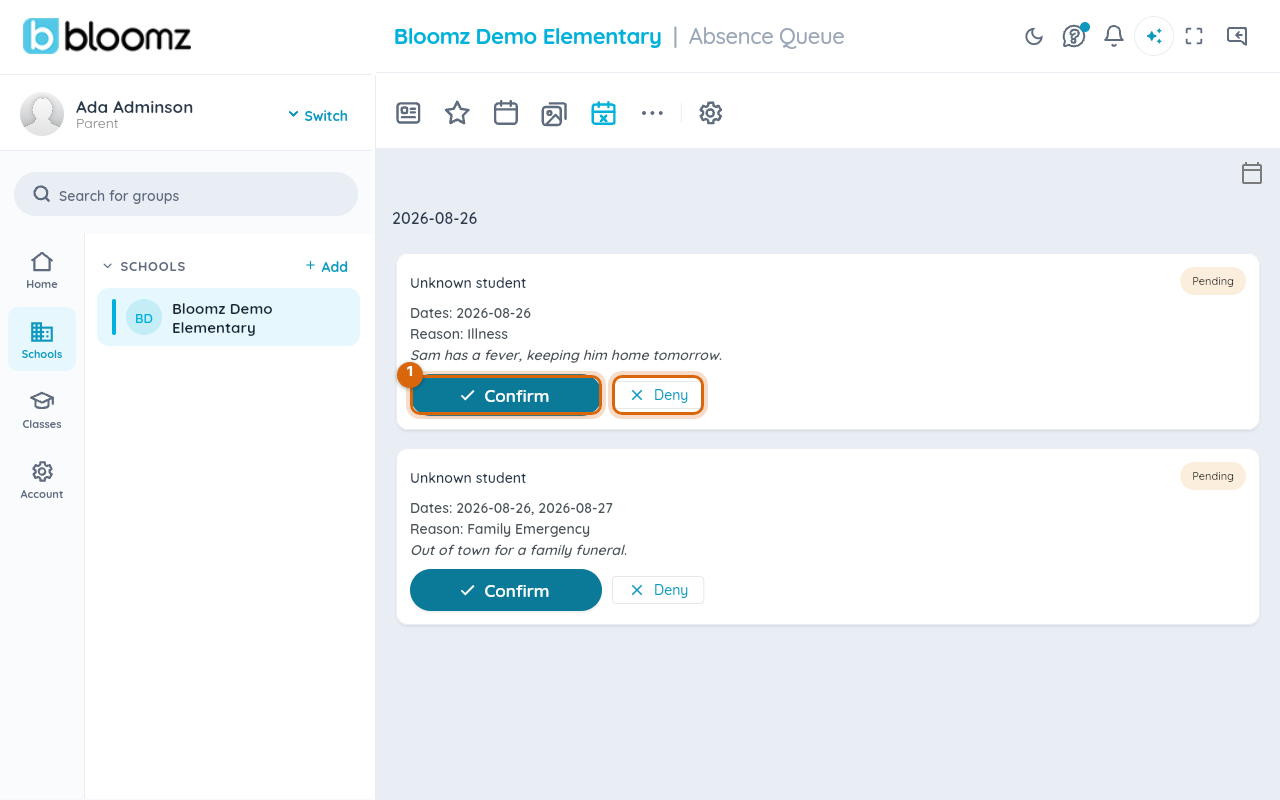
Open your school, select More (…), then Absence Queue under Safety & Wellbeing. It lists today's reports with the student, the dates, the reason, the family's note and a Pending, Confirmed or Denied badge. To see another day, select the calendar icon.
Step 2 — Confirm or deny each report
Select Confirm when the report is right. Bloomz marks the student as an excused absence in Bloomz class attendance for those days, removes them from the dismissal board if your school uses Dismissal, and tells the family it was confirmed. Select Deny if the report looks wrong; the family is told, and the student stays expected as usual.
Watch out: Bloomz doesn't send confirmed absences to your student information system. Record the absence there as you do today.
Step 3 — Change today's pickup with Office Override (Dismissal)
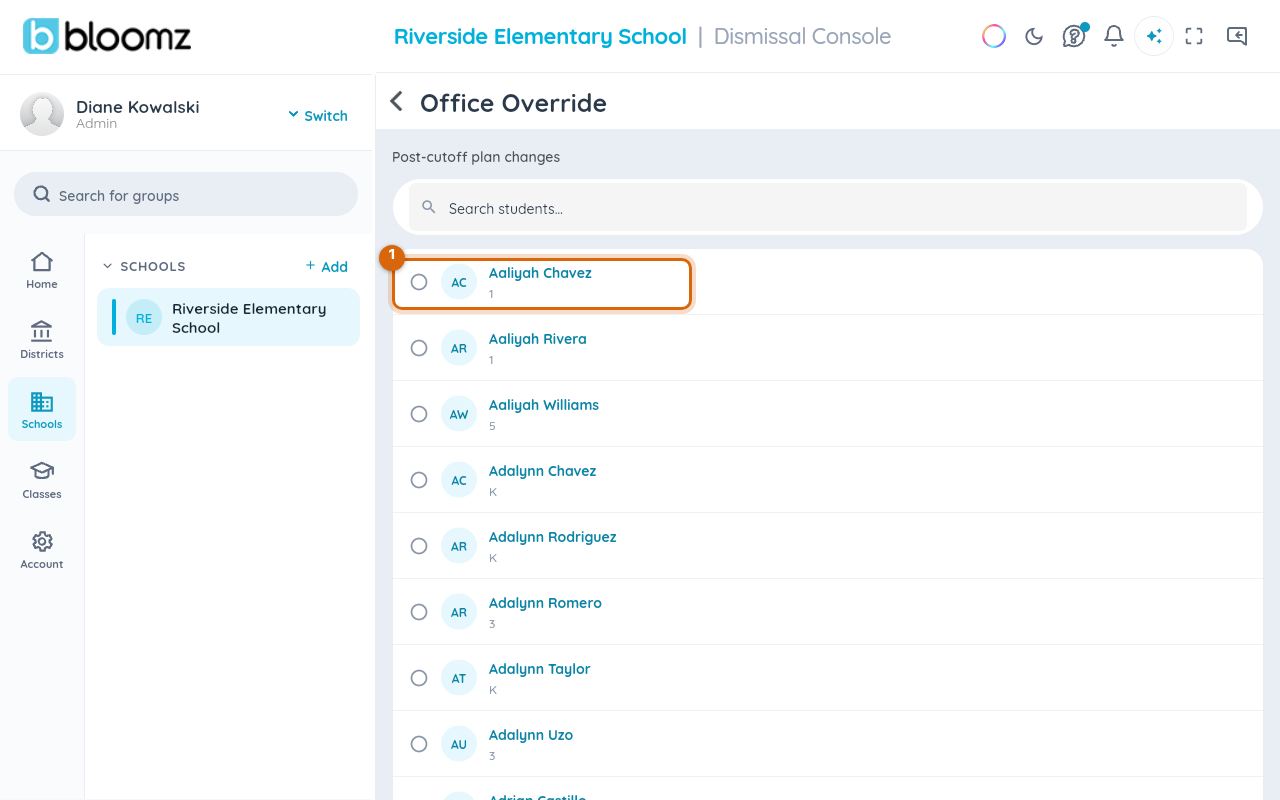
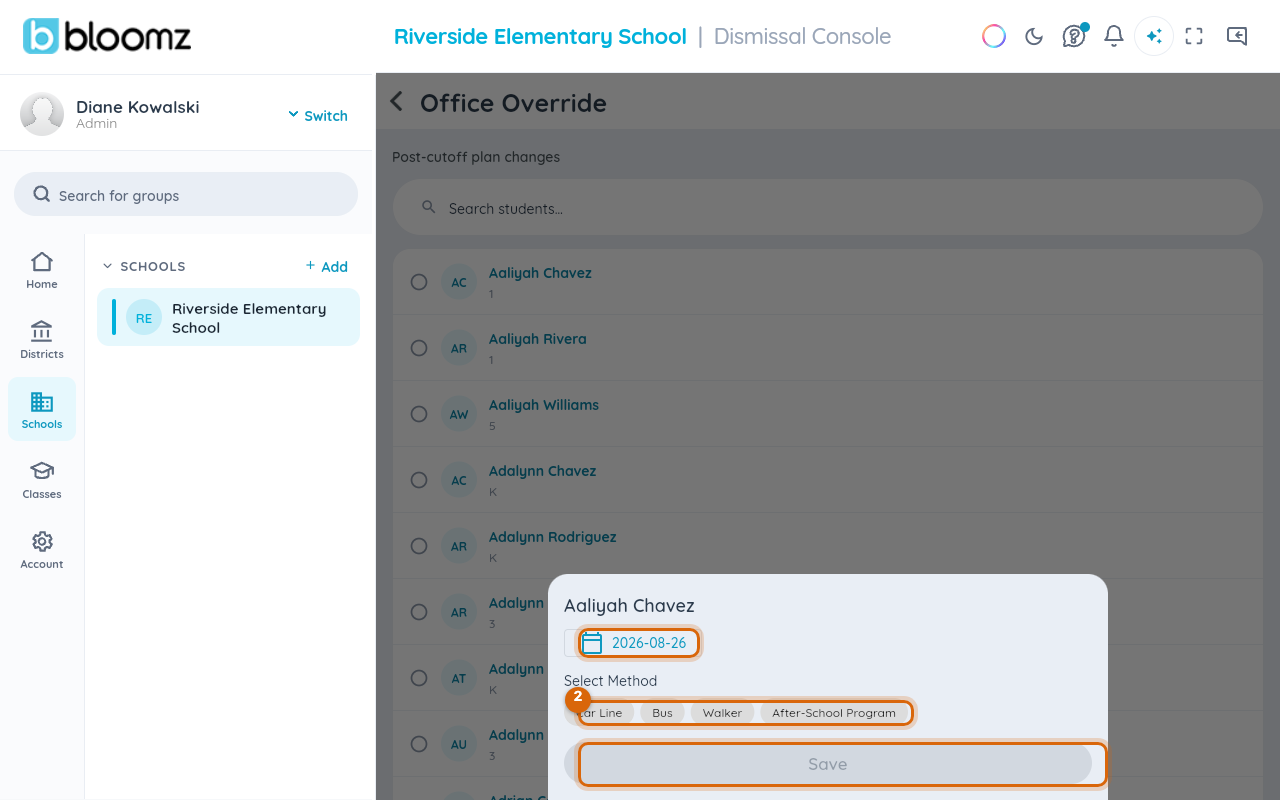
Open your school, select More (…), then Dismissal Console, then the calendar icon in the top-right corner. That opens Office Override, a separate screen for post-cutoff changes. Select the student (today is the default date), pick the new pickup method (Car Line, Bus, Walker or After-School Program) and select Save. The override only changes how the student leaves today; the family's saved plan stays the same for tomorrow.
Watch out: confirming an absence removes the student from the dismissal board straight away. If the family turns up anyway, add the student back with Office Override.
What office staff see
Everyone with an office role at the school gets a Bloomz notification when a family reports an absence, and the report waits in the queue as Pending until someone confirms or denies it. School admins can choose which staff get this notification instead. The queue also lists absences teachers marked in Bloomz class attendance for that day, without Confirm or Deny buttons. Overrides and confirmations are logged with your name.