 Bloomz
Keep volunteer background checks current
Track each volunteer's background-check status next to their hours: one check record per volunteer, a status chip on every row, an expiring-soon view, and an automatic heads-up to the office before a check lapses. Bloomz records the status — it does not run checks or connect to any registry.
Before you start
- This lives on the same Volunteer Hours page (More → Planning) and the same Coordination gate — see Track volunteer hours for your school.
- Background-check records are staff-only, end to end — nothing about them is ever shown to families or members.
Step 1 — Read the status chips
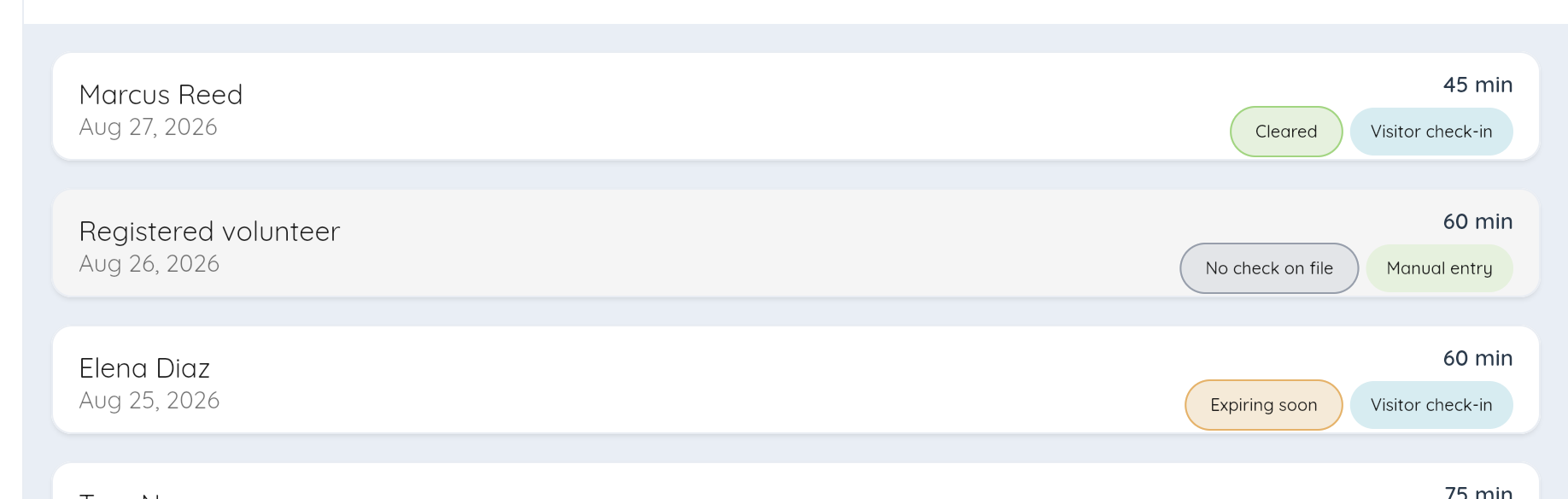
Each volunteer row on the Volunteer Hours page carries a check-status chip — cleared, expiring soon, expired, or no check on file.
Step 2 — Record or renew a check
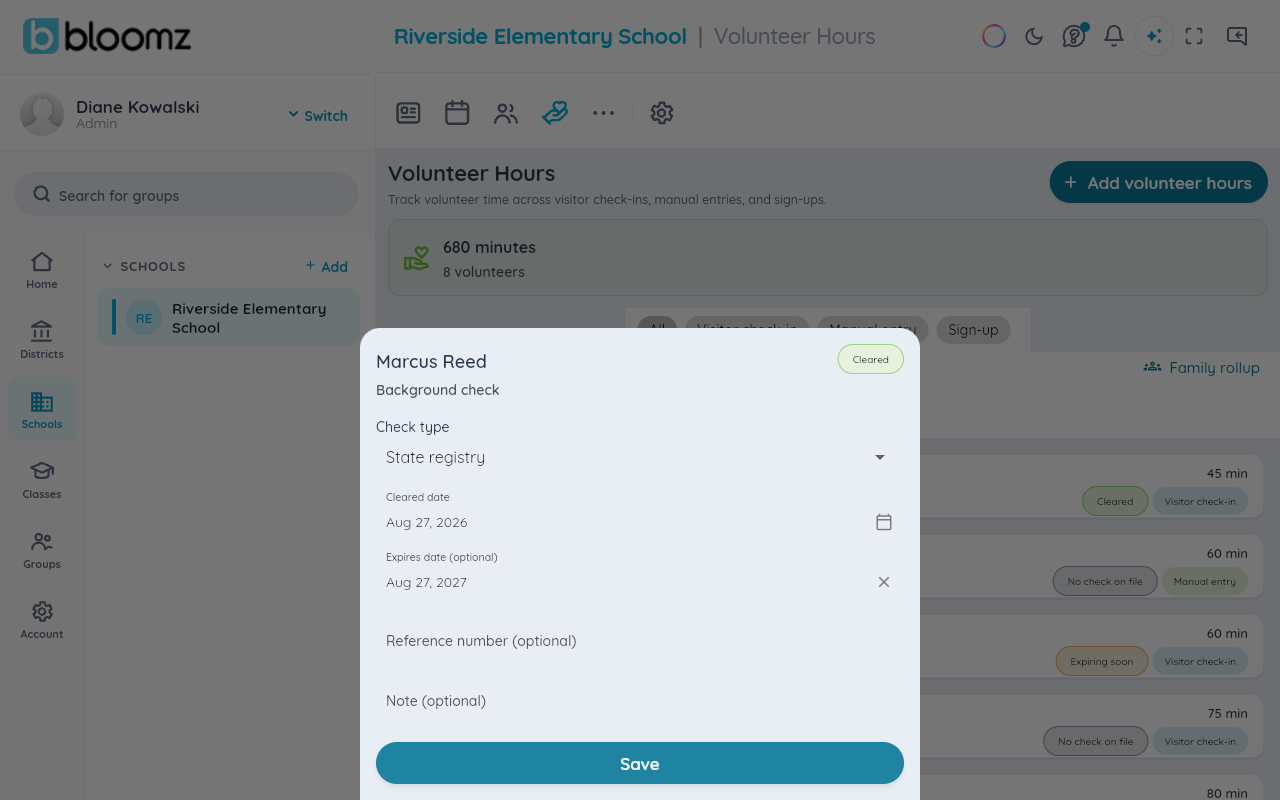
Tap a volunteer's row to open their detail sheet, then add or renew the check: the check type (fingerprint, state registry, FBI national, sex-offender registry, or other), the cleared date, and optionally an expiry date, a reference number, and a note. Each volunteer has one check record — a renewal updates it in place, it never creates a second row. Every write is audited.
Step 3 — Work the expiring list
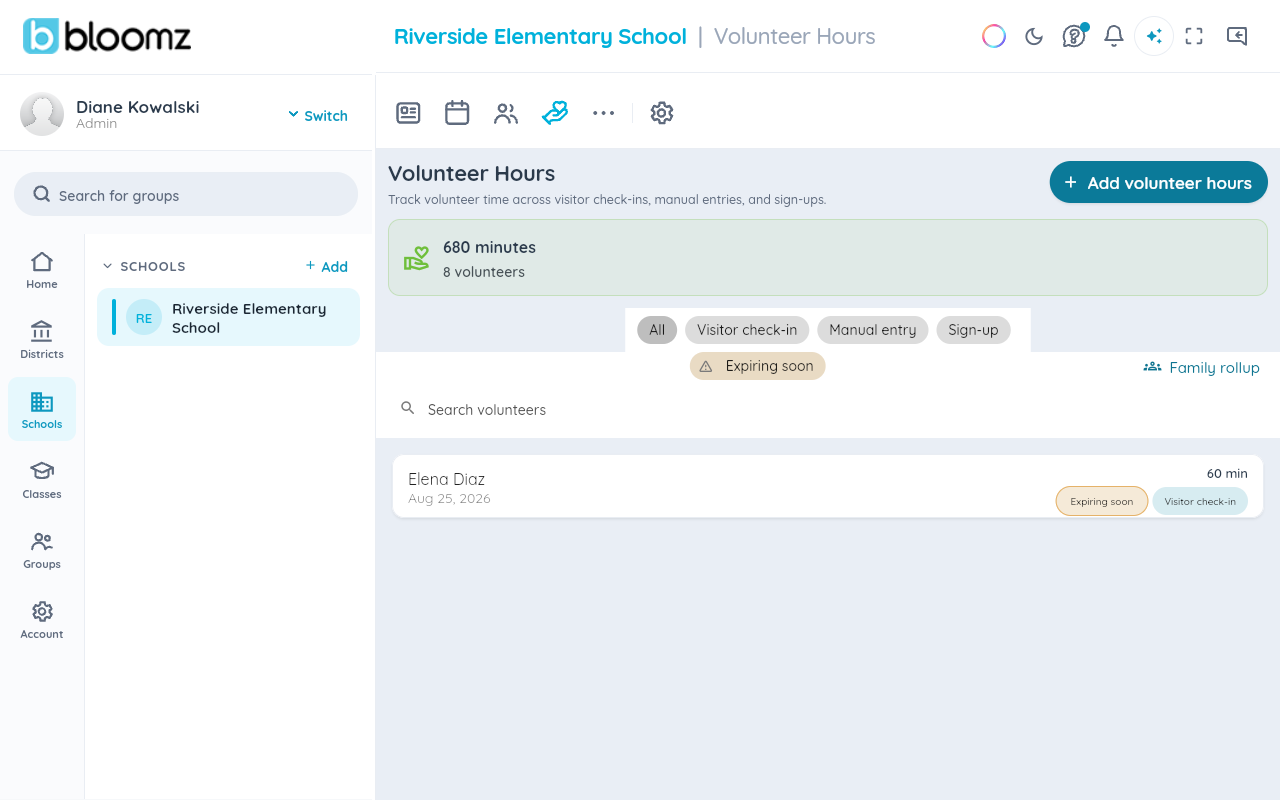
Use the Expiring soon filter to narrow the page to volunteers whose checks are expiring or expired.
Step 4 — Act on the expiry notices
A daily sweep notifies the school's coordinating staff (admin and office roles) when checks are expiring soon; tapping the notice lands directly on the expiring-only view. The notice doesn't nag — it won't repeat for the same expiry, and recording a renewal with a new expiry date re-arms it for next time.

Watch out: Bloomz only tracks what you enter. An expiry date is what drives the chip, the filter, and the notices — a check recorded without one shows as cleared indefinitely, so enter the expiry whenever your state's check has one.
What families see
Nothing. A volunteer's check record — or even the fact that one exists — is never visible to families.