 Bloomz
Make and receive calls with Staff Calling
Staff Calling gives you a school-provided number for phone calls with families, right alongside your posts and messages — every call, voicemail and transcript is logged next to that family's other conversations, not in a separate phone app. This is not the same feature as Conferences/Office Hours (parent-teacher conference scheduling) — Staff Calling is about placing and receiving phone calls. It's for any staff member with a school-assigned calling number.
Before you start
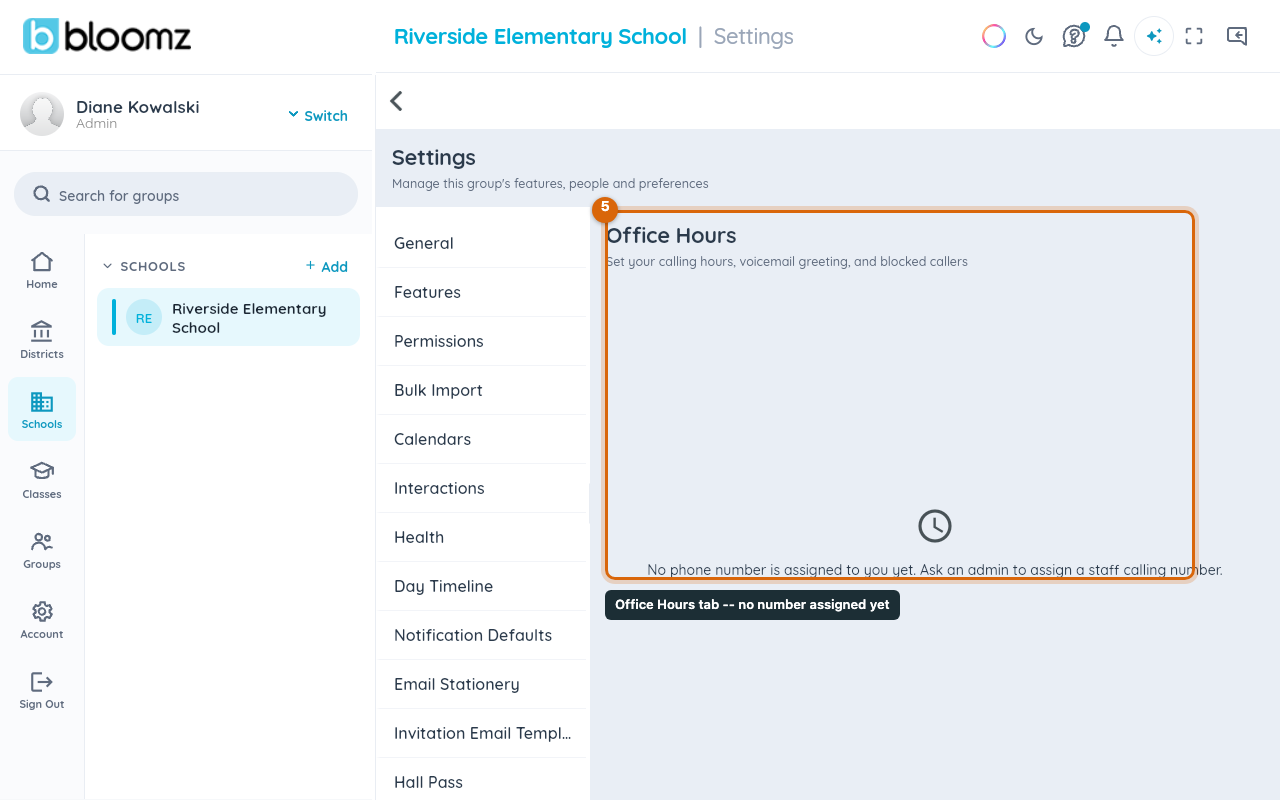
Your school or district needs Staff Calling turned on, and an admin needs to assign you a calling number — there's no self-service way to claim one. If you open Calls and see "No phone number is assigned to you yet," ask your admin.
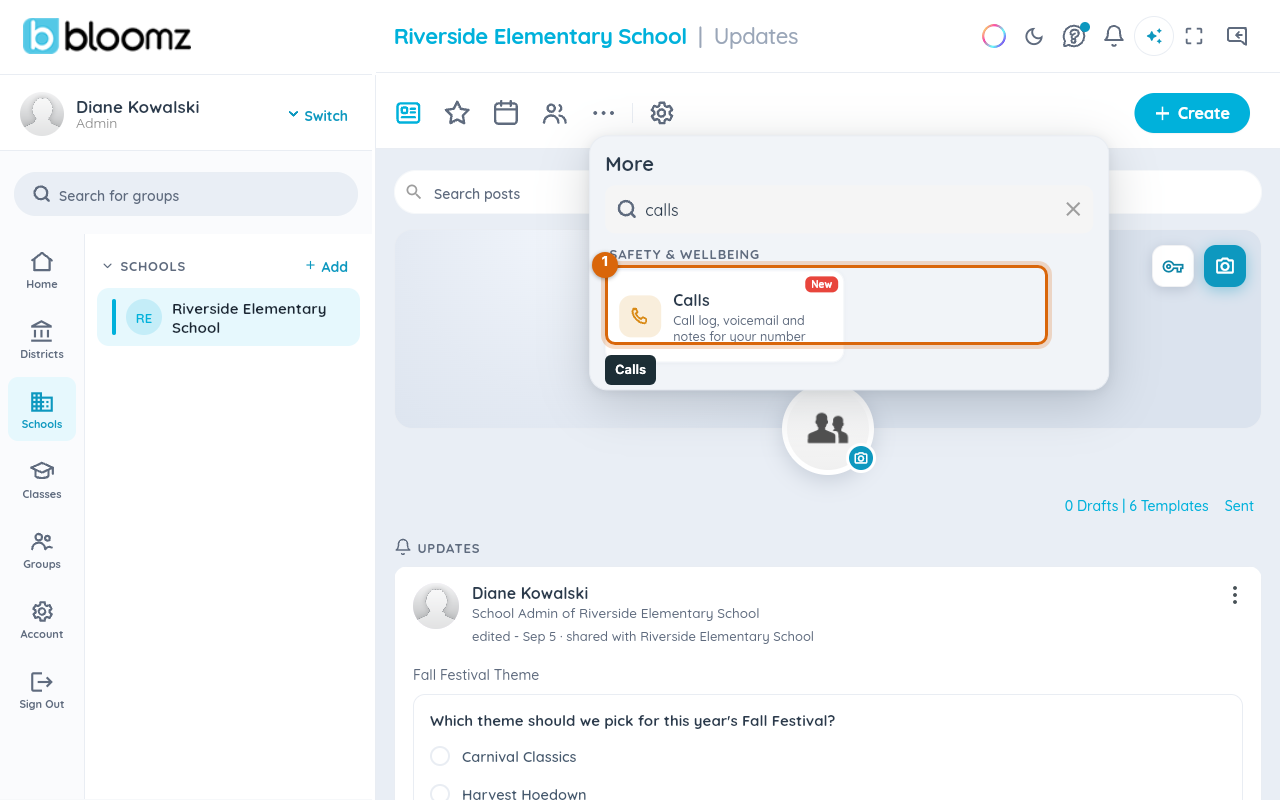
Step 1 — Open Calls from the More menu
Open More and search for or select Calls — it lists under Safety & Wellbeing alongside the other family-contact tools.
Step 2 — Review your call log
Every call to or from your number lands here — search by name or number, and narrow by Direction (Incoming/Outgoing) or Status (Completed/Missed/ Voicemail).
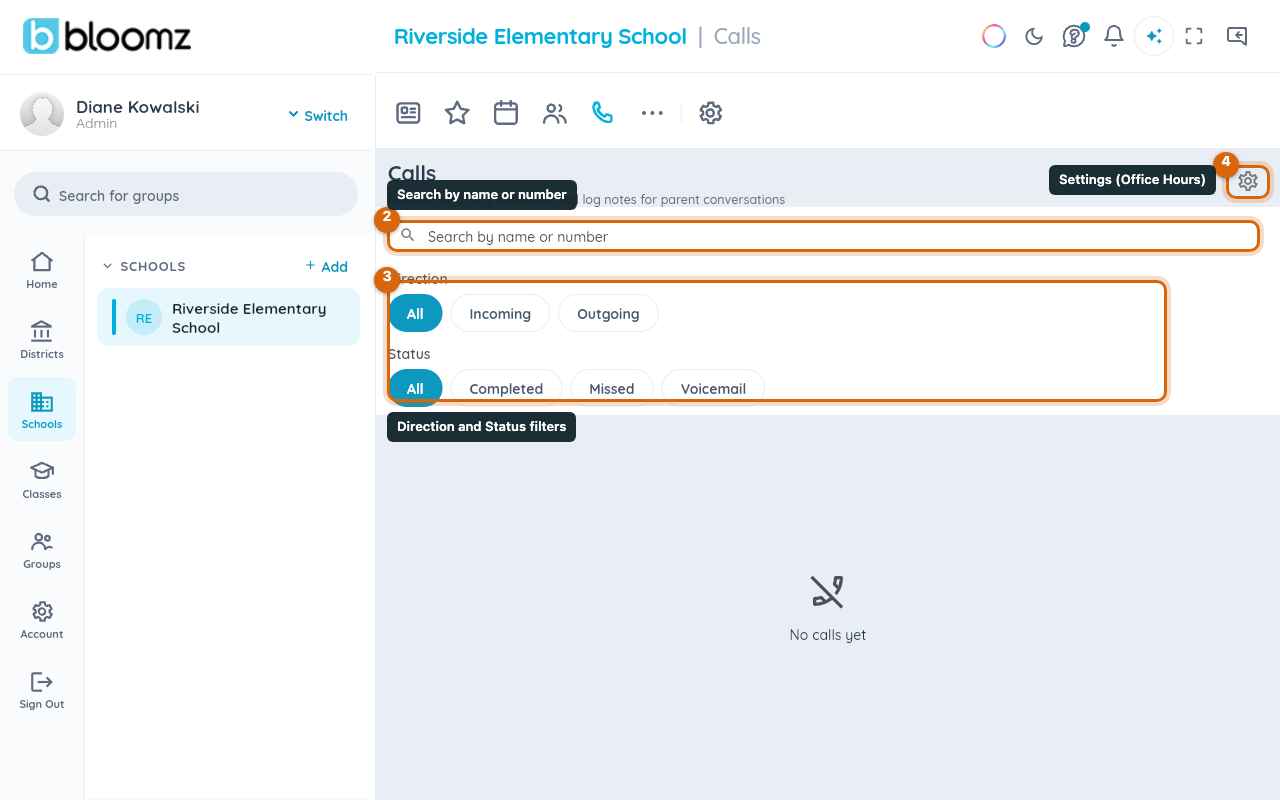
What you should see: your calls, newest first. A brand-new number with nothing logged yet shows "No calls yet" — that's expected until your first call.
Step 3 — Open a call for its voicemail, transcript or notes
Select any call to play a recorded voicemail, read its automatic transcript, set a call reason, add a note for the next person who looks at this family's record, or block that number from reaching you again. Notes are append-only — once saved, they stay on the call's history.
Step 4 — Set your calling hours, greeting and blocked numbers
Select the Settings gear on the Calls page to open Office Hours — your per-day calling windows (with a time zone), a Do Not Disturb override, your voicemail greeting, and your blocked-caller list all live on this one tab.
Watch out: outside your configured hours, on Do Not Disturb, or if a call just rings out, the caller hears your voicemail greeting and can leave a message — you don't see an incoming-call alert for those calls at all, only the voicemail afterward (with an automatic transcript once it finishes processing). If you were expecting to be reachable and weren't, check your hours and DND switch here first.