Bloomz
Set up your school's in-app store
Sell spirit wear, yearbooks and other school merchandise right inside the app families already use for tuition and fees. Products can have size or color variants with their own price and stock count, and every sale lands on the same statement, payout and year-end tax record as everything else Bloomz Pay collects. This article covers the in-app storefront — there is no separate public website storefront yet.
Before you start
- Payments must already be turned on for your school. The store is a Payments add-on, switched on by default the moment Payments itself is.
- You need school or district admin access to the Payments console.
Step 1 — Open the School Store tab
From your school's More menu, choose Payments, then select the School Store tab. From here you can also reach the Check-in scanner for pickup orders and the Fulfillment queue.
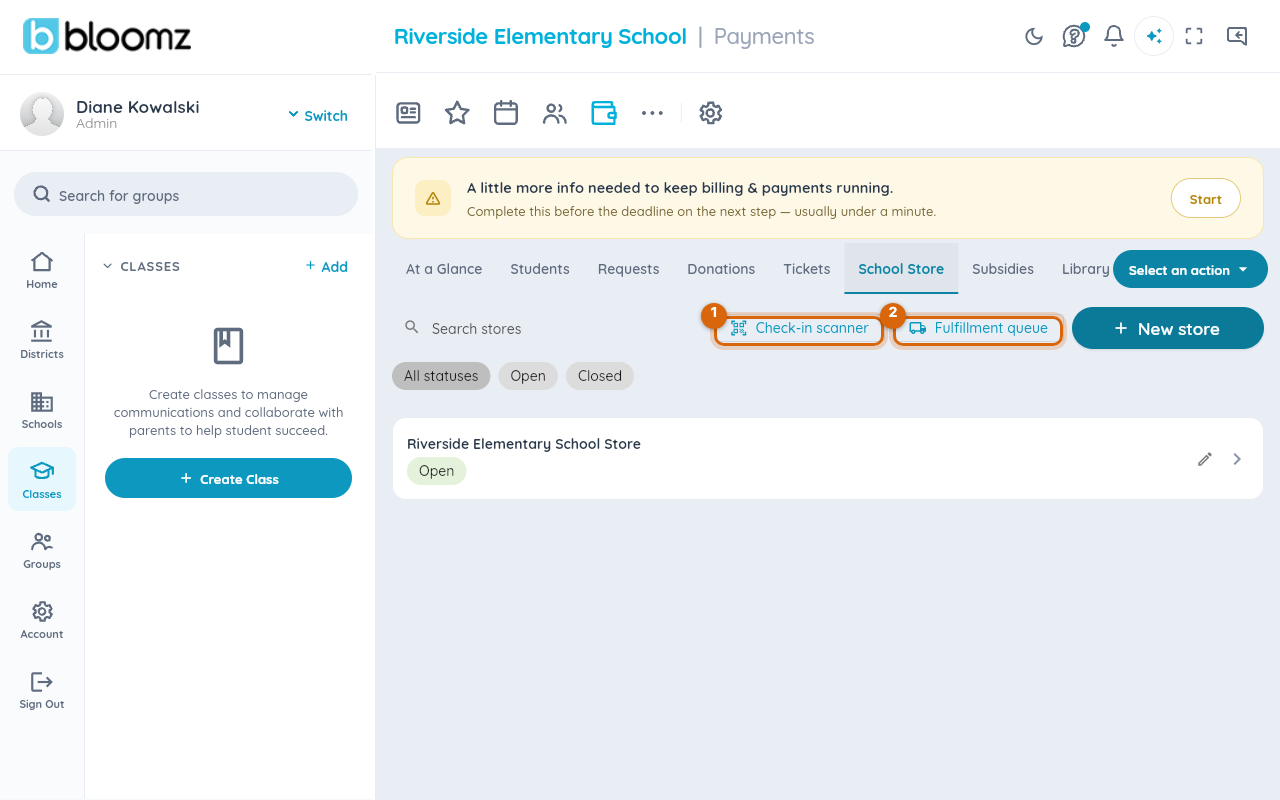
Choose New store if your school doesn't have one yet — most schools only need one.
Step 2 — Add products and variants
Open your store to manage its products. Each product can carry one or more variants — size, color, or similar — each with its own SKU, price and stock count; leave a variant's stock blank for unlimited.
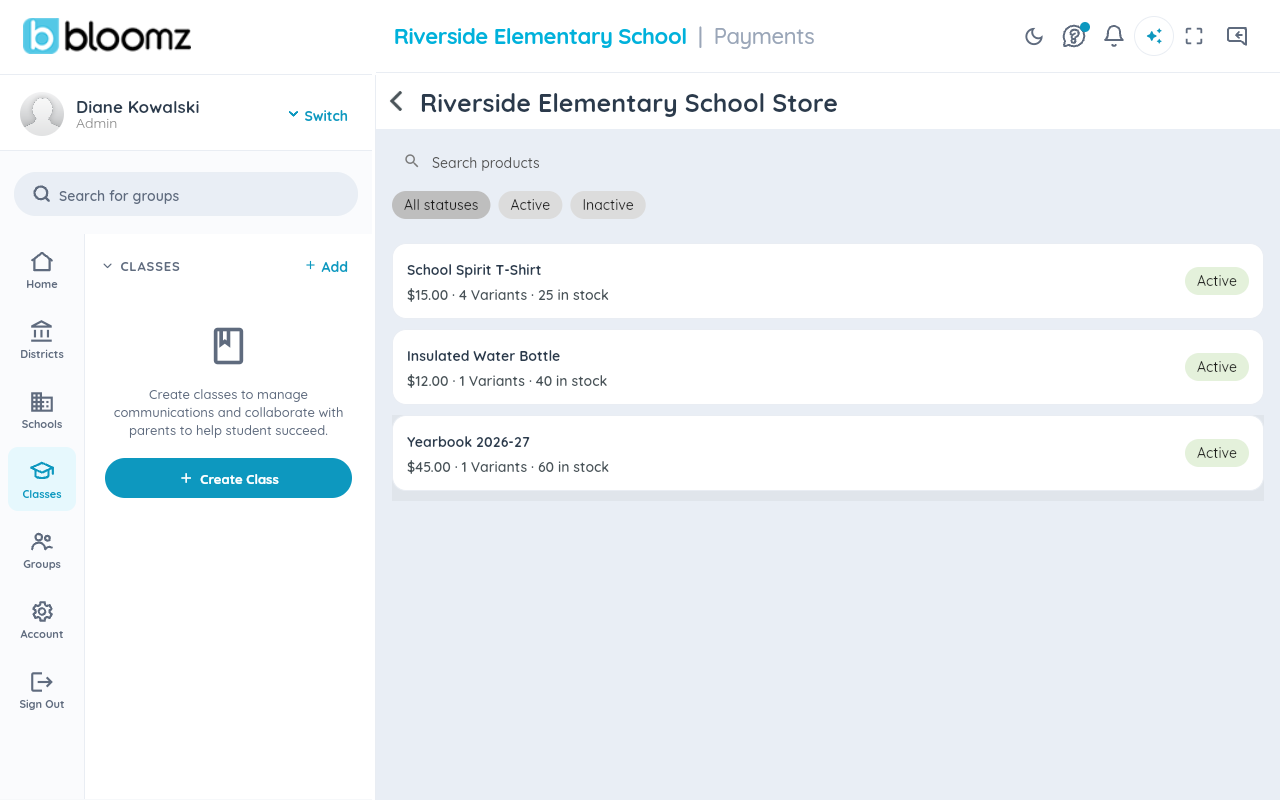
A size or color that's sold out shows 0 in stock rather than disappearing, so families can still see it was offered.
Step 3 — Fulfill orders as they come in
Every paid order lands in the Fulfillment queue, filterable by status. A Placed pickup order gets Mark ready once it's ready for the family to collect, or Cancel order if it needs to be voided before payment; picked-up and refunded orders are shown for reference.
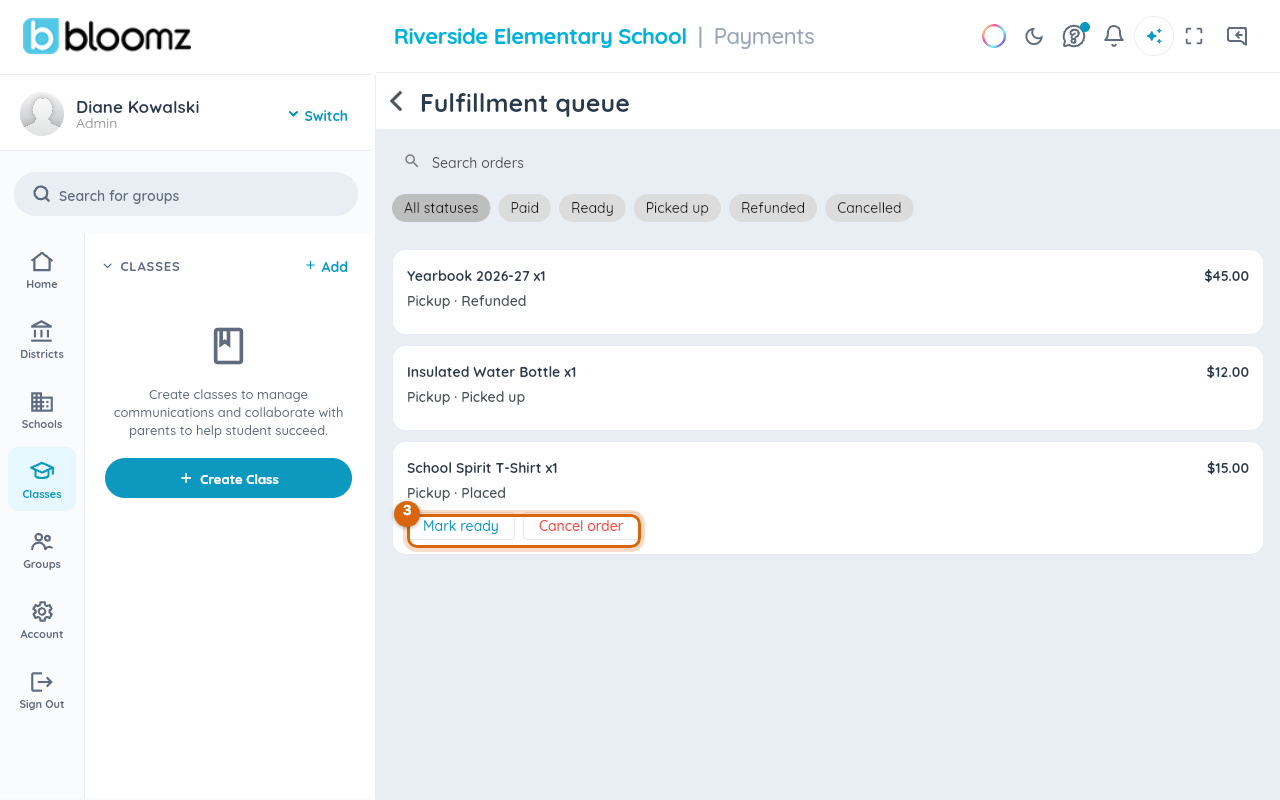
For a pickup order, staff use the Check-in scanner from Step 1 to scan the family's pickup code at handoff — the same opaque-token scanning already used for dismissal and ticket check-in.
What families see
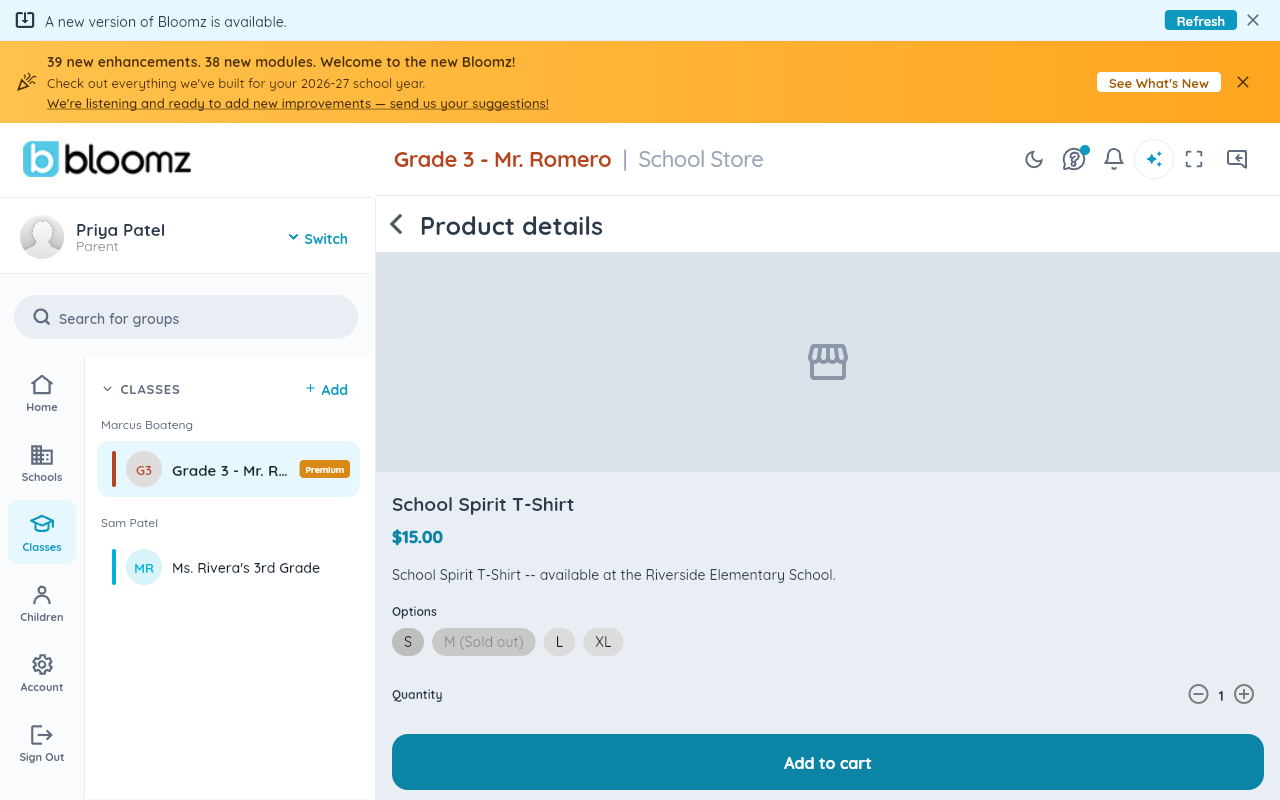
Families reach the store from their own More menu (search Store if it isn't pinned to your child's class already), add sizes and colors to a cart, and choose pickup or shipping at checkout. Checkout uses the same payment method they already have saved for tuition and fees — there's no separate storefront account to set up.