 Bloomz
Give a staff member the Billing role
A bookkeeper or office assistant can manage Payments — requests, refunds, reports — without getting full admin access to everything else in Bloomz. Assign them the Billing role and that's exactly what they get.
Before you start
- You need school admin access to assign staff roles.
- The Billing role covers the Payments console only — it does not grant access to posts, messages, forms, or other admin areas.
Step 1 — Open Staff
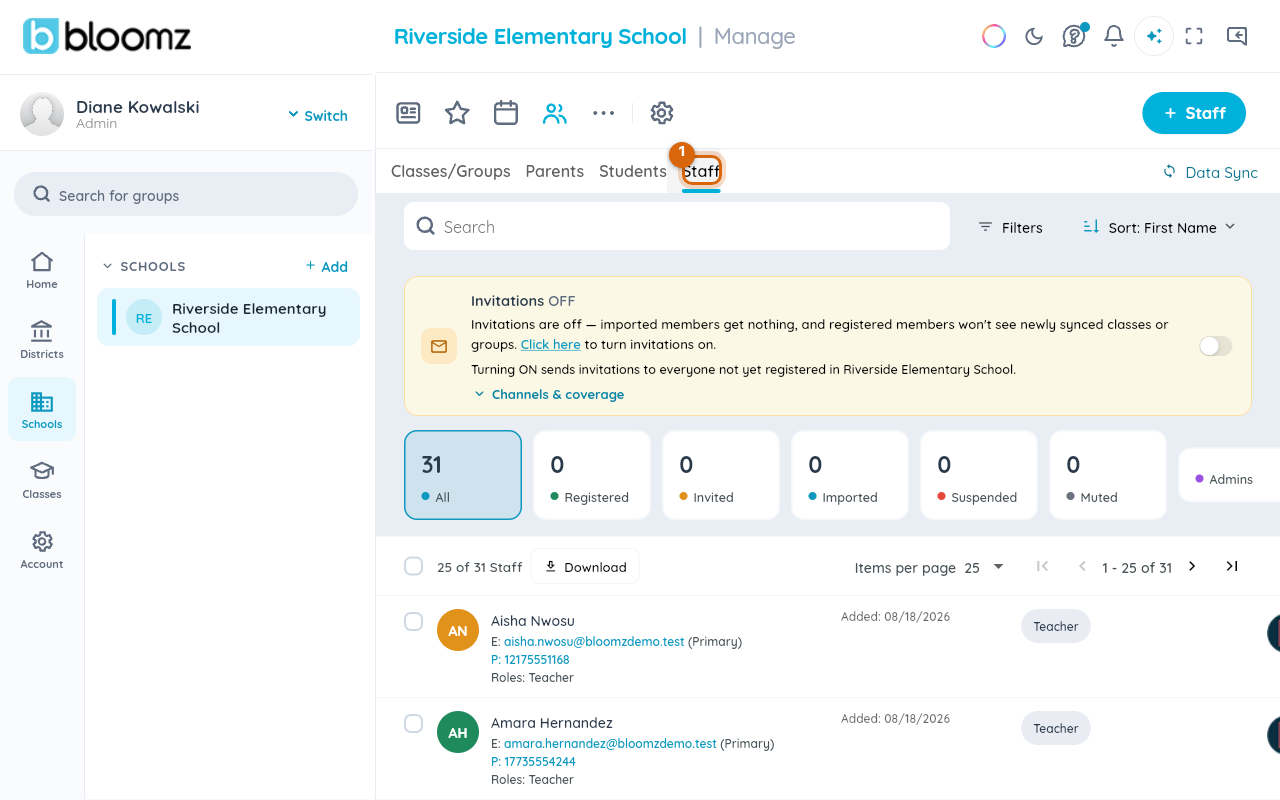
From your school's admin settings, open the Staff list.
Step 2 — Check whether their role can be changed here
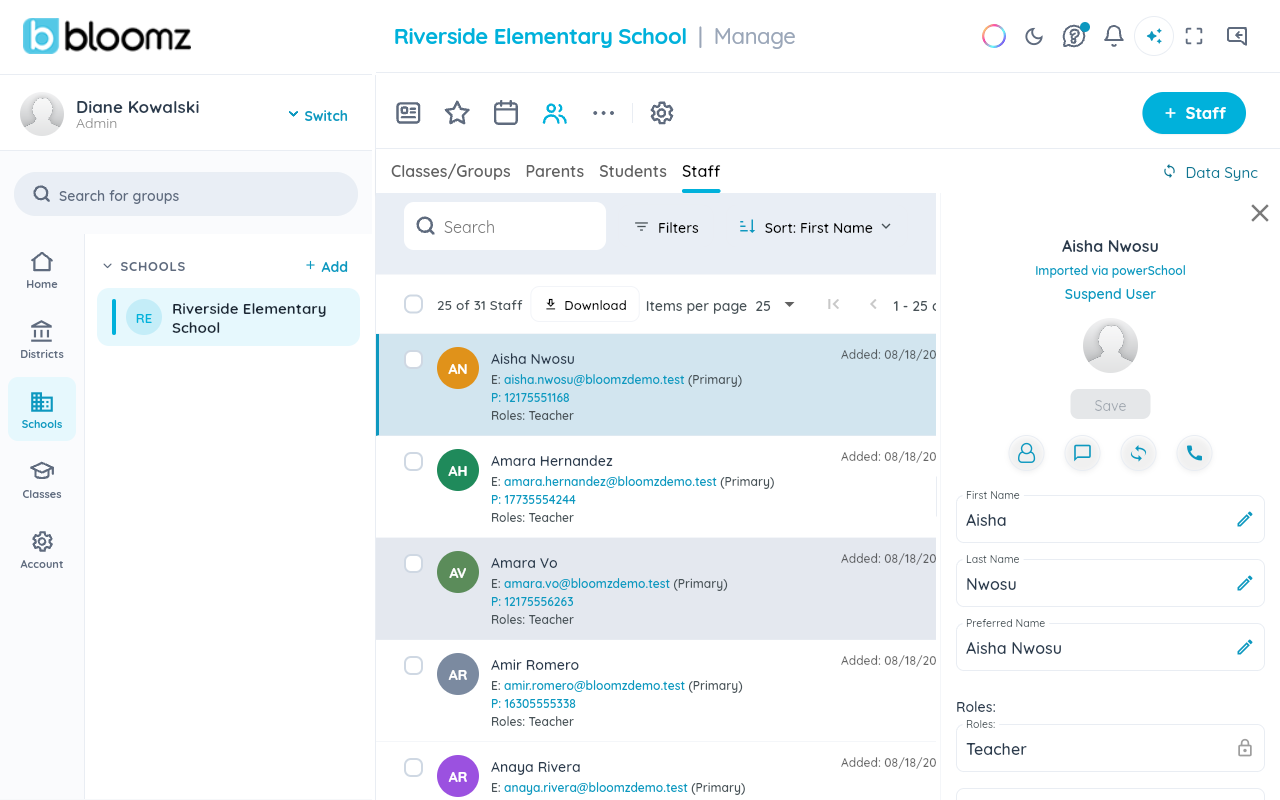
Select the staff member to open their profile drawer.
Step 3 — Look at their Roles field
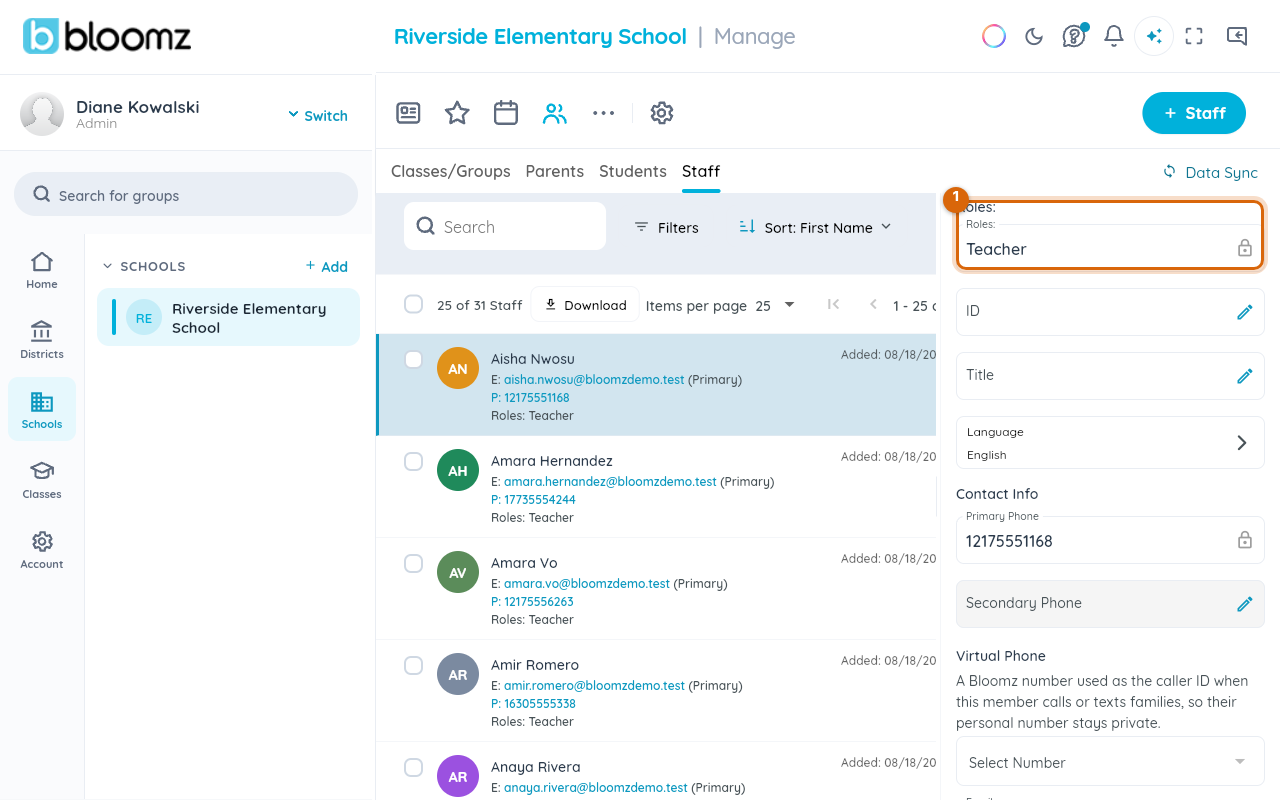
Their current role shows in the Roles section. For staff who were brought in through a roster import (a lock icon shows next to the field), the role is read-only here and can't be changed from this profile — skip to Step 4 to grant Billing that way instead. Staff who were added directly in Bloomz, not through an import, can have their role changed from this field.
Step 4 — Grant the Billing role through a new invite
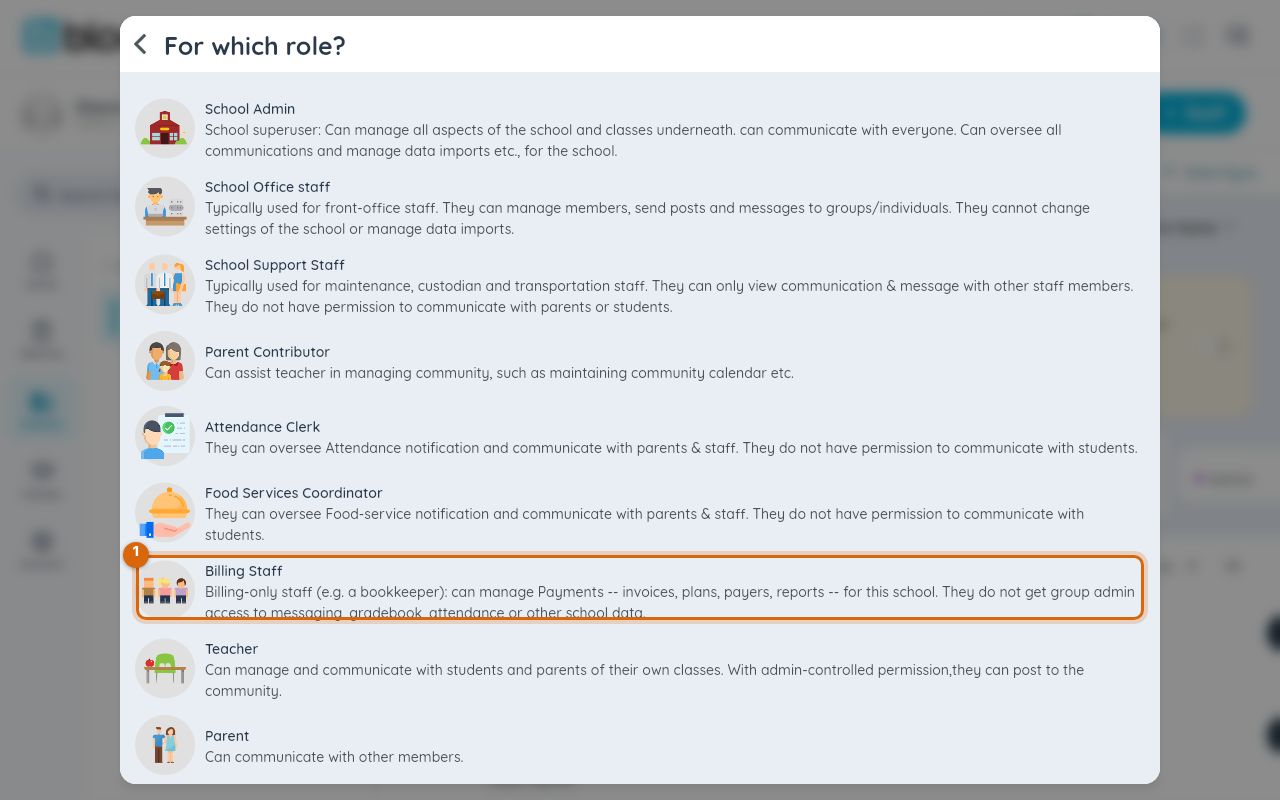
The role picker that offers Billing Staff as an option lives in the + Staff invite flow. Select + Staff, fill in their details, and on the "For which role?" screen choose Billing Staff — described there as billing-only access to Payments (invoices, plans, payers, reports) with no messaging, gradebook, or attendance access.
Step 5 — Confirm what they can see
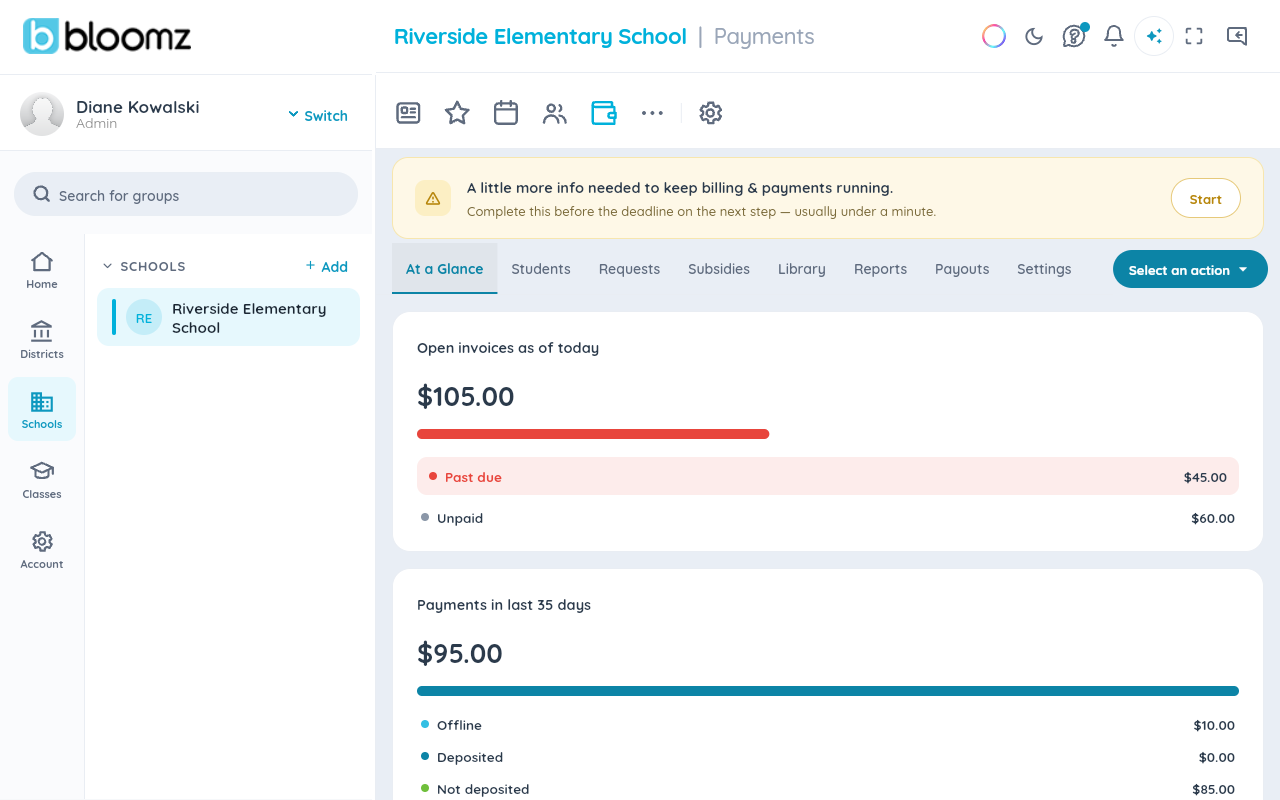
Once the Billing role is active, that staff member's Payments console looks the same as an admin's (At a Glance, Students, Requests, Subsidies, Library, Reports, Payouts, Settings) — they just won't see any of the school's other admin screens.
Watch out: removing the Billing role takes effect immediately — the staff member is signed out of any open Payments console session the next time they navigate.
What Billing-role staff can and can't do
A Billing-role staff member gets everything an admin sees in Payments — requests, refunds, discounts, reports, reconciliation — for the whole school, without needing the broader admin role at all. What they don't get is anything outside Payments: they can't create posts, message families, edit forms, or change other admin settings unless they're separately given a role that covers those too.