 Bloomz
Offer discounts on fees
Give a family a break on a fee — a sibling discount, financial aid, a scholarship — by applying a discount directly to a plan, plan template, or one-time charge in the Payments admin console.
Before you start
- You need admin or billing-role access to the Payments console (see Give a staff member the Billing role).
- You can create named discounts, fixed or percent, and apply them to an invoice yourself. A discount can also be set to apply automatically. The Discounts report lists them.
Step 1 — Open the charge or plan
In the Payments console, open the one-time charge, plan, or plan template you want to discount.
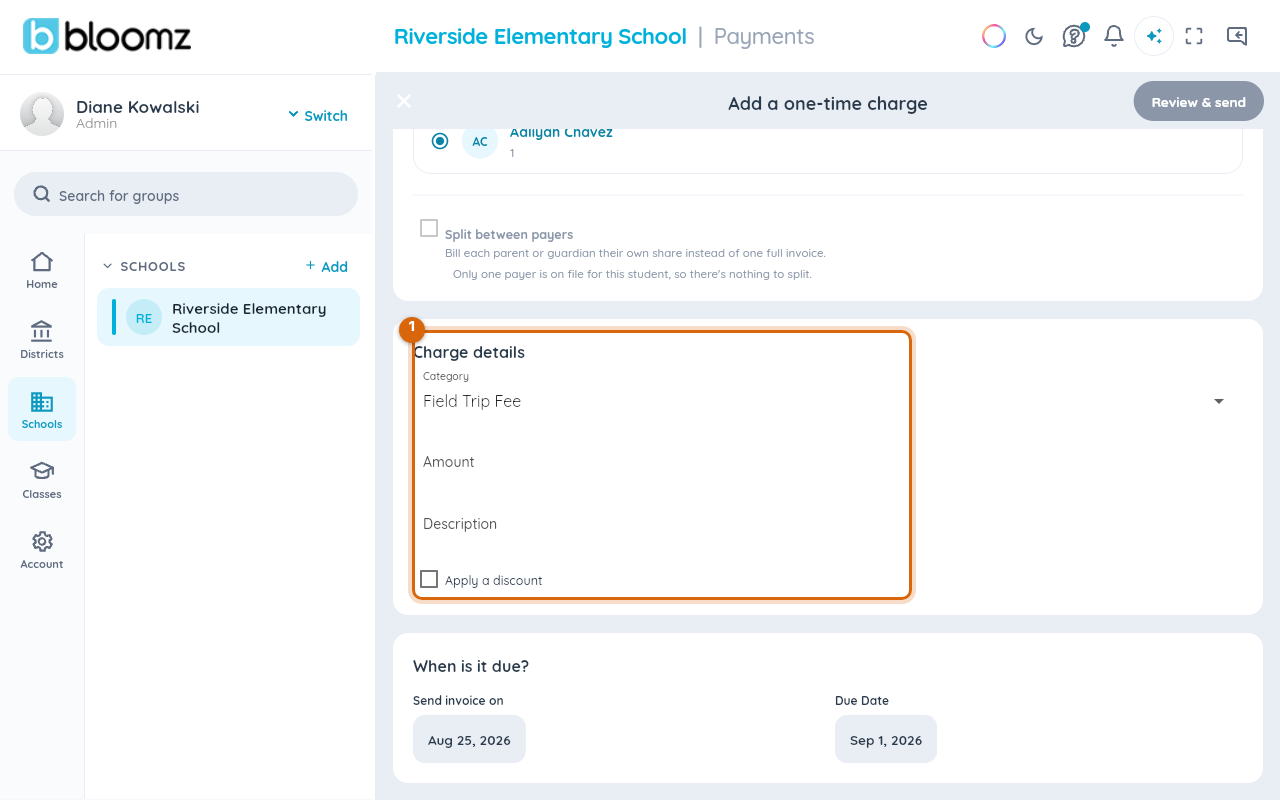
Step 2 — Tick Apply a discount
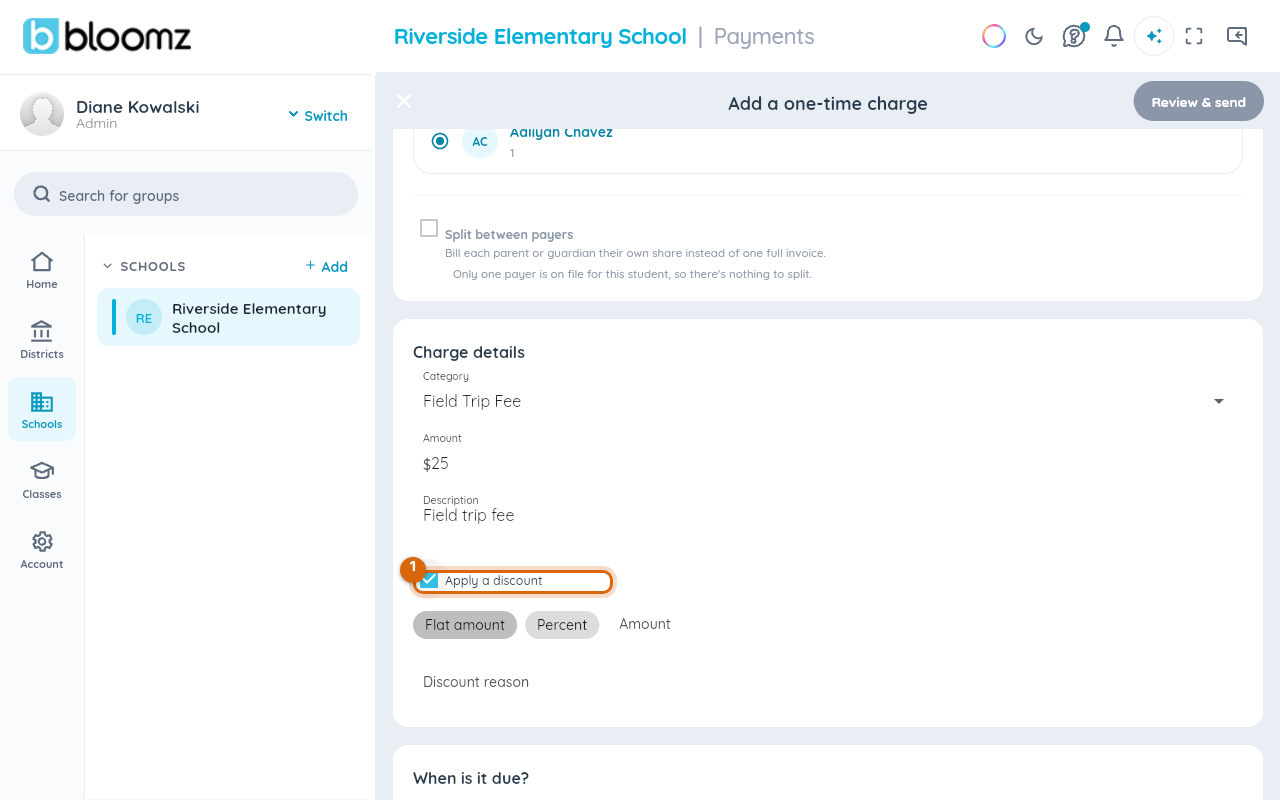
On the line item, tick Apply a discount.
Step 3 — Choose flat amount or percent
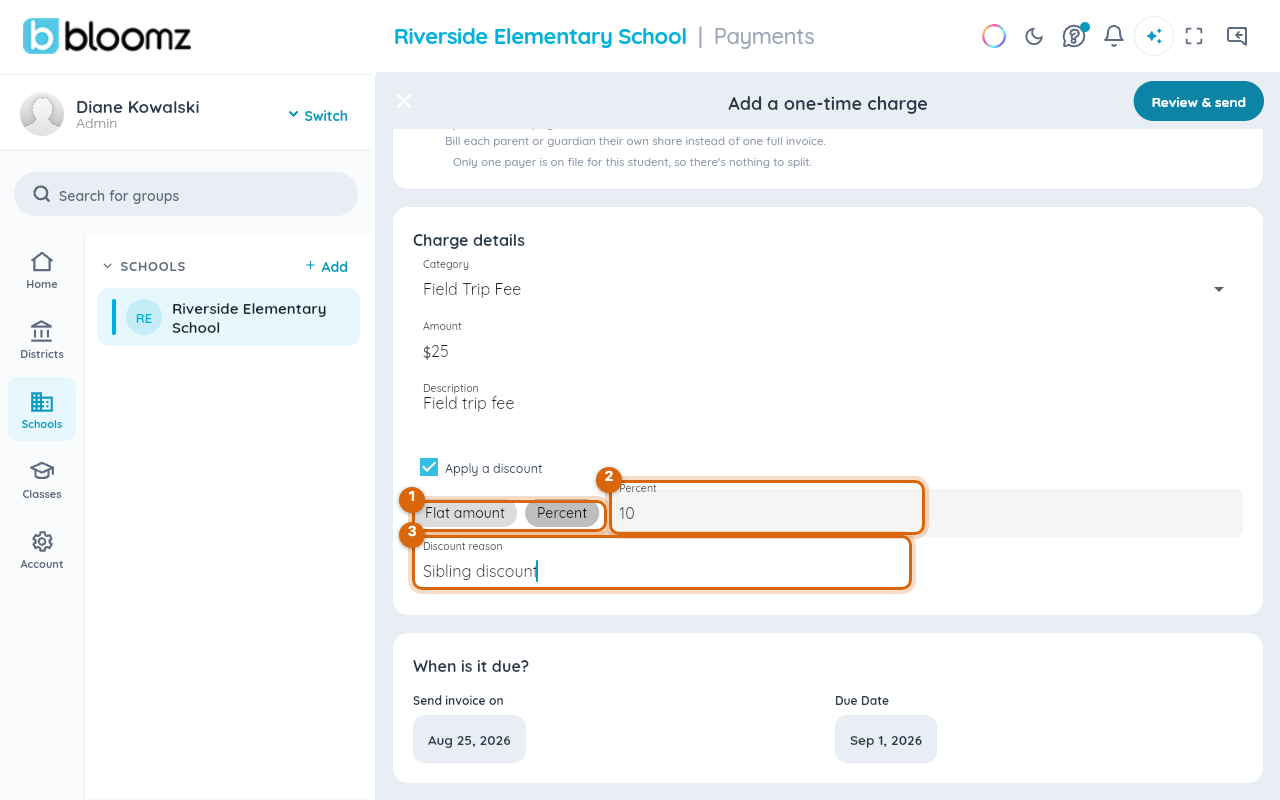
Enter either a flat dollar amount or a percent off — not both — and a required reason such as "Sibling discount" or "Financial aid."
Step 4 — Save
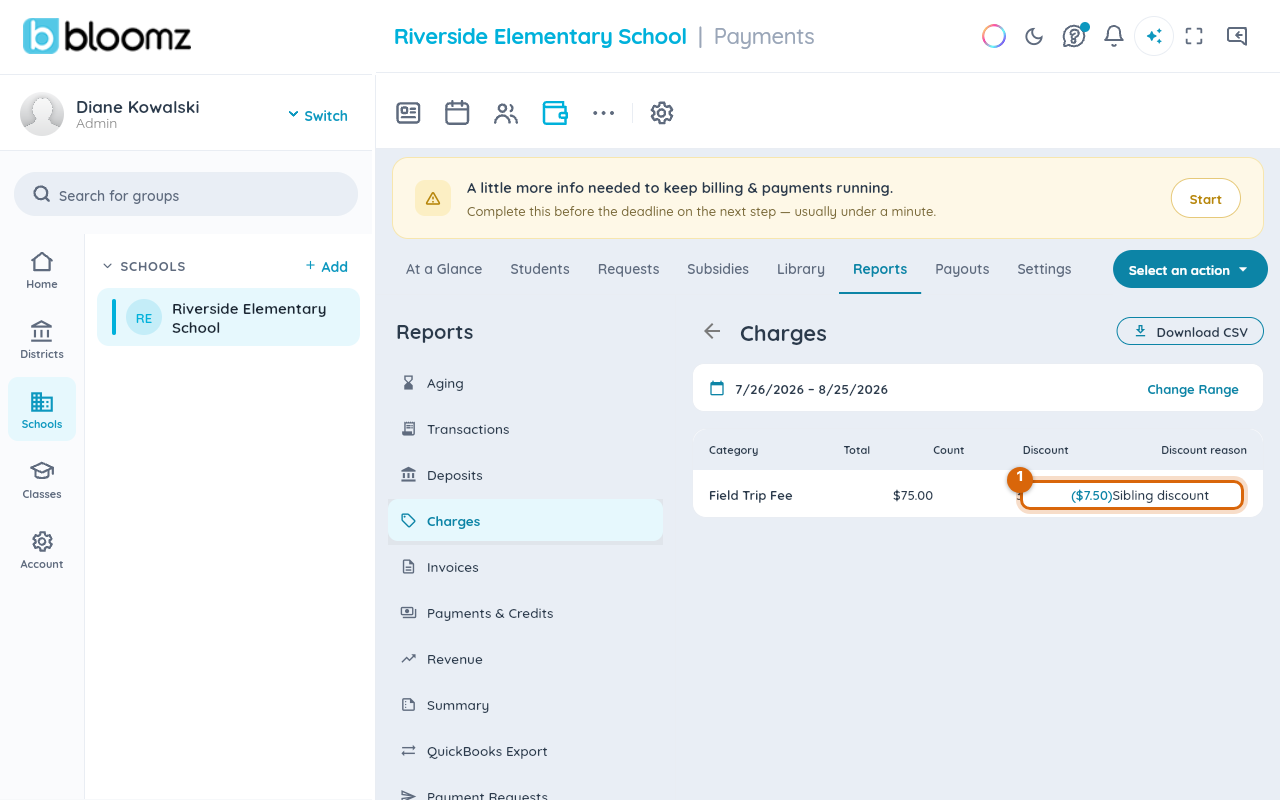
Choose Review & send. The discount shows on the family's invoice, and in the Payments console's Charges report (Reports → Charges) — with the discounted amount and your reason as their own columns.
Watch out: a discount and a guardian split can't currently be combined on the same charge — choose one or the other for a given fee.
Where the discount shows up
Families see the discounted total on the invoice itself, with the original amount and the reduction listed as separate lines rather than folded into one number — so a family checking their bill can see exactly what was waived and why. The same detail carries into the Payments console's Charges report, which is the place to look if you need a running total of discounts given out over a term.