 Bloomz
Pause a payment plan, and what happens on unenrollment
A family going on a leave of absence doesn't need to be pulled off their tuition plan entirely — pause it instead, and pick up billing again when they're back. This article also covers what happens to a plan automatically when a student unenrolls.
Before you start
- You need admin or billing-role access to the Payments console.
- Pausing stops future charges only — it does not refund or cancel charges already collected.
Step 1 — Open the student's plan
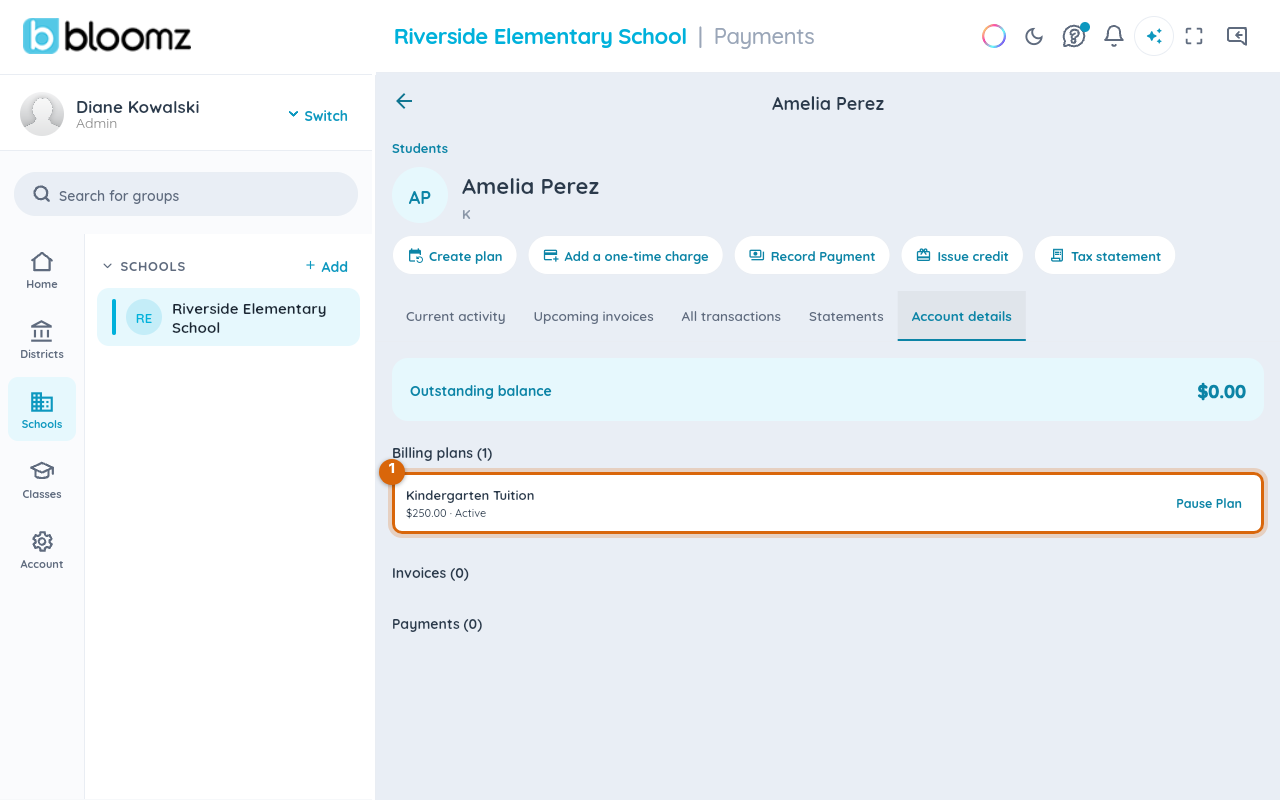
In the Payments console's Students tab, find the student, open them, and choose the Account details tab. Their plans are listed under Billing plans, each with its amount and status.
Step 2 — Choose Pause Plan
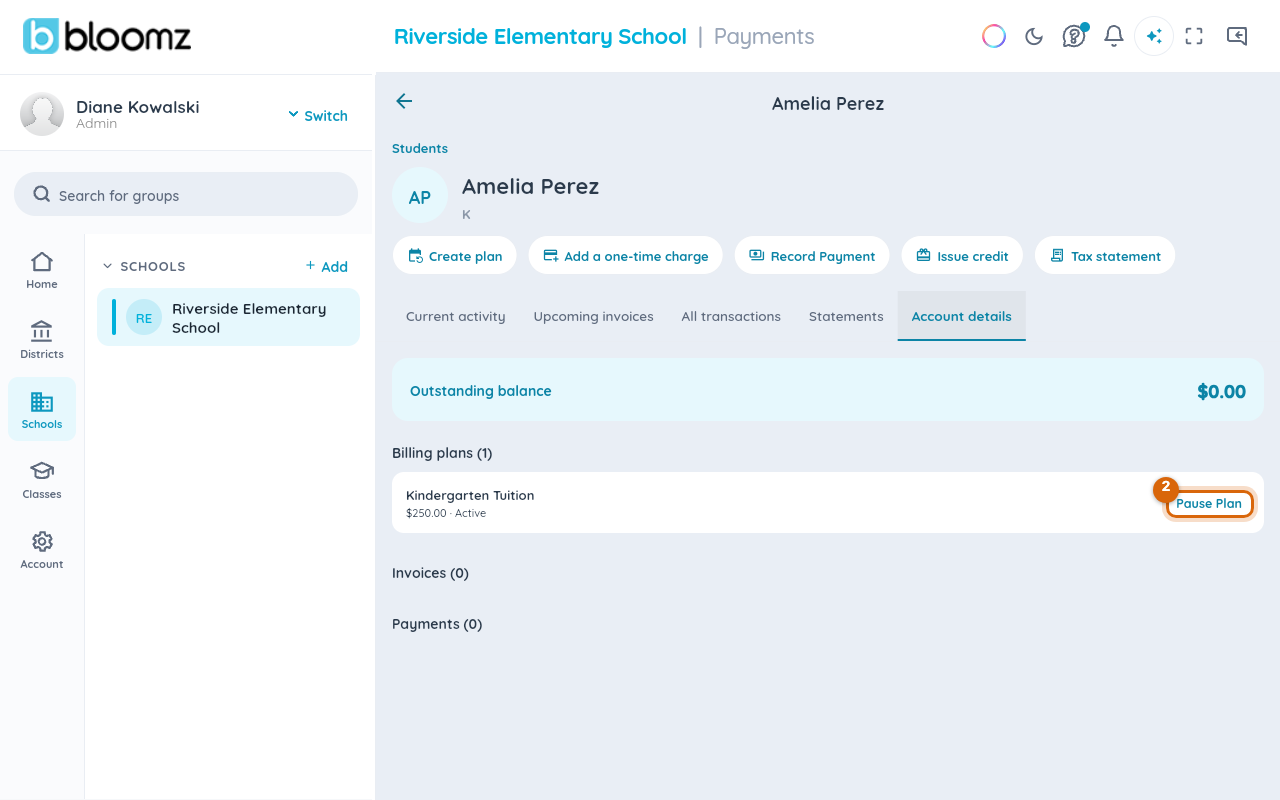
Select Pause Plan on the plan's row.
Step 3 — Confirm the pause
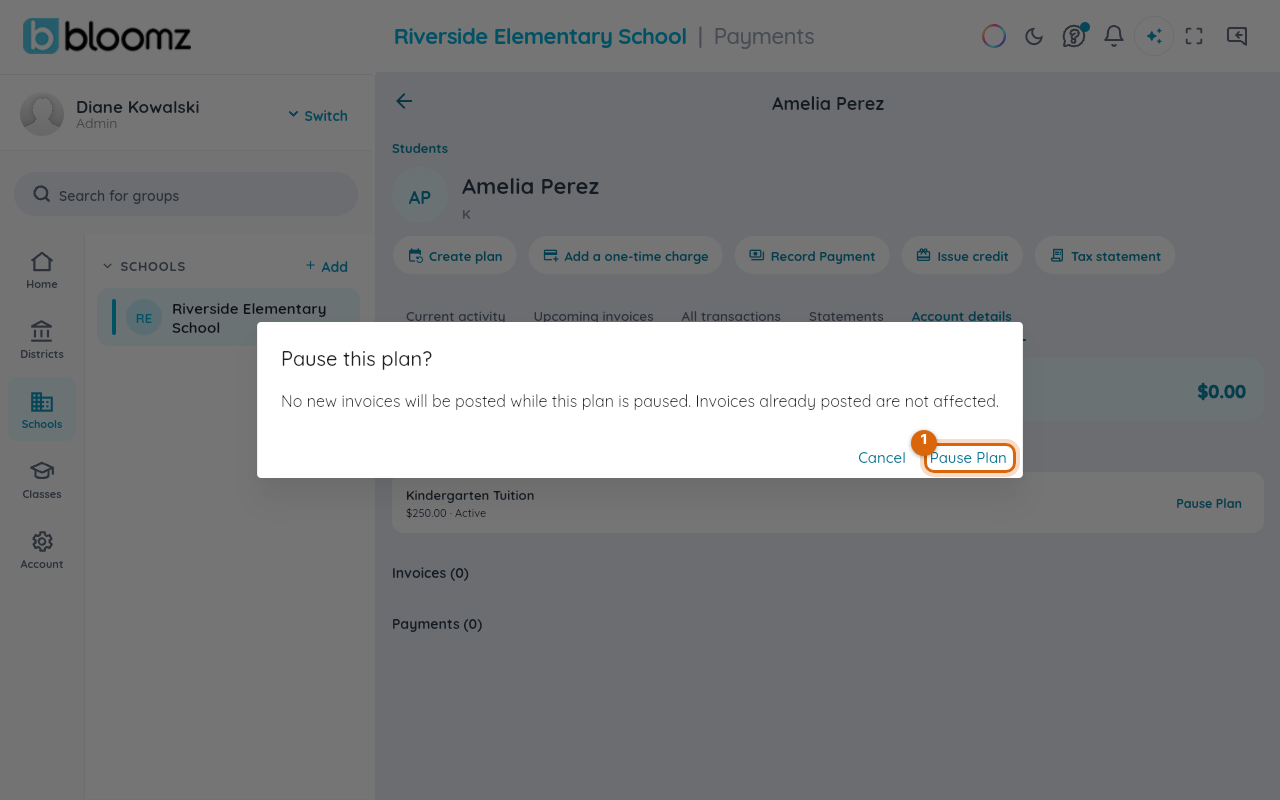
Confirm in the dialog. No new invoices are posted while the plan is paused; invoices already posted are not affected. There's no end date to set — the plan stays paused until you resume it.
Step 4 — Resume when the family is back
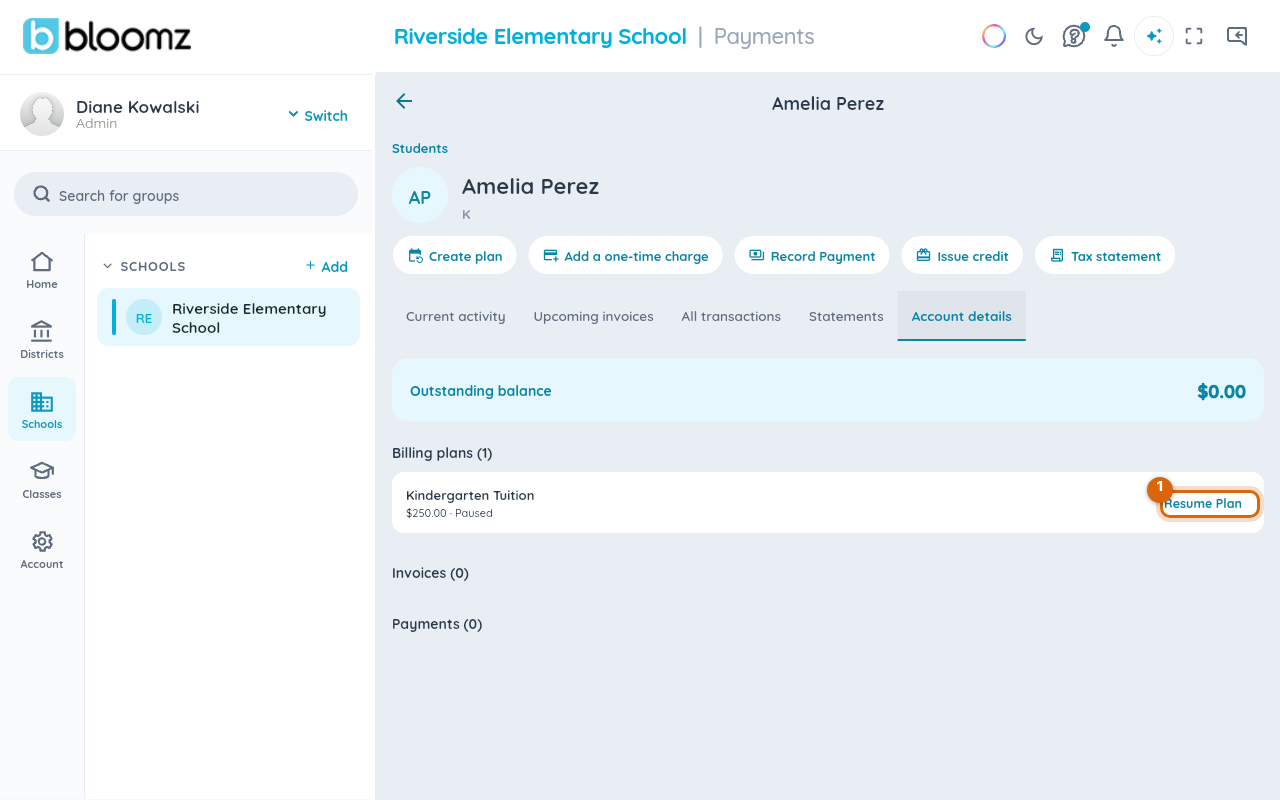
Open the same row again and select Resume Plan, then confirm — the plan starts posting invoices again on its regular schedule.
Watch out: a paused plan doesn't push missed charges to the end automatically — check the schedule after resuming and adjust it if the family owes for a shortened term.
What happens when a student unenrolls
When a student is unenrolled from the school or class the plan is attached to, Bloomz automatically stops generating future charges on their plan — the same effect as pausing, but permanent and done for you. Charges already collected are not refunded automatically; open a refund from the payment itself if one is owed (see Ask for a refund, and what an NSF fee means).