 Bloomz
Ask for a refund, and what an NSF fee means
If you paid for something by mistake or a plan changed, your school can refund the payment — and if a bank payment bounces, this article also explains the NSF fee that can follow.
Before you start
- Refunds are issued by your school, not requested from inside the payment itself — there is no refund button on your side. Ask your child's teacher or the school office, and they take it from there.
- Refunds go back to the original payment method; Bloomz cannot redirect a refund to a different card or account.
- Processing can take several business days once the school issues it.
Step 1 — Ask the school
Contact your child's teacher or the school office — a Bloomz message works well — and tell them which payment you'd like refunded and why. It helps to include the amount and the date you paid (both are in your payment history).
Step 2 — The school reviews and issues it
The school reviews the request on their side. Depending on the school's policy, a teacher may pass it to the office for approval. You don't need to do anything while this happens.
Step 3 — See the refund in your history
Once the refund is processed, the payment's entry in History (More → Payments → History) shows a Refund status instead of the original paid status.
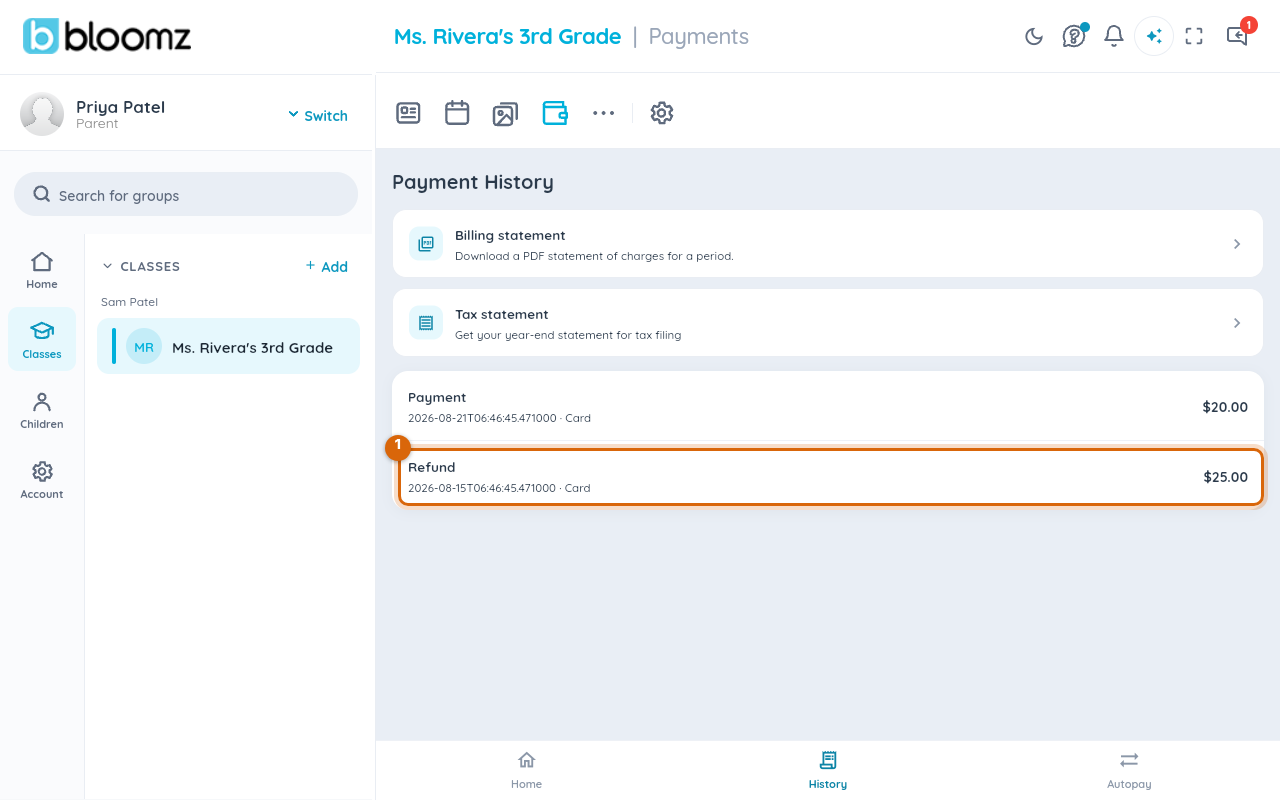
Watch out: the refunded money returns to the card or bank account you paid with — it does not sit as a credit in Bloomz. Bank refunds in particular can take a few business days to appear on your statement.
What an NSF fee is
NSF stands for non-sufficient funds — it's what happens when a bank (ACH) payment is returned because the account didn't have enough money to cover it. When that happens:
- The original charge is marked failed and still shows as owed.
- Your bank, and sometimes the school, may add a separate NSF fee — a fixed dollar amount, not a percentage — as a distinct line item in your Payments history.
- Both the original amount and the NSF fee need to be paid; retrying with a card avoids a second NSF if funds are still short.
Watch out: an NSF fee is not something Bloomz can waive — it's set by your school (and sometimes your bank) as a real cost of the returned payment.
Related
- Pay a school fee
- Set up a tuition agreement and autopay
- Download a statement or receipt (PDF)