 Bloomz
Download a statement or receipt (PDF)
Every payment you make gets its own receipt, and your full payment history can be pulled together into one statement — both download as a PDF you can save or print.
Before you start
- You need at least one completed payment for a receipt to exist.
- A statement covers whatever date range you choose, across every child and every fee your family was billed.
Step 1 — Open Payments
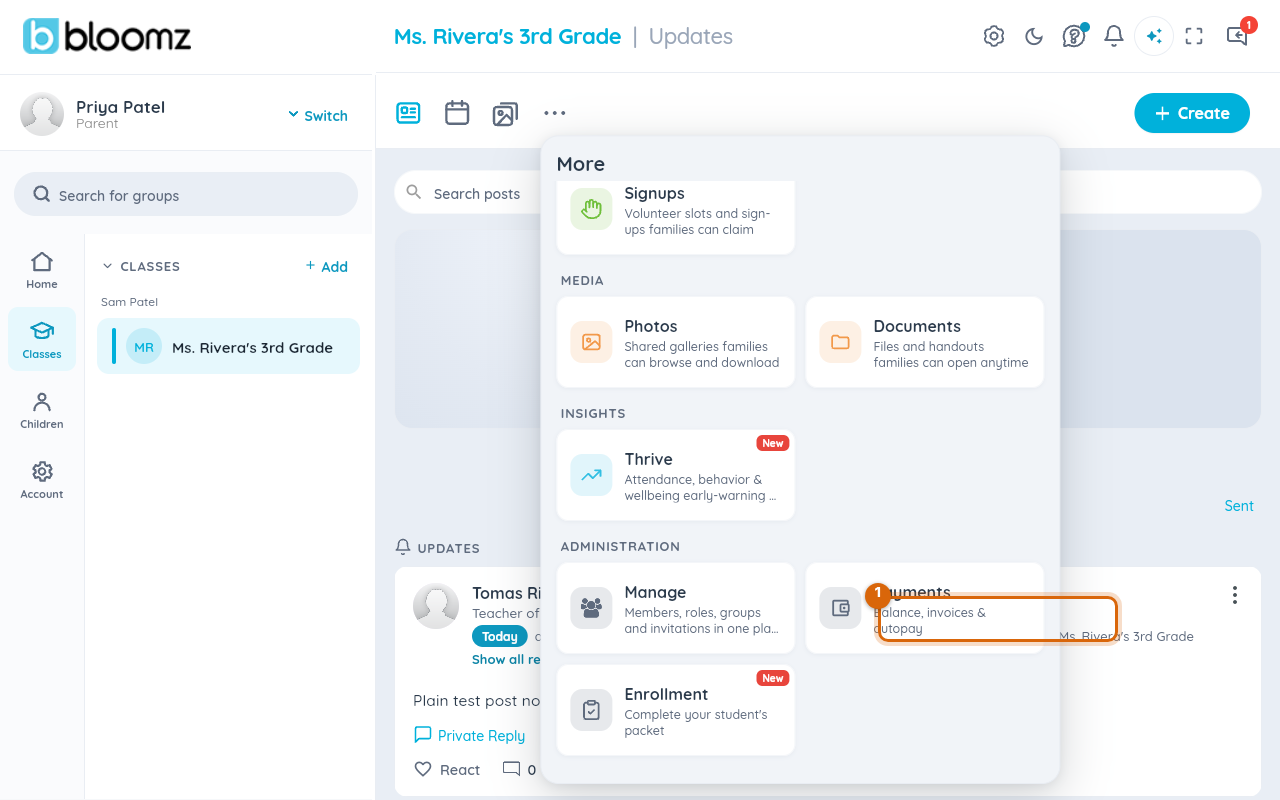
From More, choose the Payments card.
Step 2 — Open your payment history
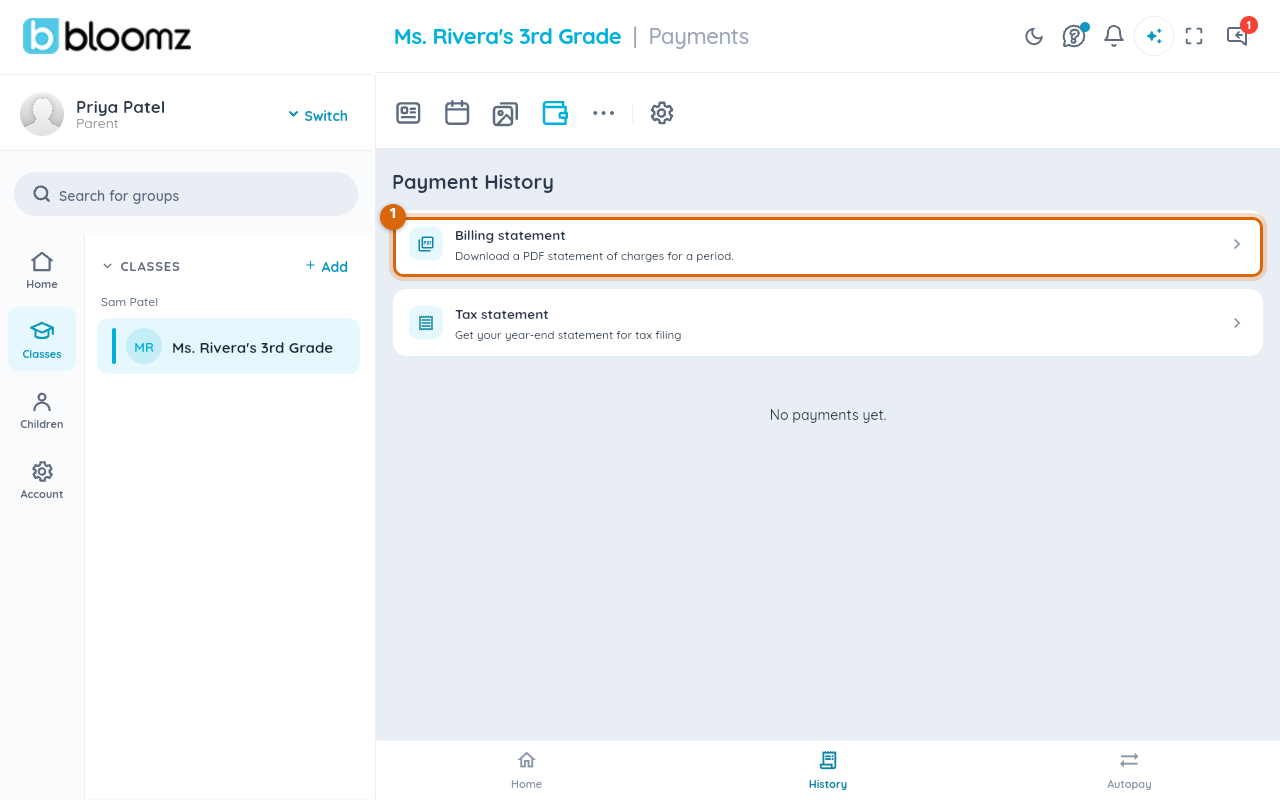
Select History to see every payment your family has made.
Step 3 — Your receipts
Each completed payment is listed in History with its date, amount, and method. The receipt for an individual payment arrives as a notification when the payment goes through; for a PDF you can save or print, use a Billing statement covering the payment's date (next step) — it lists every payment in the range.
Step 4 — Download a statement
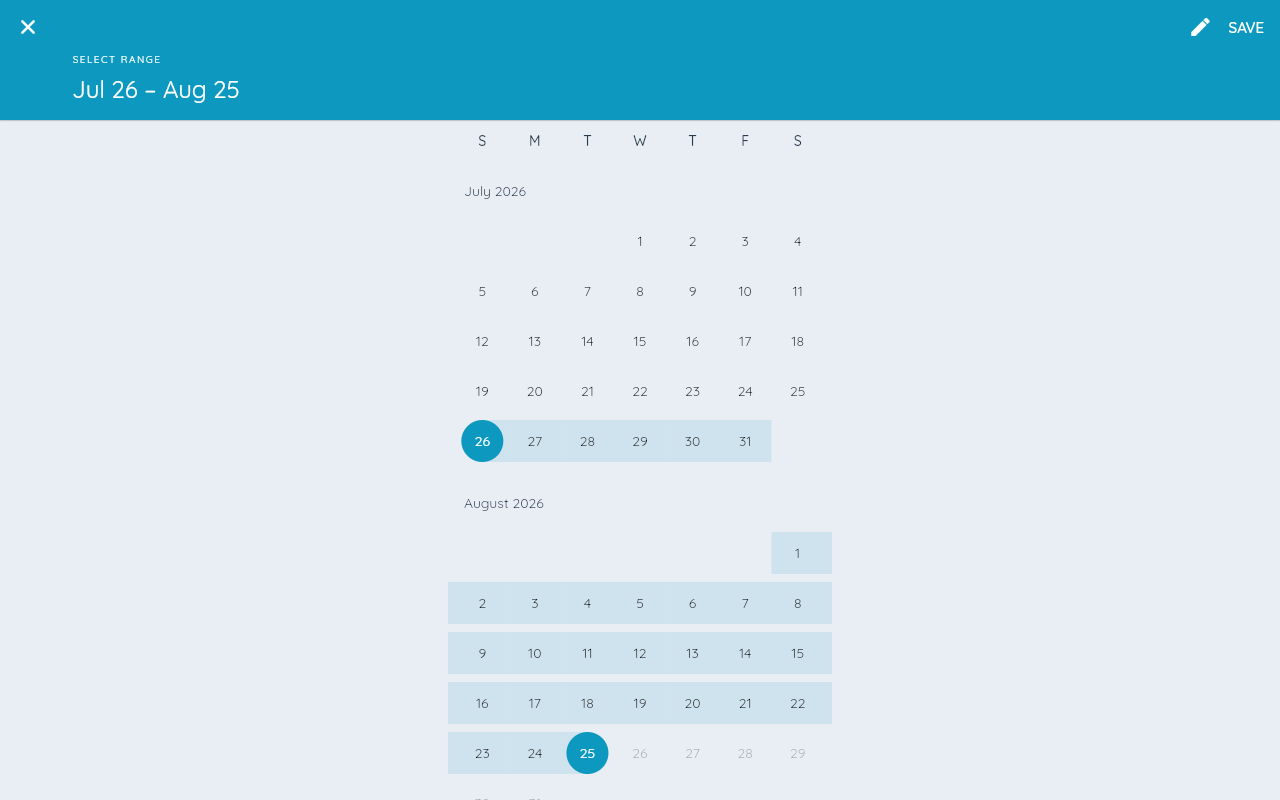
From the History screen, choose Billing statement, then Change Range to set a start and end date.
Step 5 — Save the PDF
Choose Download statement to save the PDF to your device.
Watch out: a statement only includes payments that actually completed — a pending or failed payment won't appear until it clears.
Receipt or statement — which one to use
A receipt is proof of one payment — the right thing to attach to a single reimbursement claim. A statement rolls up a whole date range across every child and fee, which is what most schools, employers, and tax preparers actually ask for when they say "show me what you paid this year." When in doubt, a statement covers a receipt's job too.
Related
- Pay a school fee
- Ask for a refund, and what an NSF fee means
- Set up a tuition agreement and autopay