 Bloomz
Run an admissions lottery
When a season has Lottery turned on, a fair, seeded draw decides who gets a seat instead of application order or first-come-first-served. Lottery runs that draw, then publishes the results at whatever privacy level you choose.
Before you start
- Your school needs Admissions switched on, and you need the Admissions Admin capability — a school or district admin holds this automatically.
- The season must have Lottery enabled — turn it on in Configure an admissions season if it isn't already.
Step 1 — Open the lottery
From the Seasons list, choose Lottery on the season you want.
Step 2 — Run the lottery
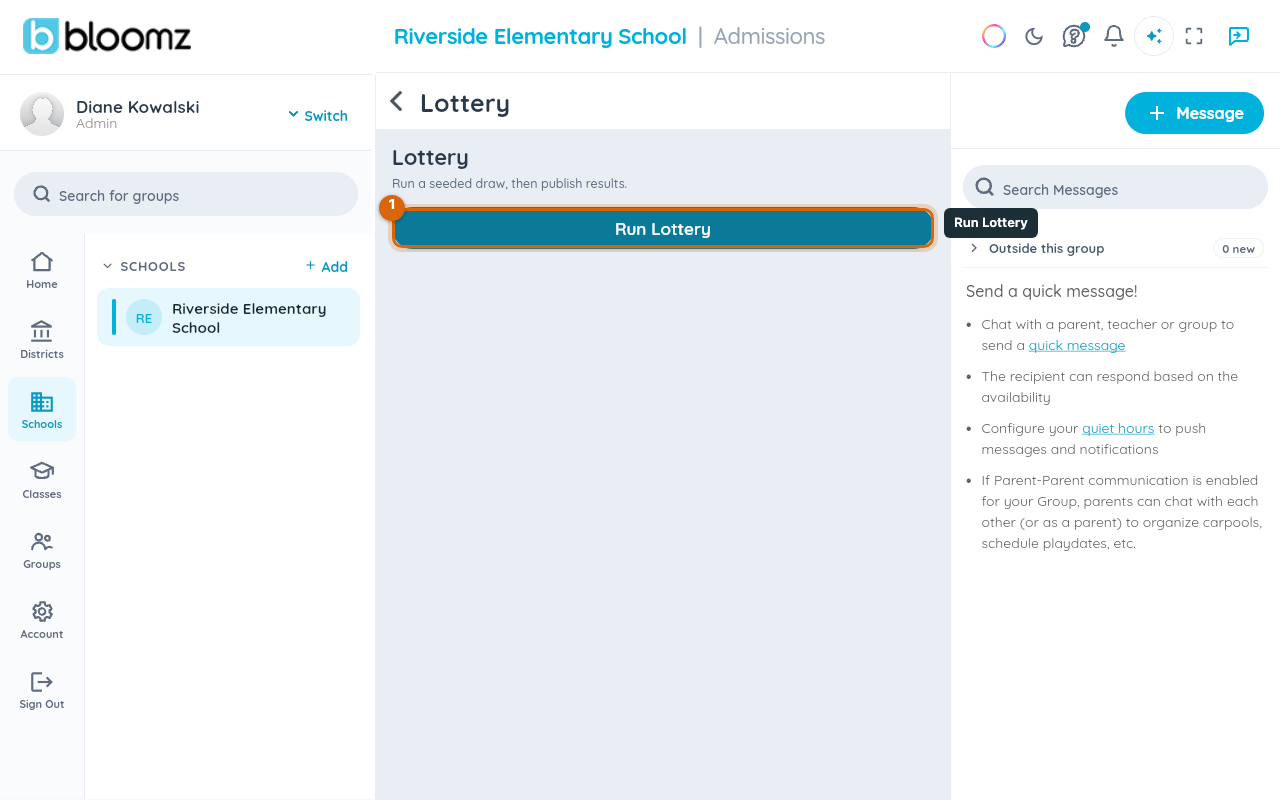
Choose Run Lottery. Bloomz generates a seed and draws every application into Offered or Waitlisted.
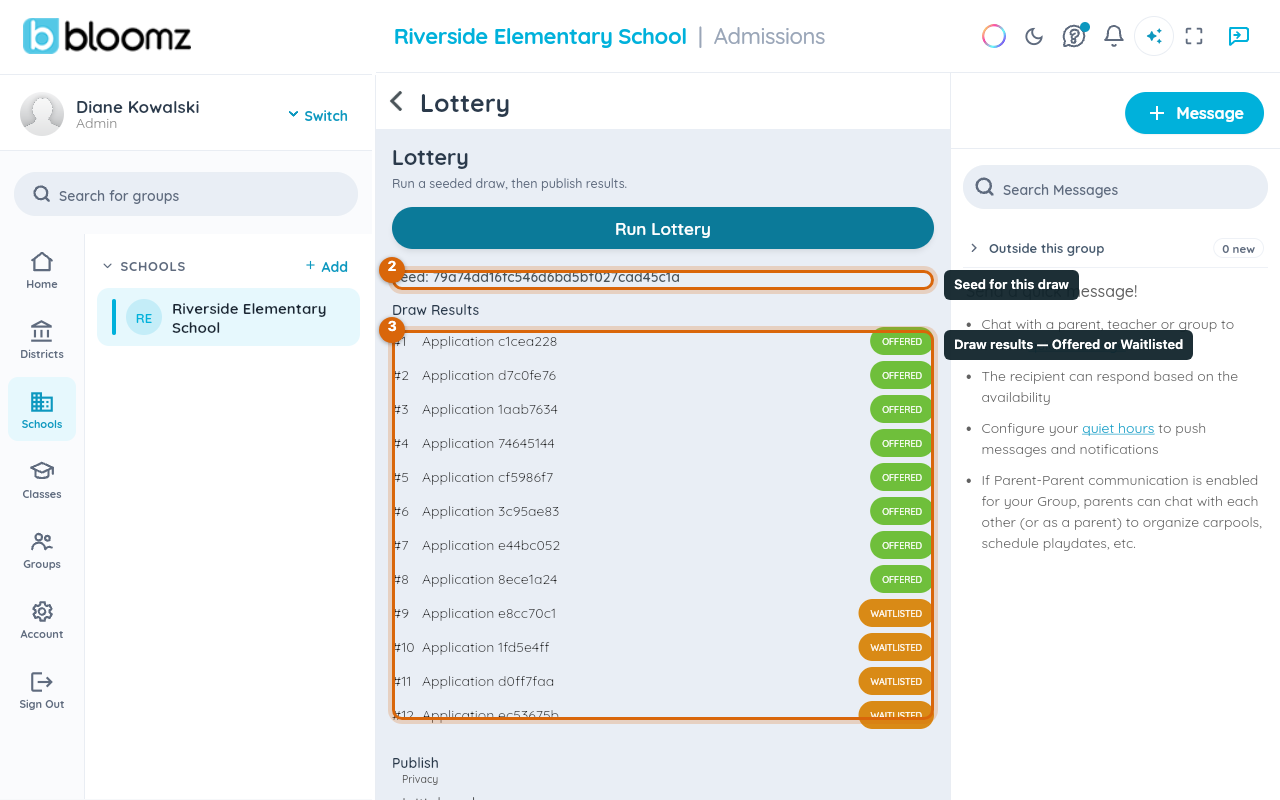
The Seed shown with the results is what makes the draw auditable — the same seed always reproduces the same outcome.
Watch out: Run Lottery can be chosen more than once, and every run generates a new seed and replaces the results above with a fresh draw. Don't run it again once you're happy with a result.
Step 3 — Choose who can see the results
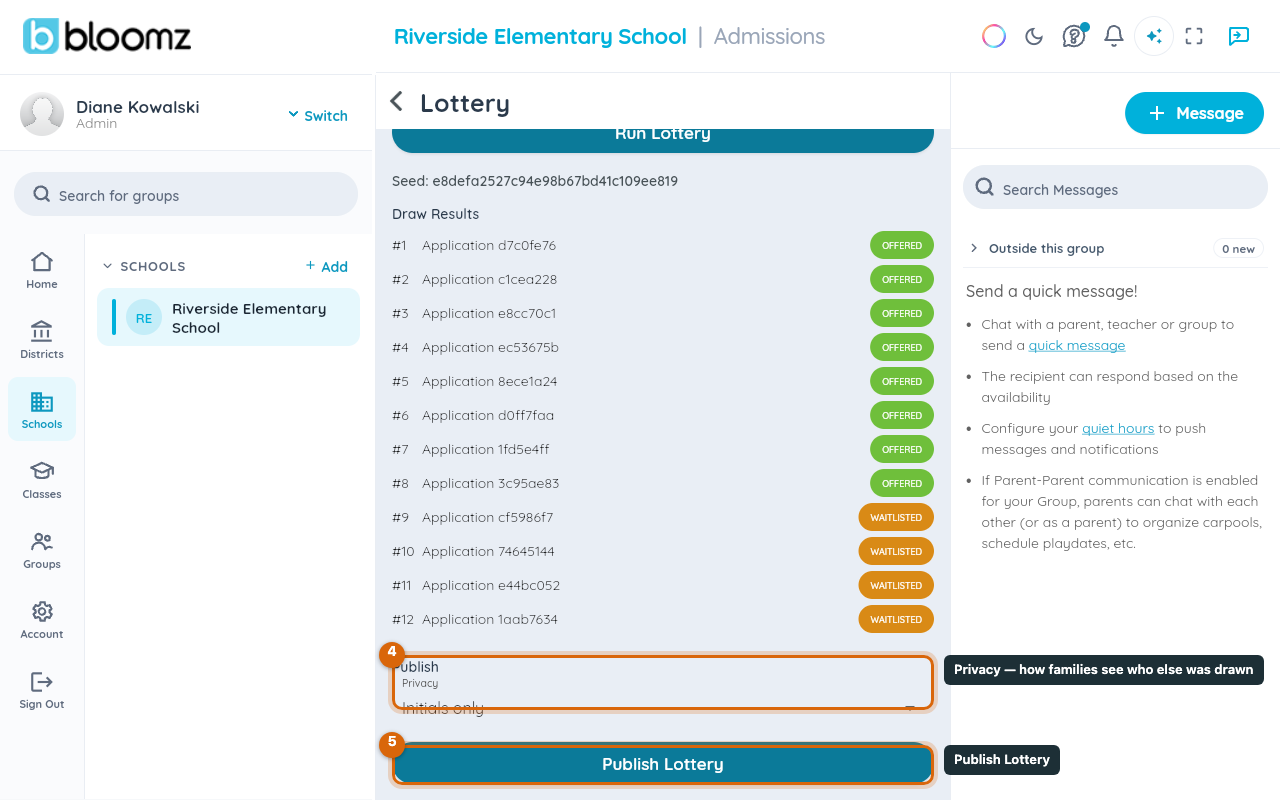
Set Privacy to Names visible, Initials only, or Confirmation number only — this controls exactly what the public results and each family see once you publish.
Step 4 — Publish the lottery
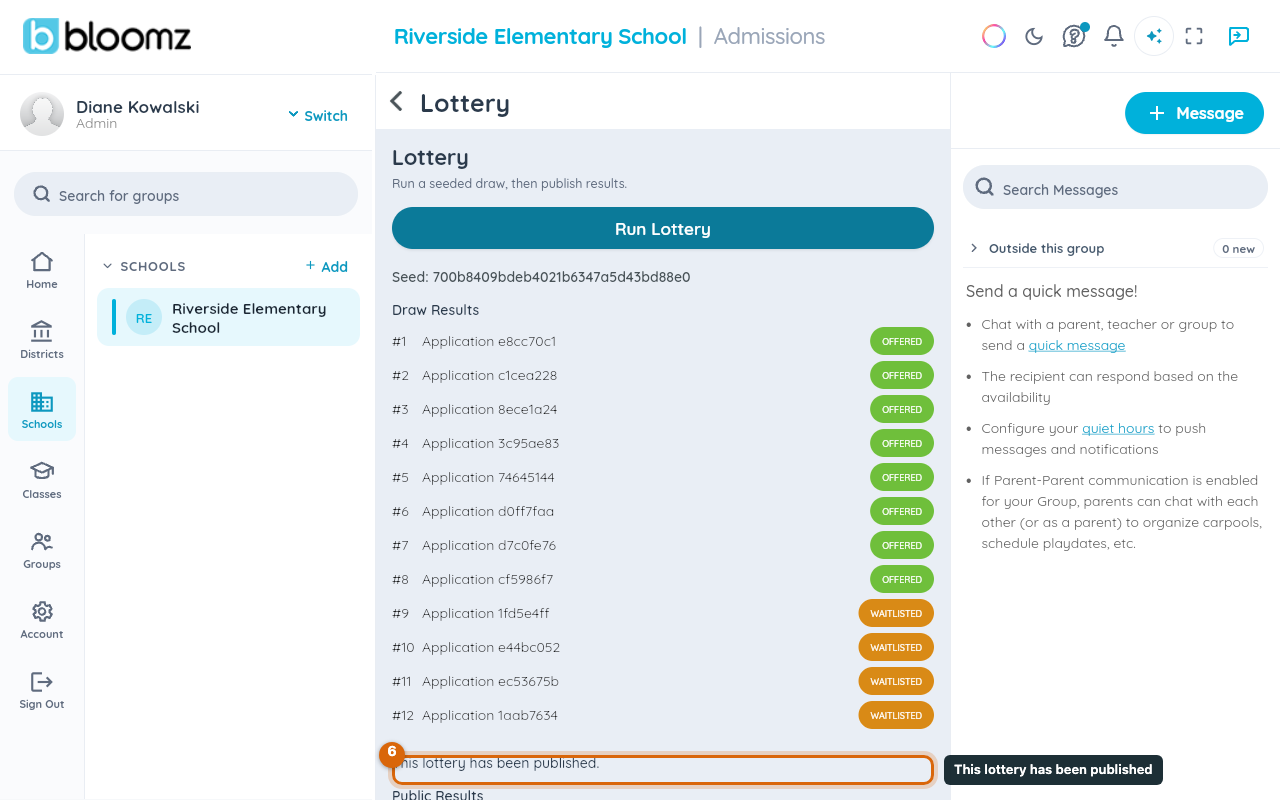
Choose Publish Lottery. The screen confirms This lottery has been published, and the draw becomes visible to families at the privacy level you chose.
Offered applicants can now be tracked the same way as any other offer — see Order your waitlist and offer open seats for what a family sees and does next.