 Bloomz
Let families pay a balance with cash at a retail store
Some families don't have a card or bank account to pay with online. Cash-to-digital payments let them cover a Bloomz Pay balance with real cash at a retail store — 7-Eleven, CVS, Walgreens, Dollar General, Family Dollar and similar locations — by generating a barcode in the app and paying at the register. The payment lands in the same balance, history and reports as every other tender type once it clears.
Before you start
- Payments must already be turned on for your school.
- This needs a real vendor relationship first. Cash payments run through PayNearMe, a retail cash-payment network — your school (or district) has to have that relationship in place before this can go live for real families. It is off by default for every school, unlike donations, tickets and the store, which all default on.
- You need school or district admin access to the Payments console.
Step 1 — Open Payments Settings
From your school's More menu, choose Payments, then open the Settings tab and find the Cash Payments card.
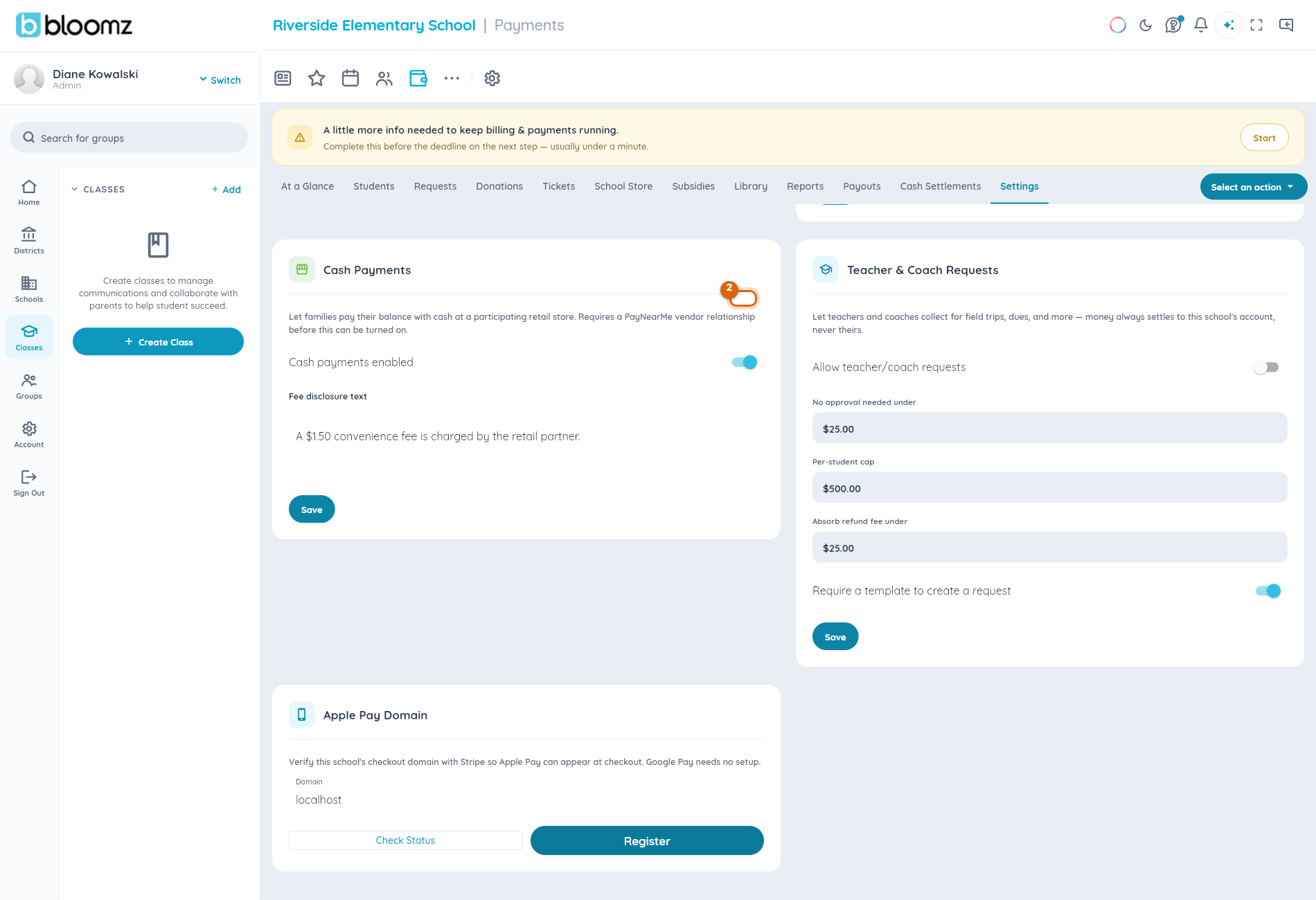
The card states the requirement plainly: "Let families pay their balance with cash at a participating retail store. Requires a PayNearMe vendor relationship before this can be turned on."
Step 2 — Turn it on and set the fee disclosure
Switch on Cash payments enabled, and edit the Fee disclosure text — the sentence families see before they request a voucher, disclosing the retailer's convenience fee (a real school on this platform shows families something like "A $1.50 convenience fee is charged by the retail partner."). Choose Save — the toggle and fee text persist immediately, and reloading the page (or coming back later) shows exactly what you saved.
Step 3 — Reconcile what comes in
Cash collected through the retail network doesn't settle instantly the way a card does — it arrives later in a settlement file from PayNearMe. The Cash Settlements tab, next to Payouts in the same console, is where you import and reconcile that file against what the app recorded.
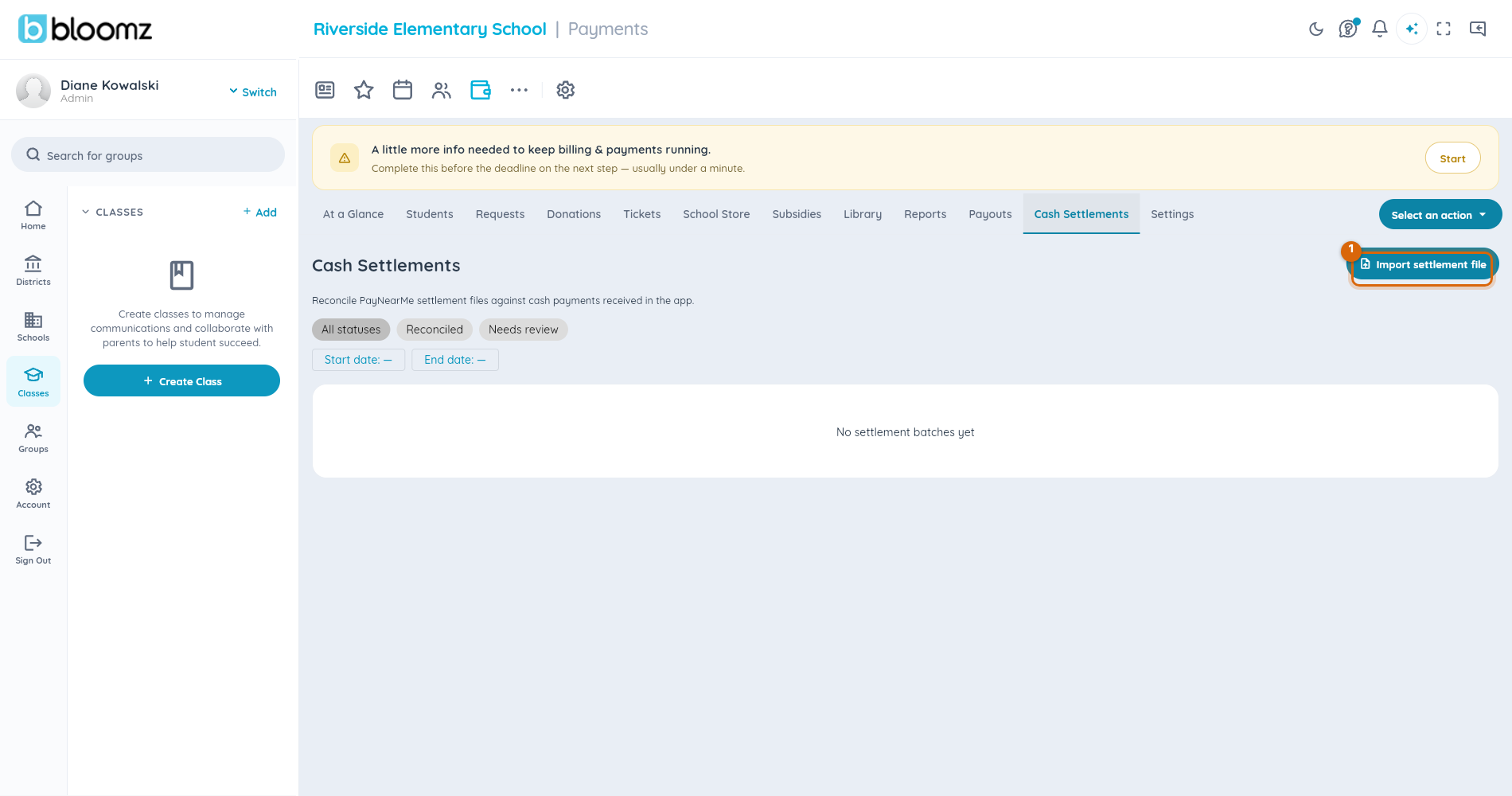
Choose Import settlement file when PayNearMe sends one; until then, this tab reads "No settlement batches yet" — as it does for every school still setting this up.
What families see
Once cash payments are genuinely live for a balance, the family's pay sheet — the same one described in Pay a school fee — offers Pay with cash at a store alongside a card or bank method. Choosing it mints a barcode, a reference number, and a list of nearby participating retailers to pay at; the balance clears once the register payment is confirmed back to Bloomz.
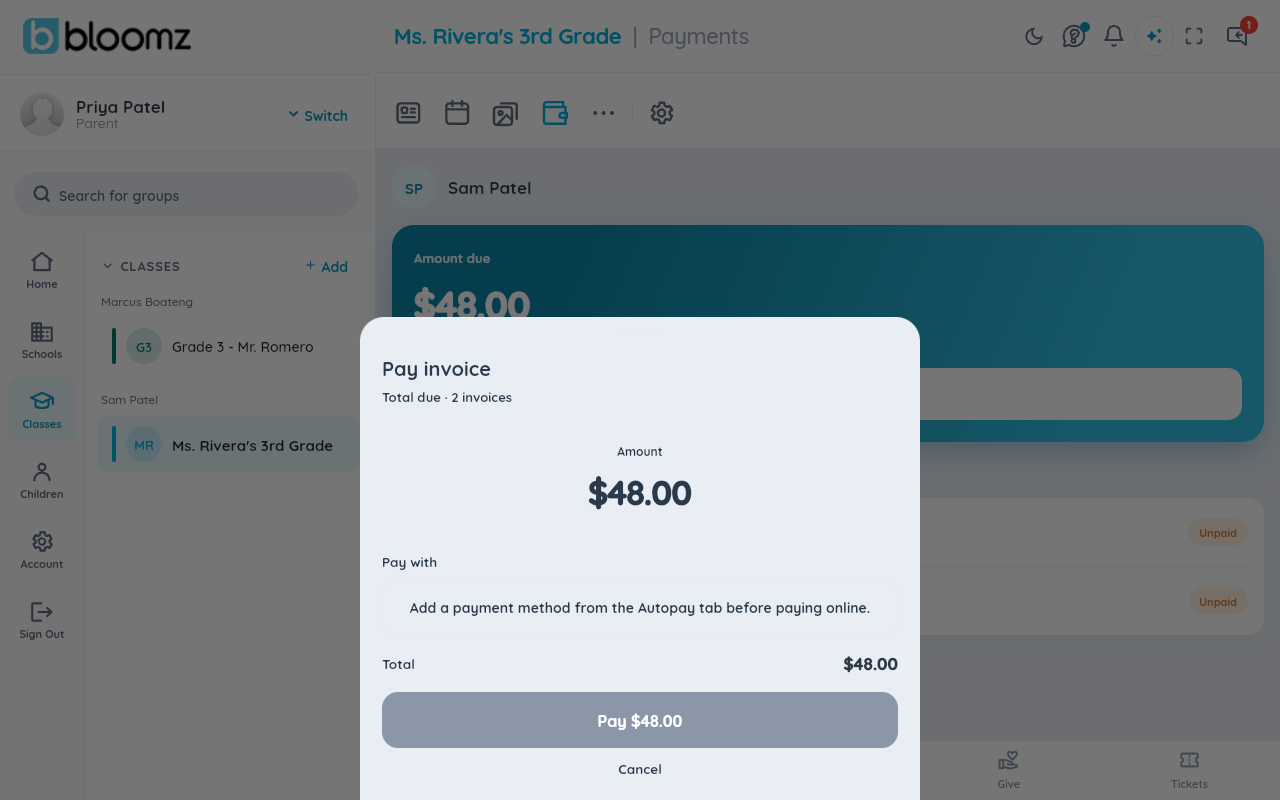
Watch out: this pass didn't capture the actual barcode screen a family sees after choosing Pay with cash at a store — that still needs a school with a live PayNearMe vendor relationship to shoot from. The pay sheet shown here is the real screen a family sees for any unpaid balance; once cash payments are confirmed on for a school, the cash option should appear in this same Pay with section.