 Bloomz
Register and pay for a camp or program
Sign your child up for a camp, club, or program your school is running — and pay for it — from the same place.
Before you start
- Your school needs to have Activities (or Recreation) turned on, and at least one program published, for you to see anything here.
- Have a payment method ready if the program isn't free — you can pay by card or bank transfer, or use the payment method you've already saved.
Step 1 — Open Activities
From the More menu, choose Activities. Browse or search the programs your school has published, filtered by grade and category.
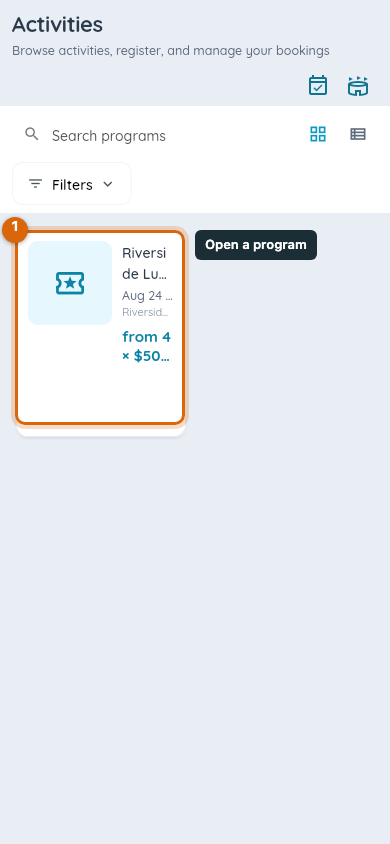
The catalog narrows to match your search or filter.
Step 2 — Open a program and choose your child
Open the program you want, and choose which of your children is registering. The program's registration screen opens for that child.
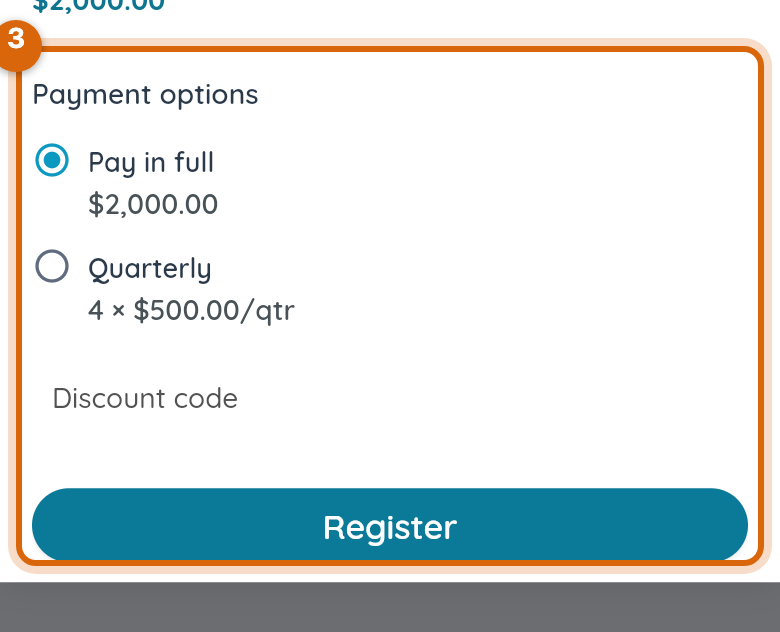
Step 3 — Choose how you'll pay
If the program offers a payment plan, choose Pay In Full or an installment option. Enter a Discount code here if your school gave you one.
Step 4 — Confirm your registration
Review the total and choose Confirm Registration.
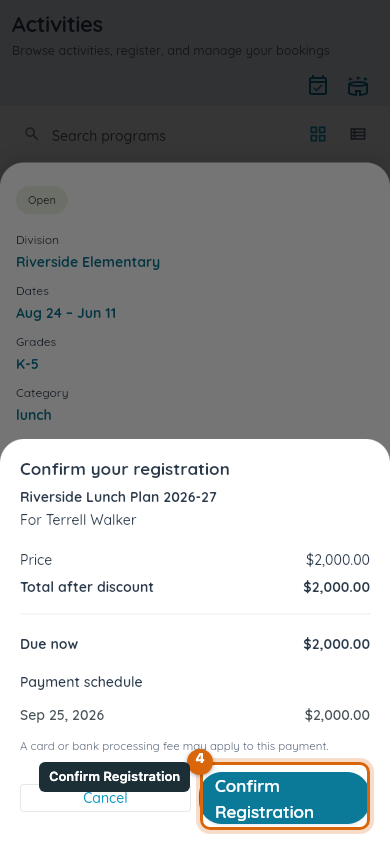
Watch out: confirming registers your child and reserves their seat — it is not the same as paying in full if you chose an installment plan. The first payment is taken as part of confirming; the rest follow your plan's schedule.
Step 5 — Complete any required forms
If the program requires forms or an enrollment packet, My Registrations shows what's still outstanding. Open it and choose Complete now to finish it. Each item clears from the outstanding list as soon as you submit it.
What happens next
Your child is added to the program's roster the moment you confirm — this is also what adds them to the program's class group, so you'll start getting that group's posts and messages. Future installments are charged automatically to your saved payment method, and each one shows up in your Payments history like any other charge. You can see the program any time from My Registrations, including its schedule and what you've paid so far.
If something goes wrong
If a program is full, it doesn't accept new registrations — check whether your school runs a waitlist for it, or ask the school directly. If a payment fails, you are notified and can retry with another method from the same registration.
Related
- Set up a camp or program for registration
- Register for a city recreation program
- Pay a school fee
- Set up a tuition agreement and autopay