 Bloomz
See your Teacher Premium subscription and payment history
Check whether your Teacher Premium subscription is active, when it renews, and what you've been charged for it — all from one screen.
Before you start
- This screen shows your own subscription only, not your school's Payments data.
- If you don't have Premium yet, this screen shows an upgrade option instead of a subscription — see Upgrade to Premium.
Step 1 — Open your account settings
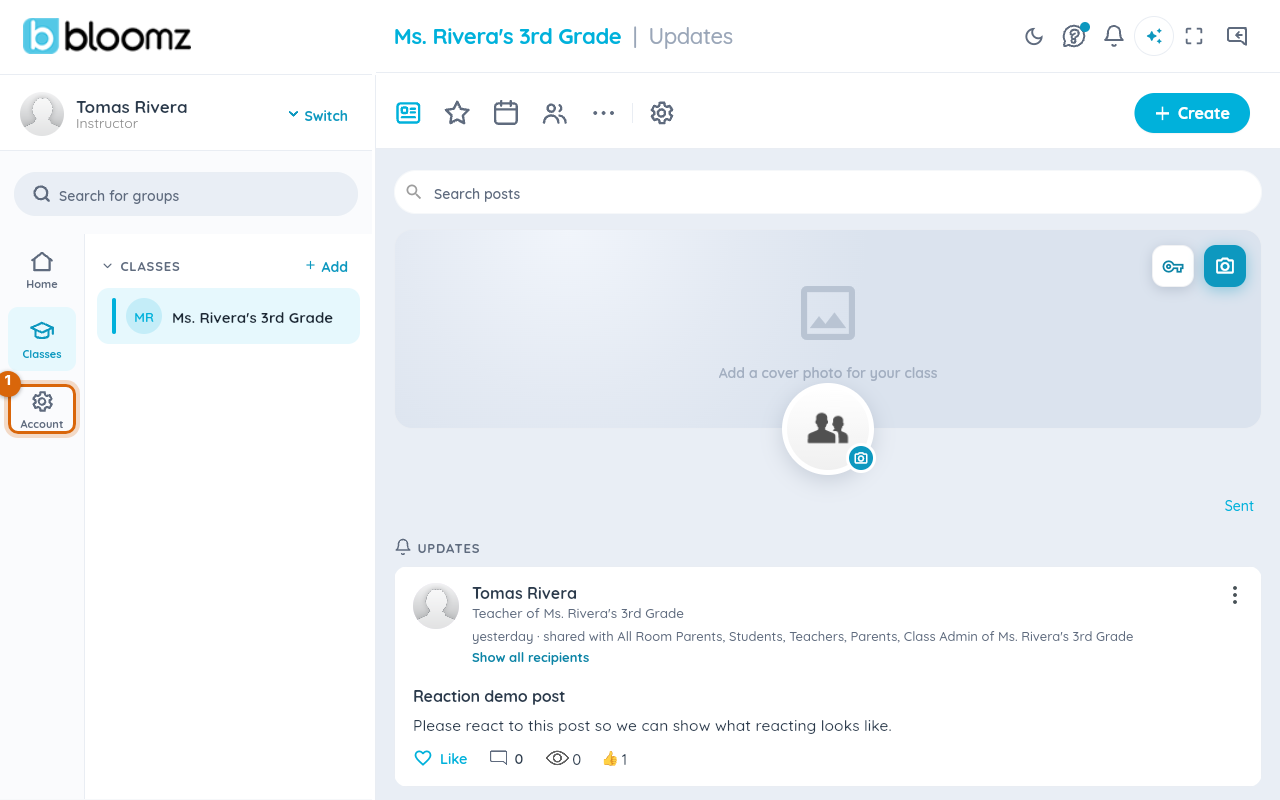
From the main menu, open Account Settings.
Step 2 — Choose Account Level
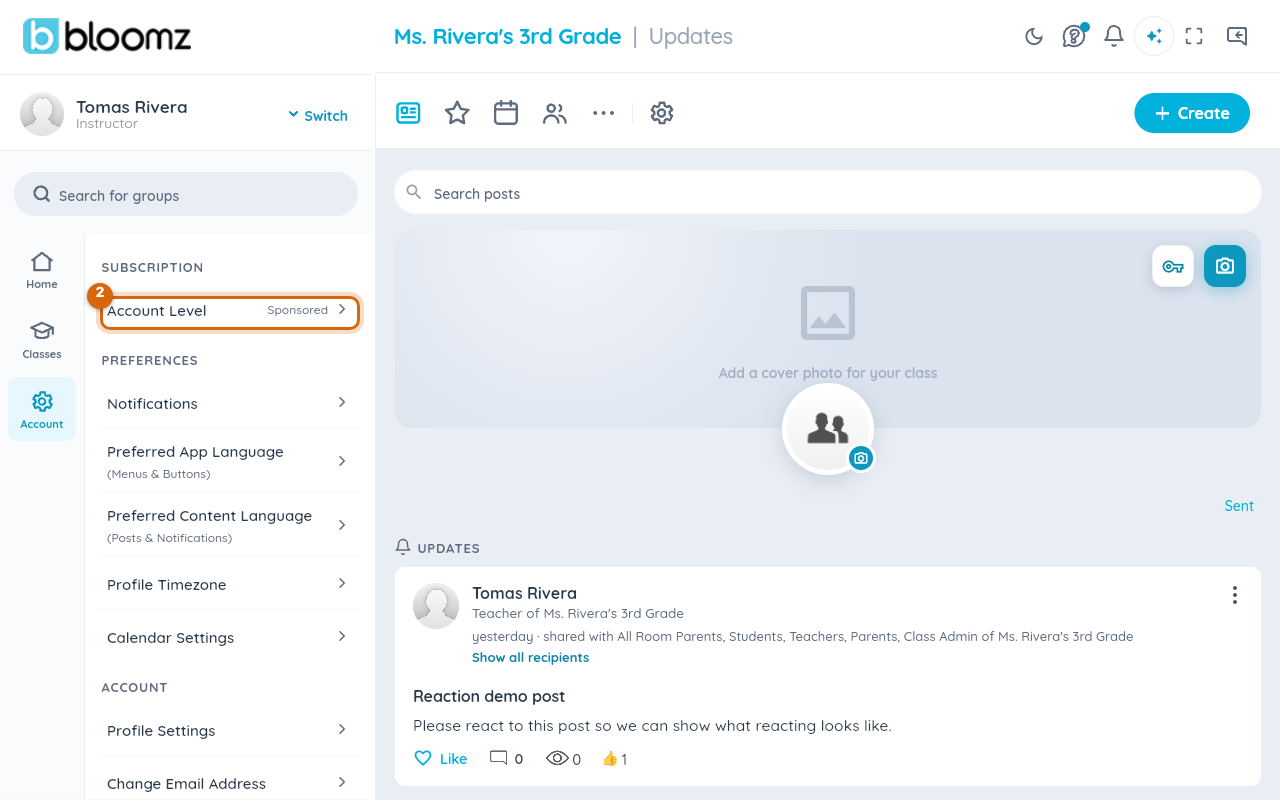
Select Account Level under the Subscription heading in the account settings list.
Step 3 — Review your plan status
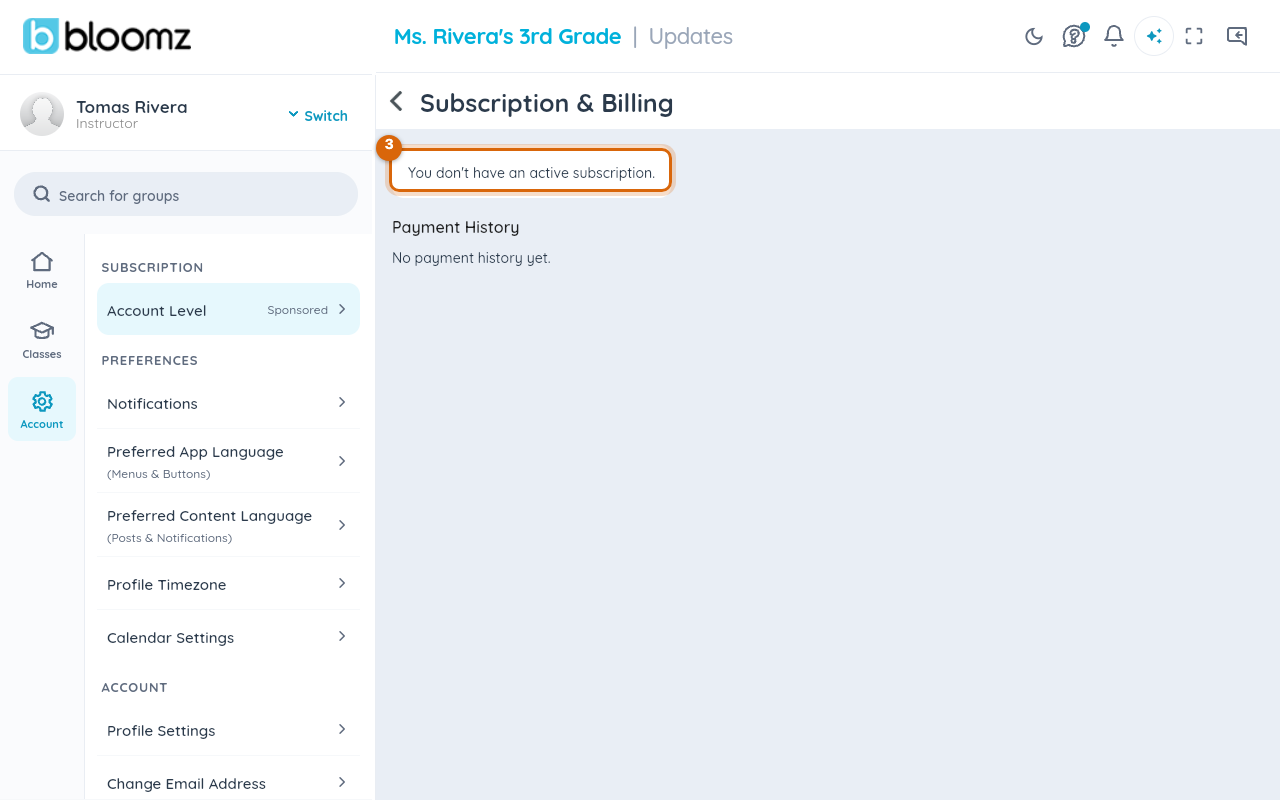
Select Subscription & Billing. If you have an active plan, this screen shows the plan name, whether it's Active, and your next renewal date. If you don't have a personal subscription — for example, if your school covers Premium for you — it says so directly instead.
Step 4 — Check your payment history
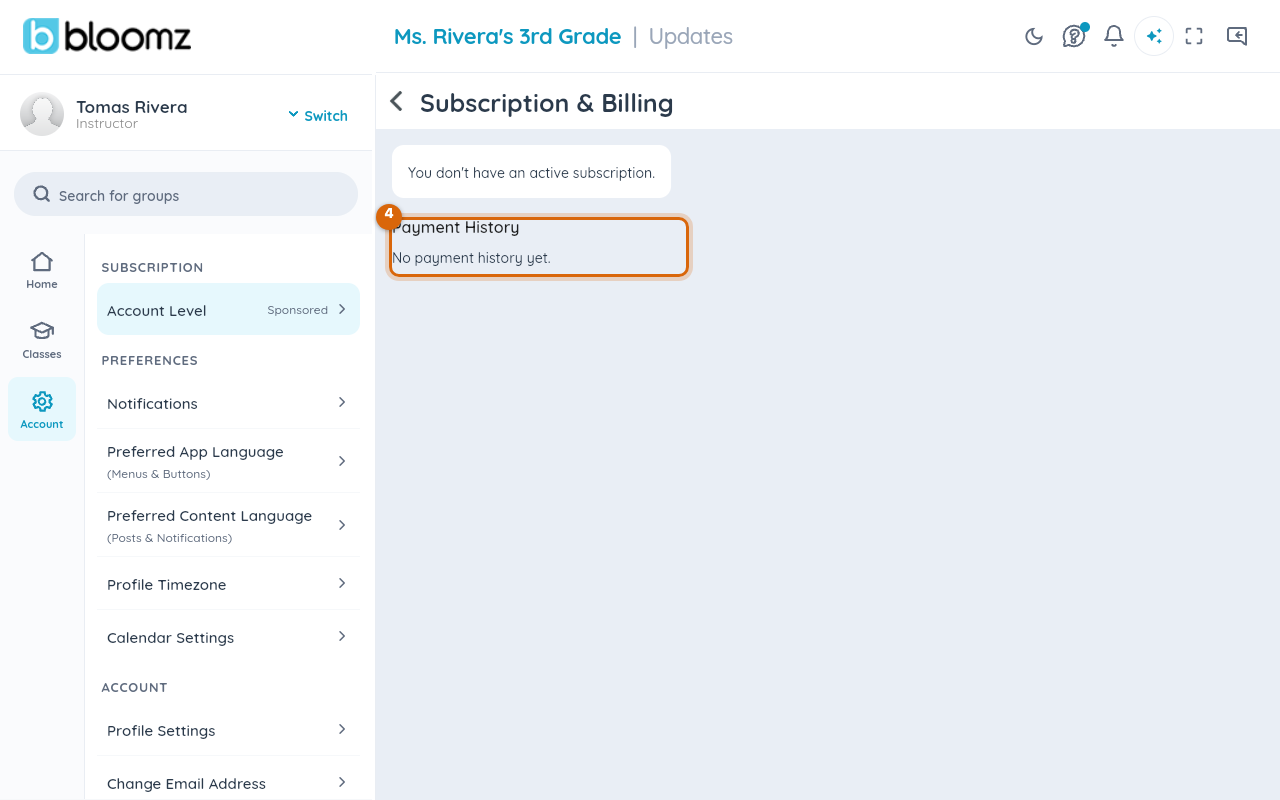
Payment History, on the same screen, lists every charge for your subscription, with the date and amount of each. When you need a receipt — for an expense report or reimbursement — select the past payment right here in the list to download its receipt as a PDF.
Watch out: a subscription shown as active with a past-due payment can lose Premium features at the next renewal attempt — see You paid for Premium but don't have it yet if something looks off.
Reading the status card
The status card is the fastest way to answer "am I still paying for this?" — it names the exact plan (monthly or annual), so you can tell at a glance whether you're on the plan you meant to be on. If you upgraded partway through a billing period, the renewal date shown is when the next charge happens, not when you originally signed up.
Related
- Upgrade to Premium
- Getting a receipt or invoice for your subscription
- Cancel your subscription