 Bloomz
Check your school's House standings
See which house is winning, how points are trending, and where your own points came from — everyone at a school with Houses turned on shares one Houses page, and what it shows adapts to your role.
Before you start
Your school must have Houses switched on; if the Houses tile is missing from the More menu, ask your admin. If you're at All Groups scope, switch to a specific school first — Houses works one school at a time.
Step 1 — Open Houses
Select More (…) in the tab row and choose Houses.
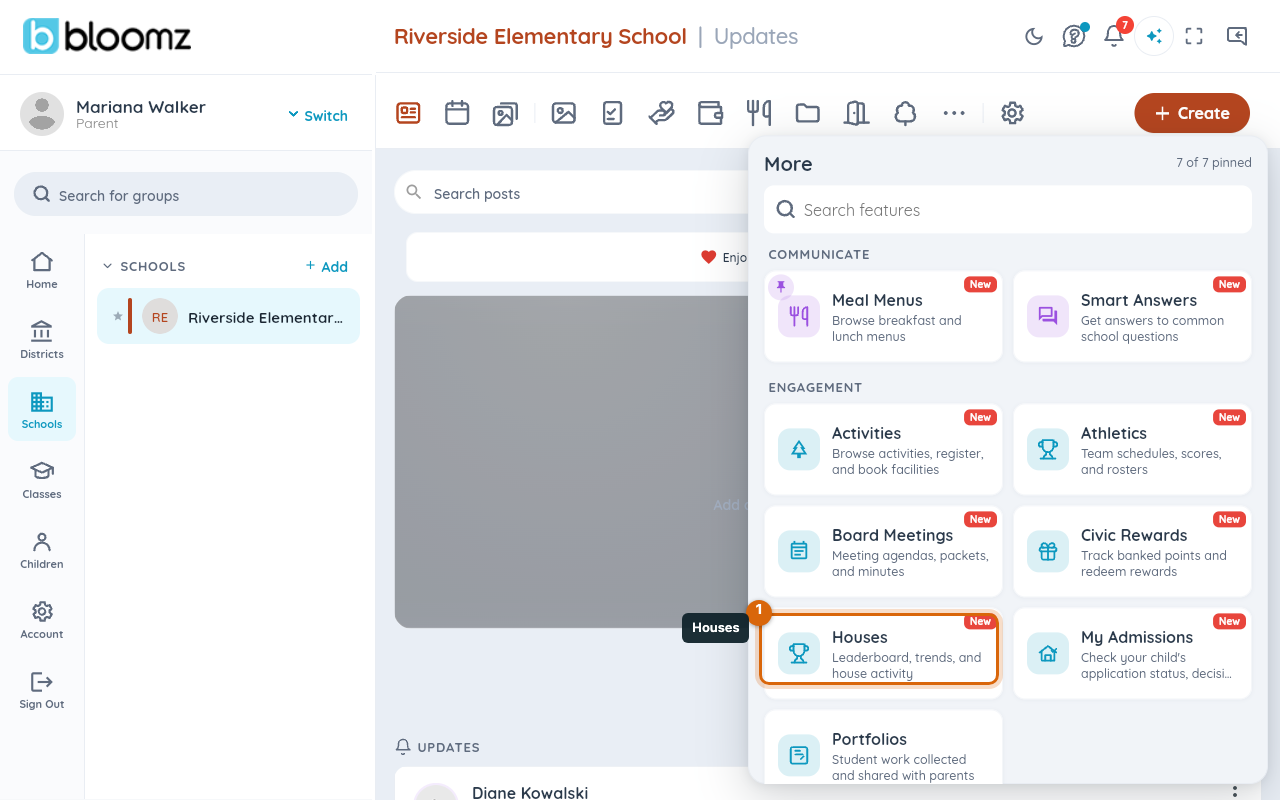
The Houses page opens on the leaderboard for the current competition window.
Step 2 — Pick a time window
Use the chips at the top — This Week, This Period, All Time — to switch what the leaderboard and trend chart below cover. "This Period" is the current competition window your admin set up (see Set up houses and house points).
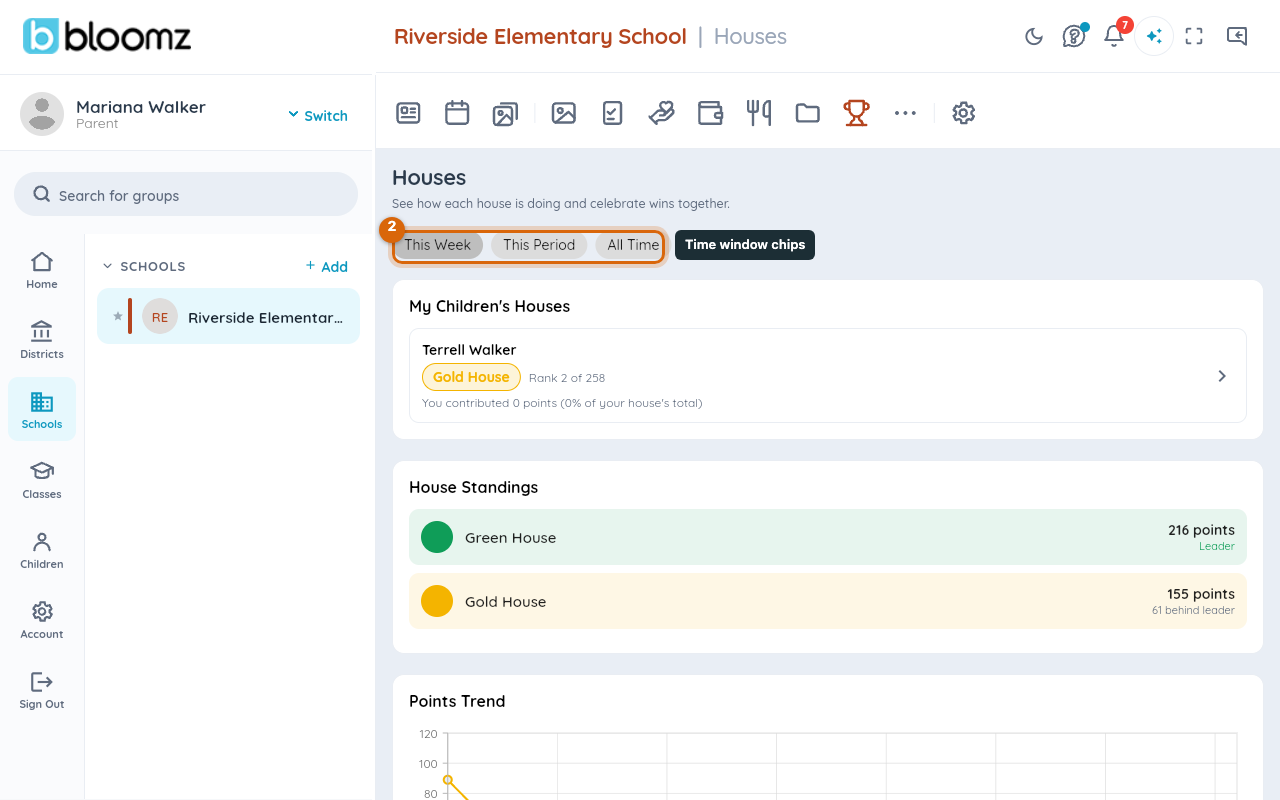
The leaderboard and trend chart redraw for the window you picked.
Step 3 — Read the leaderboard and trend
The leaderboard ranks every house by points for the selected window; select a house's card to open its detail tray — roster, recent points, and a trend chart. Students see a My House card first, with their own house's rank and recent points; parents see the same for each of their children.
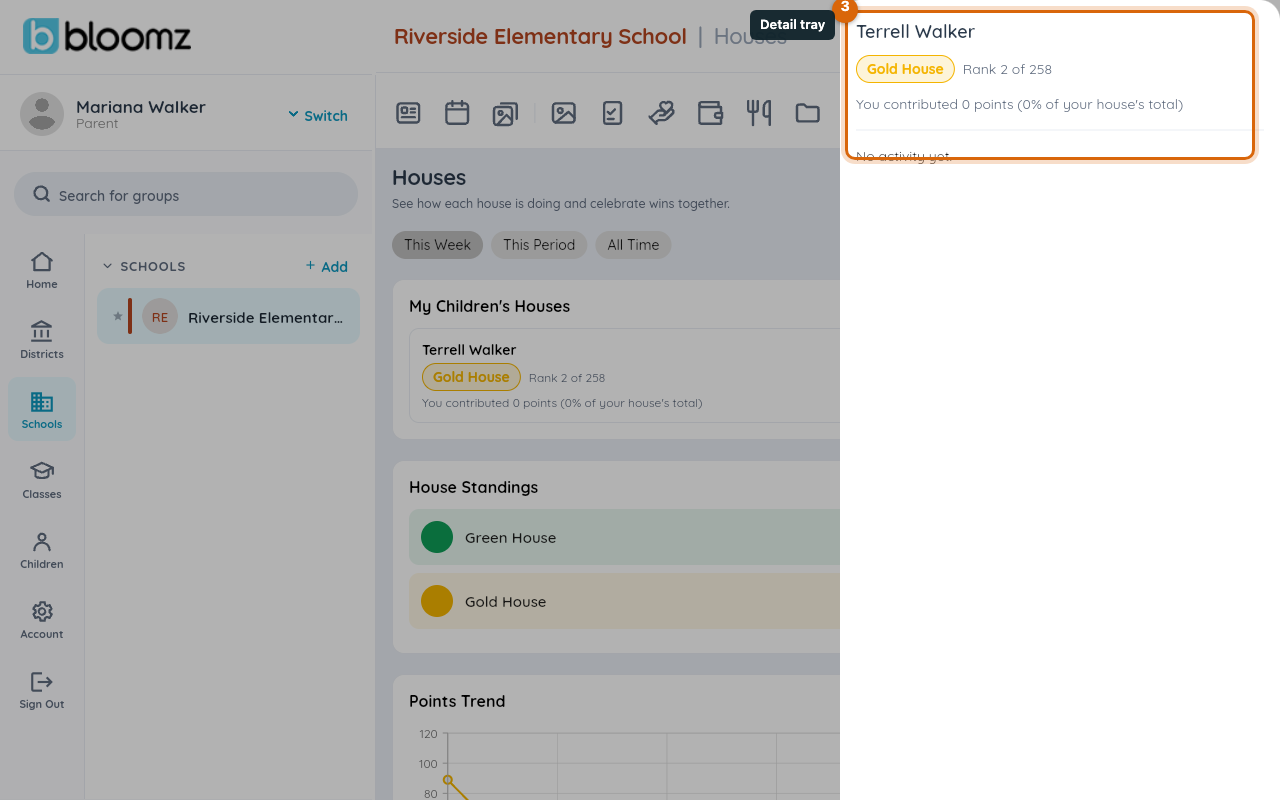
The detail tray opens over the leaderboard, showing that house's roster and points history.
Watch out: a student not placed in any house still keeps every behavior award they earn — it just doesn't count toward a house total. Their card on this page will say they aren't assigned to a house yet.
Step 4 — Award points directly (admins, teachers and school staff)
Below the leaderboard, staff can award points that aren't tied to one student's behavior. Select House Bonus to award one or more houses directly — pick the house(s), enter the points and a required reason, then submit. Select Award a Grade to award every house's students in one grade level at once, split evenly by house.
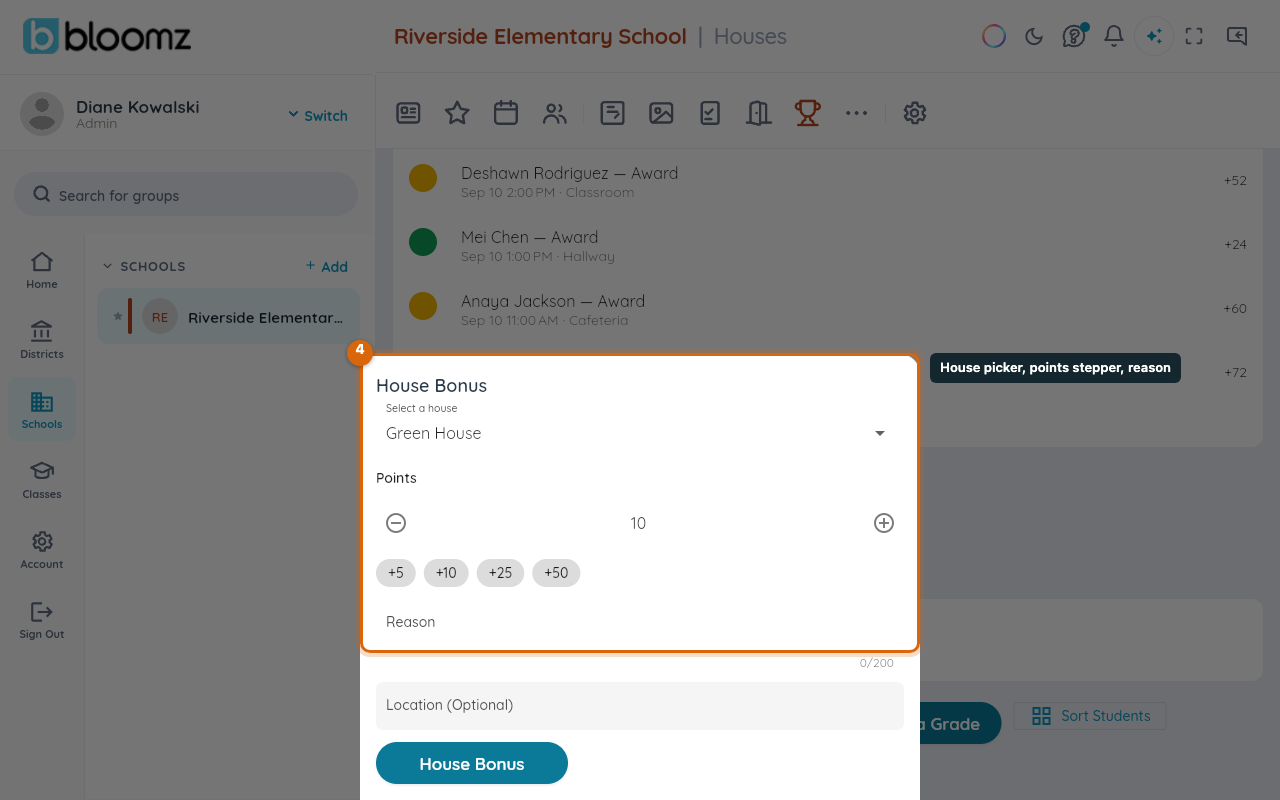
The points post immediately, and the leaderboard updates for everyone viewing the page.
What happens next
Point totals and the leaderboard update immediately for everyone viewing the page. Opening a fresh competition period (see Set up houses and house points) resets the standings shown for that window but keeps the full points history behind it.
Related
- Set up houses and house points
- Award behavior points to a student
- See your child's behavior and awards