 Bloomz
See your child's behavior and awards
See every behavior point and award your child has earned, with enough history to spot a pattern — not just today's total.
Before you start
You'll need your child added to your Bloomz account already. If you don't see an Interactions tab for your child, their class may not have behavior tracking turned on yet.
Step 1 — Open your child's profile
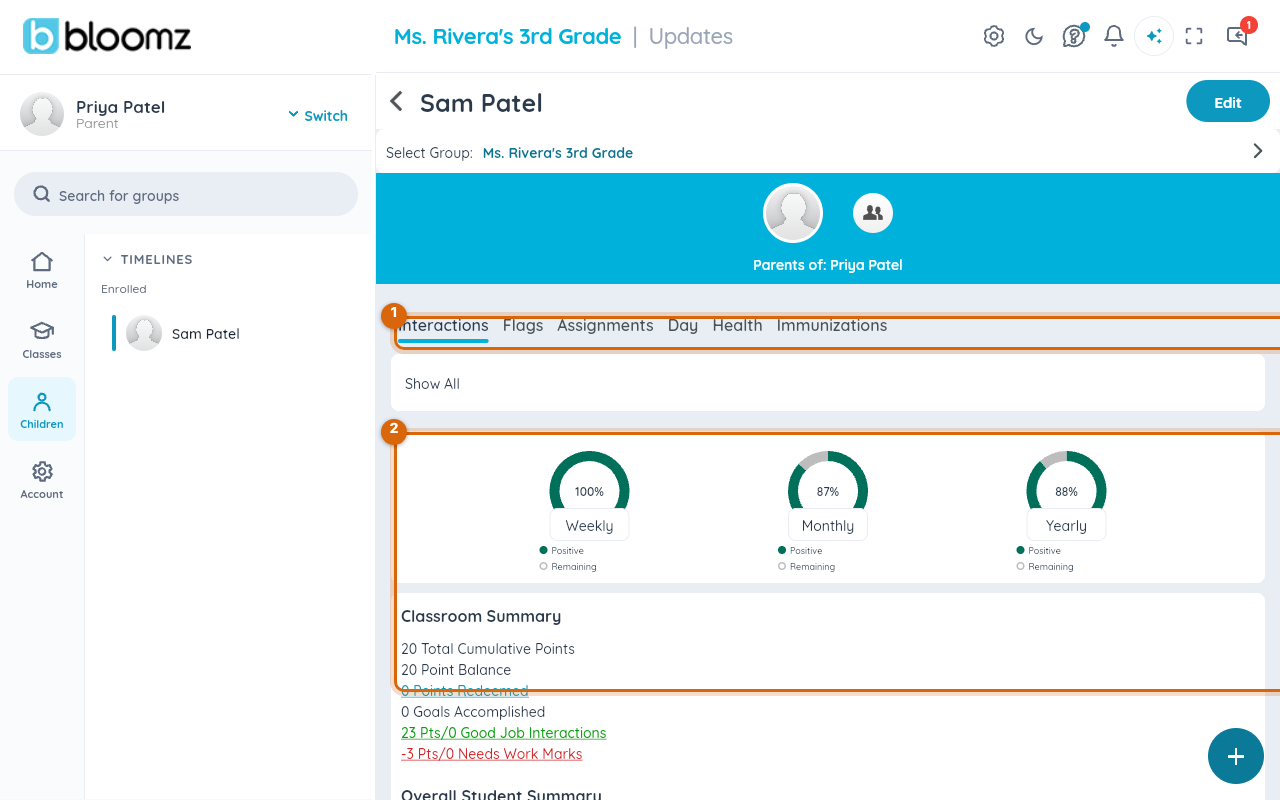
From the family home screen, select Children in the sidebar, then select your child. Their profile opens on the Interactions tab.
Step 2 — Review the current totals
The top of the tab shows a weekly, monthly, and yearly positive-interaction percentage, plus a Classroom Summary — total cumulative points, point balance, points redeemed, goals accomplished, and a breakdown of "Good Job" interactions against "Needs Work" marks.
Step 3 — Scroll the awards history
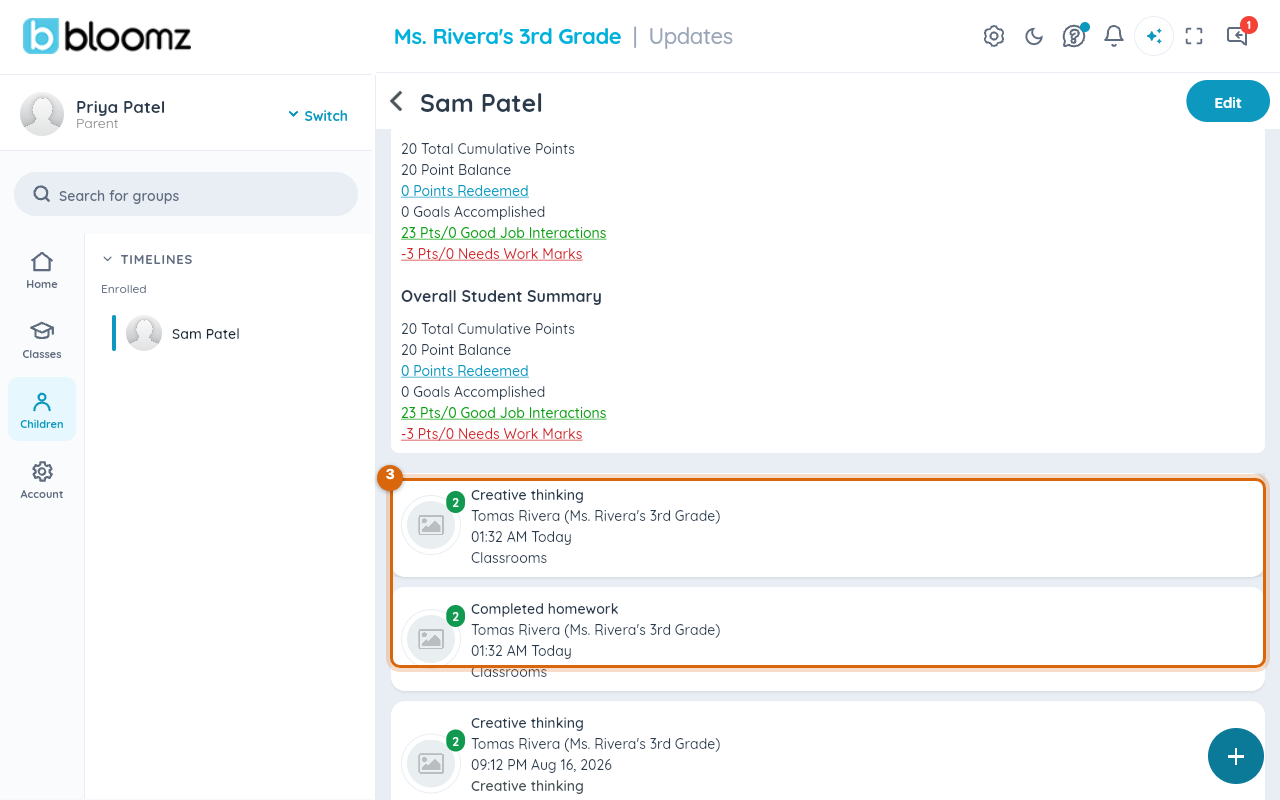
Below the summary, scroll the list of individual interactions — each with the date, the behavior (like "Creative thinking" or "Completed homework"), and which teacher logged it.
Related
- Award behavior points to a student
- Choose a behavior theme for your class
- Respond to an assignment