 Bloomz
Choose a behavior theme for your class
Your class's behavior theme names the interaction icon set families see; the current theme is shown in class settings, and you can browse what's coming next.
Before you start
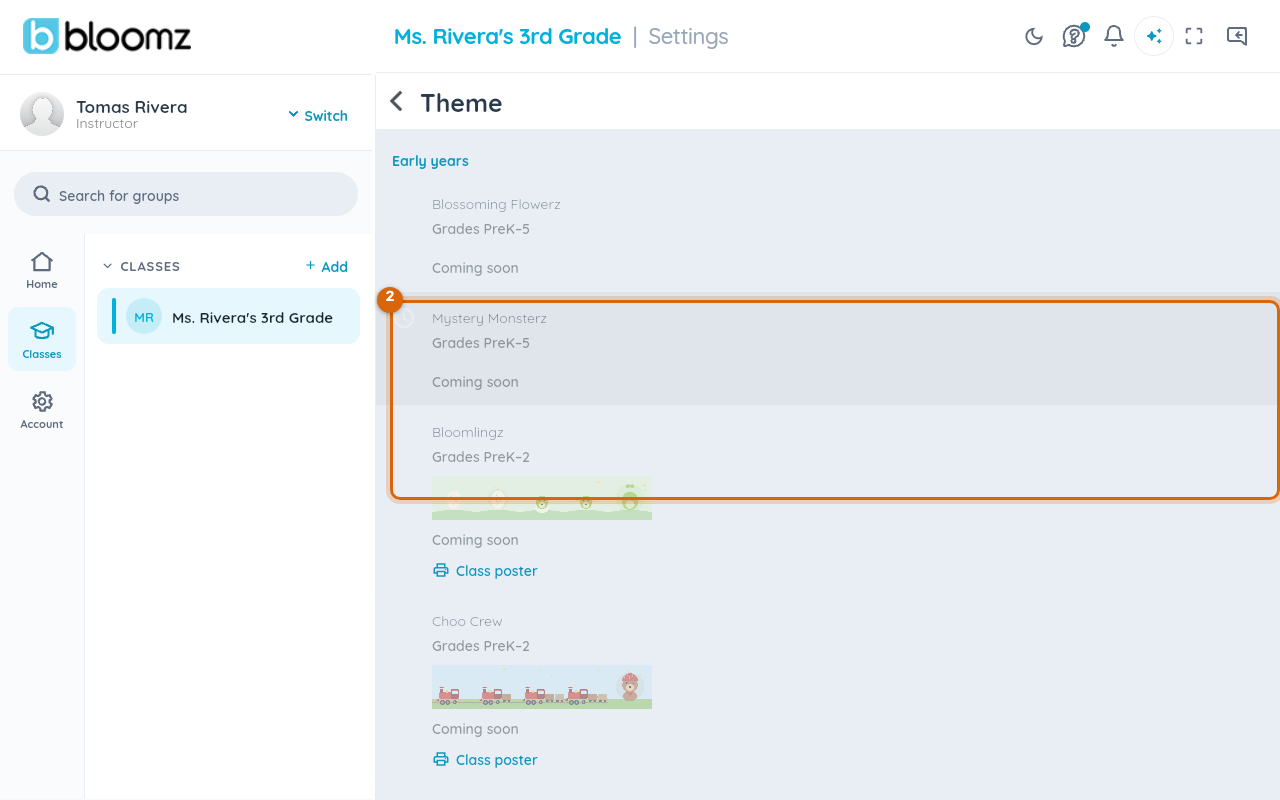
Themes are grouped by grade band (Early years, K–4, and up), and each one lists the grades it's built for. In this release most themes in the gallery are marked Coming soon — the theme picker is a preview of what's rolling out, not yet a full switcher, so don't be surprised if the theme you want isn't selectable yet.
Step 1 — Open class settings
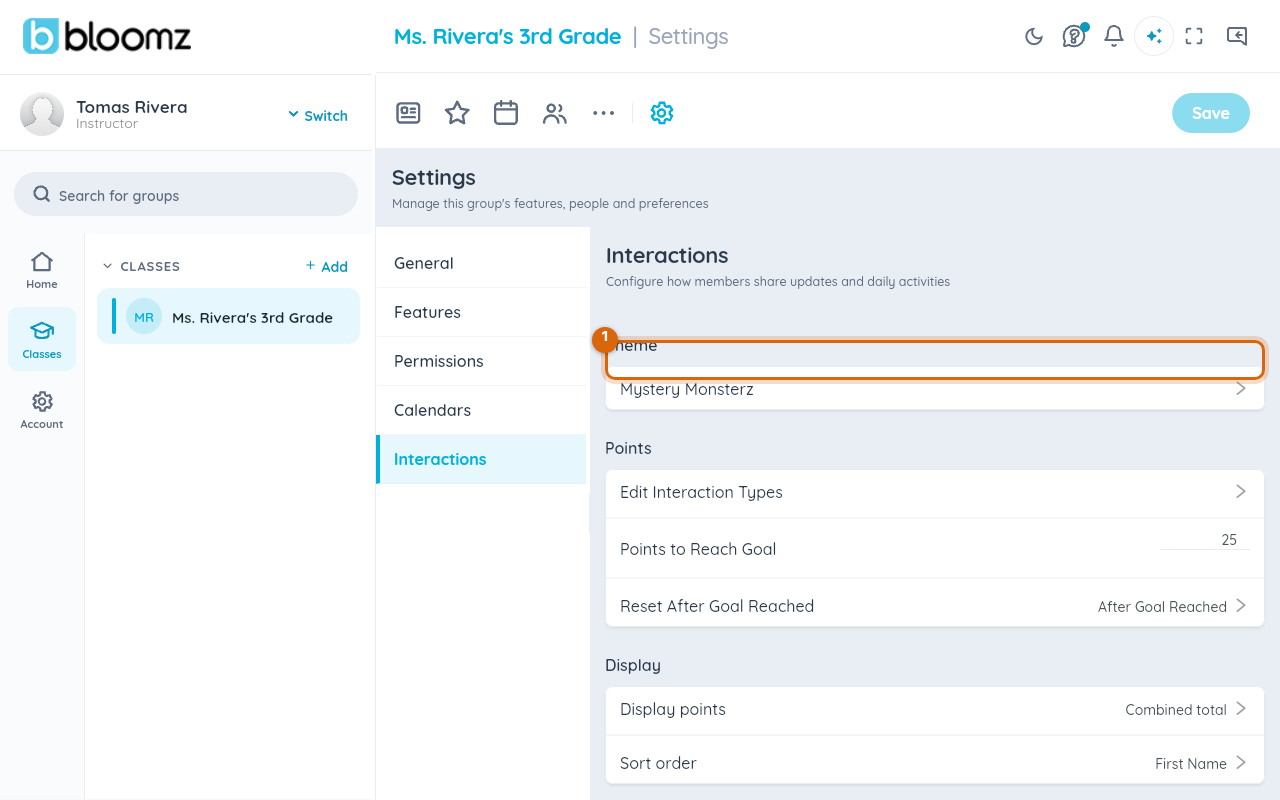
From your class, open Settings, select Interactions in the sidebar, then look at the Theme row — it shows your class's current theme name.
Step 2 — Browse the theme gallery
Tap the Theme row to open the gallery, grouped by grade band. Each theme shows its grade range and, where art is ready, a preview strip of its icons; many also offer a printable Class poster.
What "Coming soon" means
A theme marked Coming soon is a preview, not yet something you can switch to — your class keeps its current theme until Bloomz turns on the next batch. If you're set on a particular theme, check with your Bloomz account contact for the rollout timeline rather than assuming it's missing from your account specifically.
Related
- Award behavior points to a student
- Set up houses and house points
- See your child's behavior and awards