 Bloomz
Forward a message
Forwarding sends a copy of a message into another of your conversations, with a preview card showing the original sender's name and the original text — so the person you forward to can see where it came from.
Before you start
- You can only forward a message that contains text and has finished sending. A photo-only or file-only message has no Forward option, because the forward carries the original's text.
- You forward into your existing conversations. To reach someone you have never messaged, start a conversation with them first.
- Conversations you are not allowed to send into simply do not appear as destinations.
Step 1 — Open the conversation
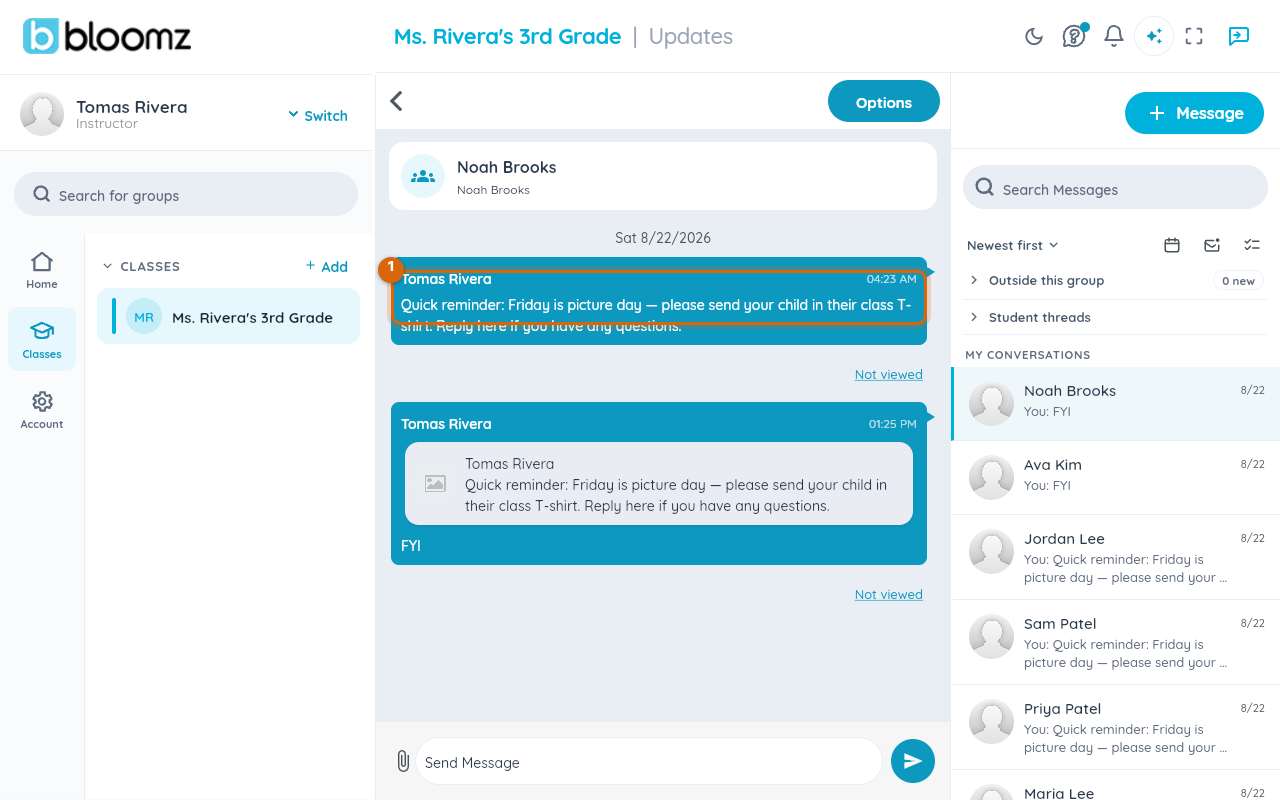
Open the conversation that contains the message you want to forward.
Step 2 — Open the message's actions and tap Forward
On the web, hover the message to reveal its action row — reactions, copy, Forward, and delete; on touch, press and hold the message instead. Tap the forward-arrow icon.

The Forward to sheet opens, listing your conversations.
Step 3 — Choose the destination conversations
Tick each conversation you want to forward into. Use Search conversations at the top if the list is long. You can pick more than one.
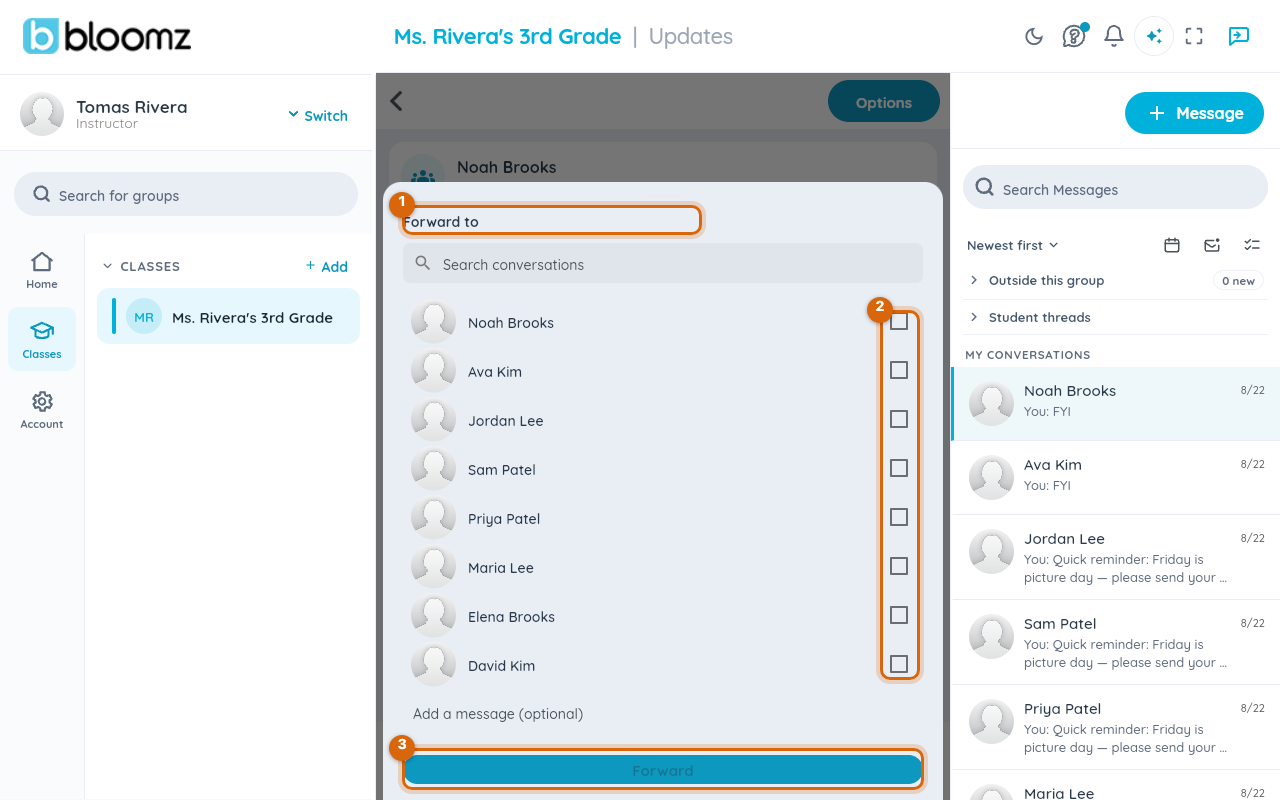

Watch out: forwarding to several conversations sends each one its own copy — it never merges them into one new combined group thread.
Step 4 — Add a note (optional)
Write something in Add a message (optional) if you want the forward to arrive with your own words. If you leave it blank, Bloomz sends "Forwarded message" as the accompanying text — a forward always travels with some text.

Step 5 — Send it
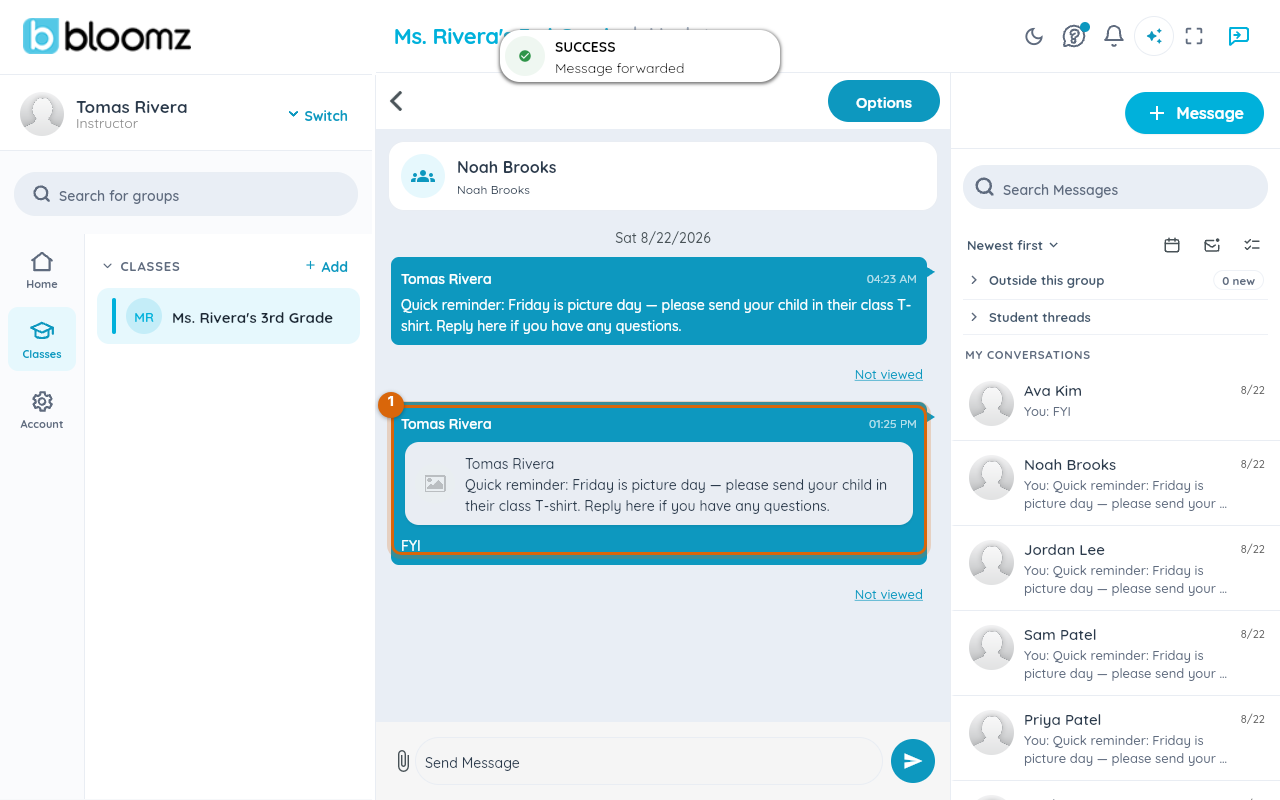
Send from the sheet. Each conversation you ticked receives the forward, and Bloomz confirms with "Message forwarded".
What the recipient sees
The forward arrives as an ordinary message carrying a preview card: the original sender's name as its title and the original text beneath it, with your note (or "Forwarded message") as the message body. The card is a preview, not a link — tapping it does not open the original conversation.
Watch out: forwarding a message that was itself forwarded carries the preview of the message in front of you, not the whole chain back to the first sender.
Related
- Search, sort, and clean up your messages
- Message your family
- Send a message to one family instead of the whole class