 Bloomz
Read a post's delivery report
Sent a post and wondering who's actually seen it? Every post you send has a delivery report — a breakdown of who it reached, who's opened it, and who hasn't yet.
Before you start
You can view the delivery report for any post you sent; a group admin can also view it for posts sent to their group. It's the same report whether the post already went out or is still going through delivery.
Step 1 — Open the post's options menu
Open the post's detail screen and choose Options. The menu shows Edit post, Delete Post, View Delivery Report, Recall Post, Mute Notifications for this Post, and Get Shareable Link.
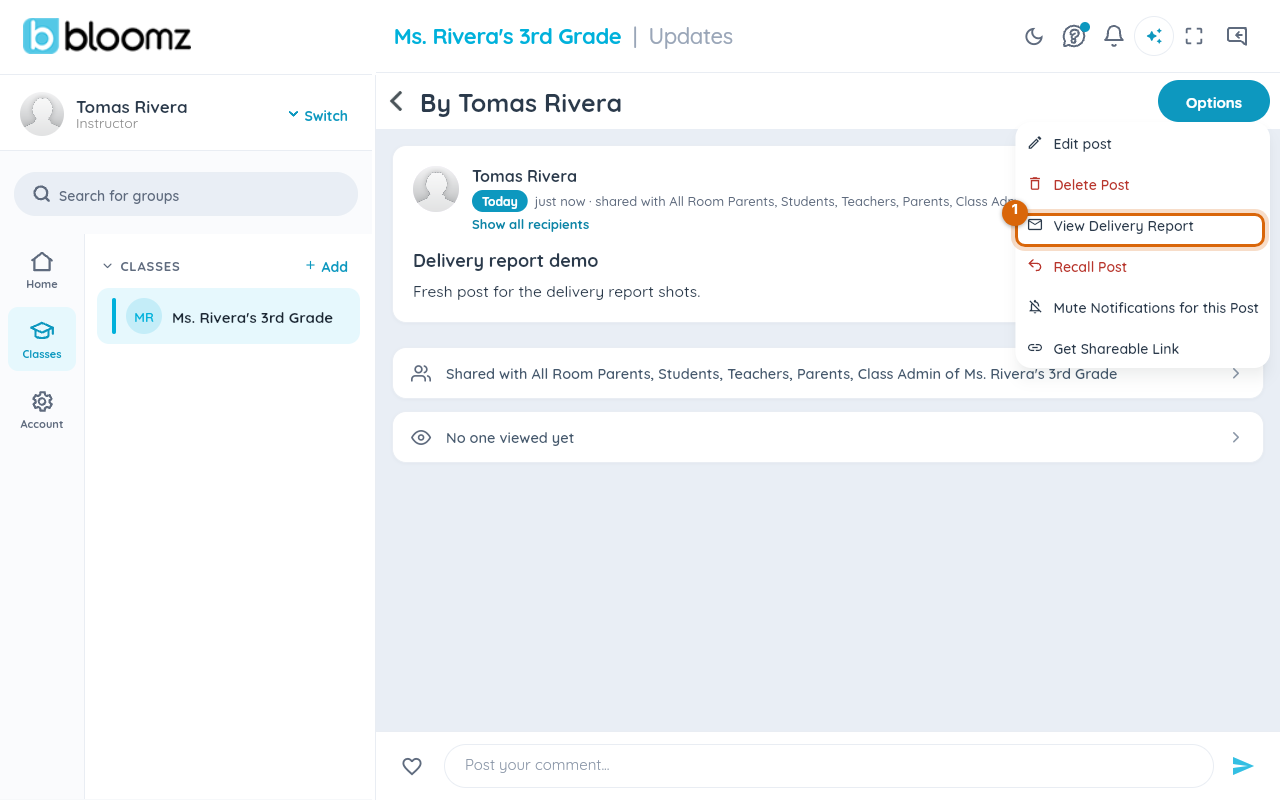
Step 2 — Choose View Delivery Report
Select View Delivery Report. It opens as a Deliverability Report, with four summary numbers up top: Recipients, Reached, Read, and Undeliverable, plus a written summary of the schedule and audience.
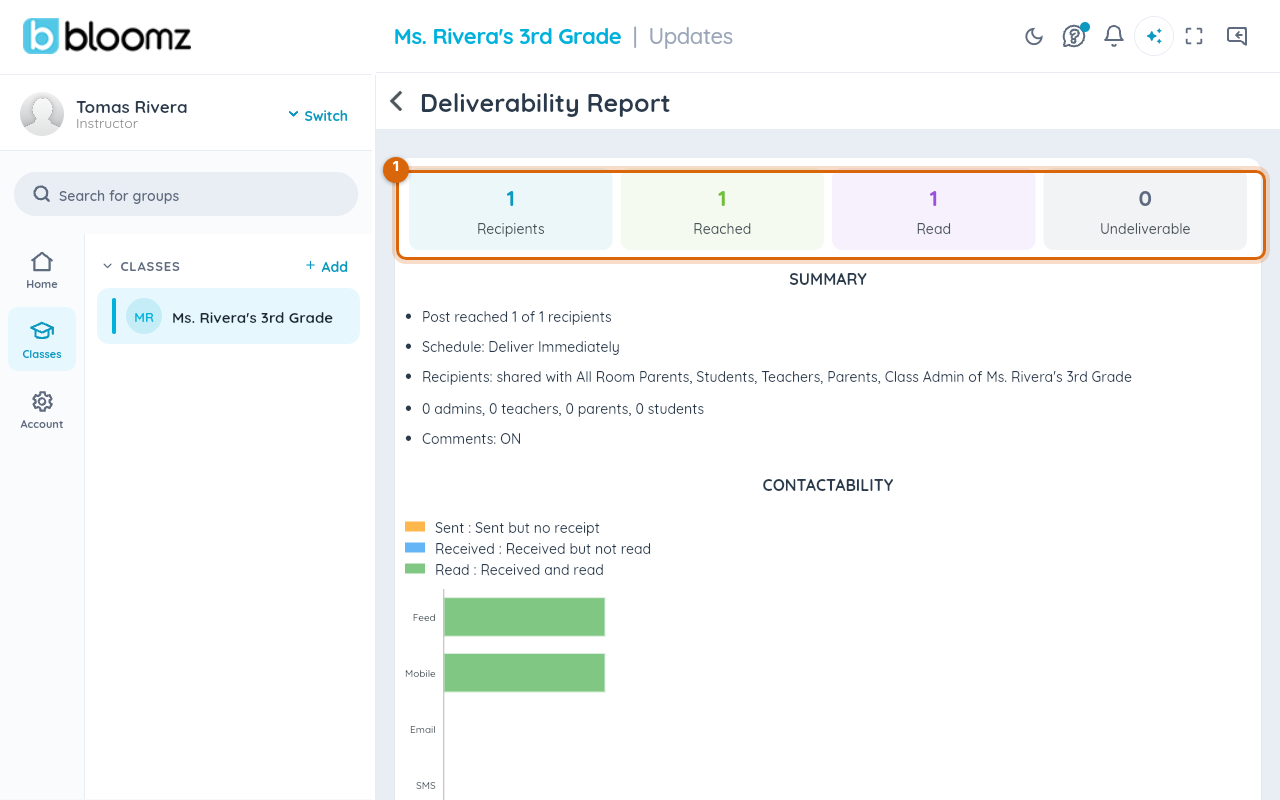
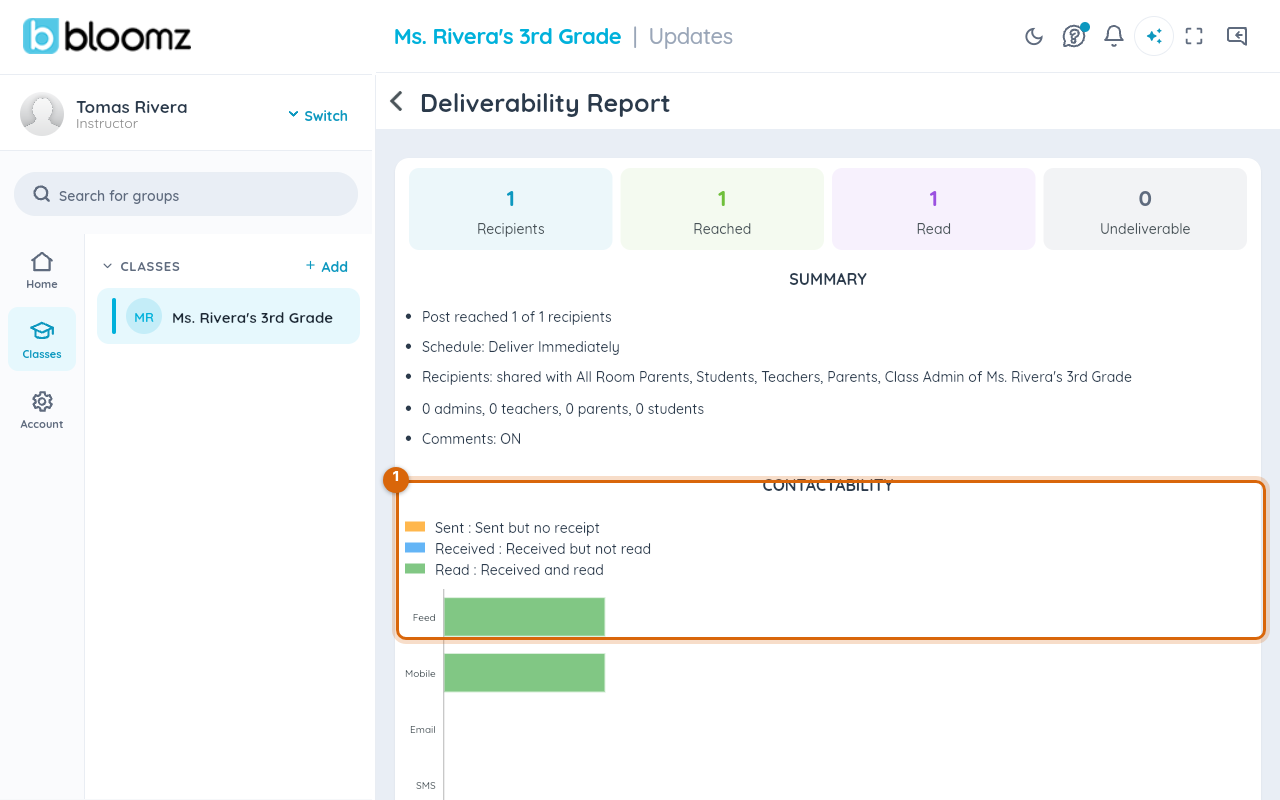
Step 3 — Check delivery by channel
Below the summary, CONTACTABILITY breaks delivery down by channel — Feed, Mobile, Email, SMS, and Voice, each colored by Sent, Received, or Read — since a family that hasn't opened the app may still have read the post by email.
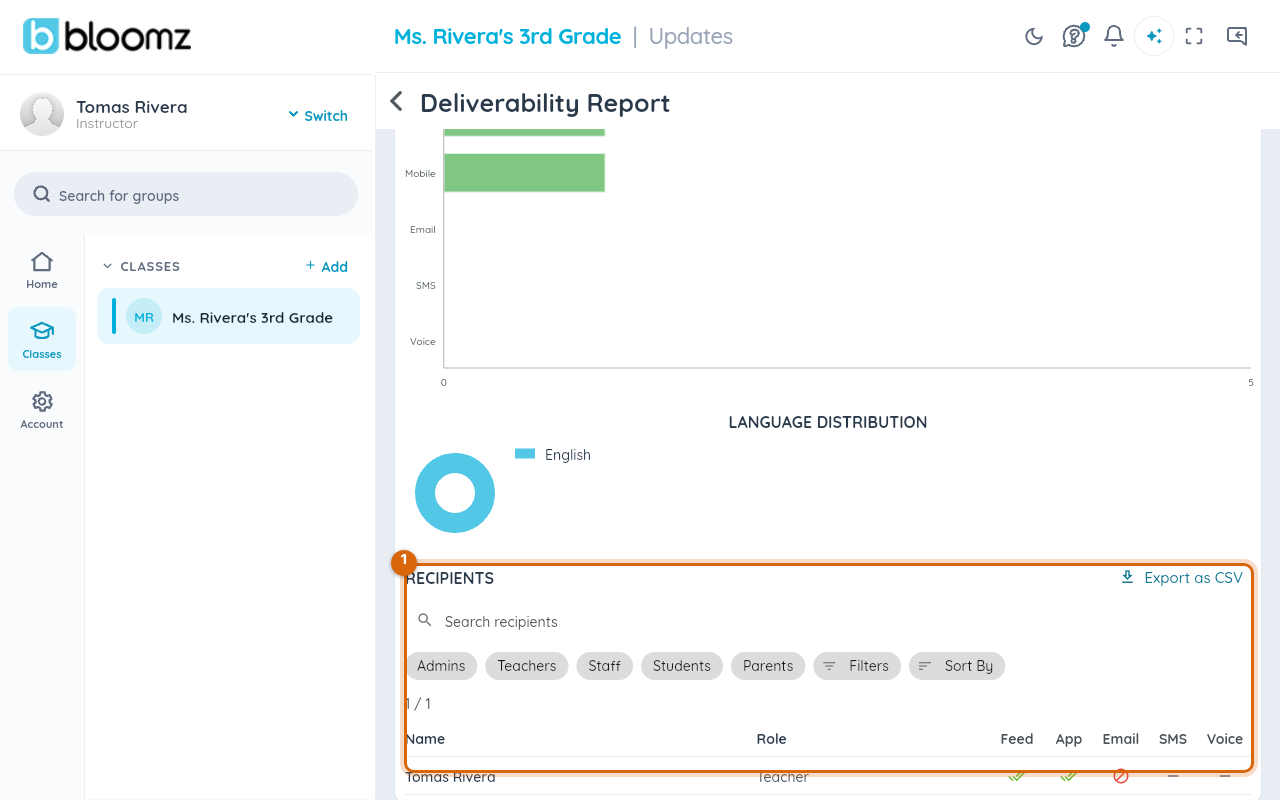
Step 4 — Look up a specific recipient
Under RECIPIENTS, search by name or filter by role (Admins, Teachers, Staff, Students, Parents), then check the table: a row per person, with a check, dash, or crossed-out mark for each channel. Useful when you need to know whether a specific parent has seen an urgent notice. Export as CSV downloads the full list.
Watch out: "delivered" and "viewed" are different things. Delivered means the message reached the channel (an email landed in an inbox); viewed means someone actually opened it. A high delivered count with a low viewed count usually means people haven't checked their email yet, not that delivery failed.
What families see
Nothing — viewing a delivery report is silent. Families are never notified that you checked whether they'd seen a post.
Related
- Recall a post you sent
- Check how many people will see a post before you send
- See everything you have sent