 Bloomz
Send an urgent Alert to families
An Alert is Bloomz's urgent-send option: a post for the moments when families must hear from you right now, such as a lockdown update, a sudden closure or a bus running late. It goes to every family you send it to on every channel at once, and it is clearly marked as urgent.
Everyday posts are not held back either. A normal post starts going out as soon as you send it. The difference is in how an Alert is delivered, not in a waiting period.
What an Alert does differently
- It has its own delivery lane. Alerts are processed separately from everyday posts, so an Alert doesn't wait behind them.
- It uses every channel immediately. Push, email, text and voice call go out together. If your school uses Intelligent Notifications, which tries push and email first and texts or calls only when a family has not engaged, an Alert skips that step. Texts and calls need a Bloomz Premium school and a phone number on the family's profile.
- It texts and calls families even if they turned those off. An Alert reaches the phone numbers on a family's profile even when that family switched texts or calls off for everyday posts, and even during their quiet hours. Anyone who replied STOP to Bloomz texts still gets no text.
- It looks urgent. The push notification starts with "URGENT POST from" and your name, and the post carries a red Alert tag.
Before you start
Use Alerts sparingly. Families who get texted and called for routine news start to ignore them. For an everyday update, use Post or Announcement instead.
Step 1 — Choose Alert
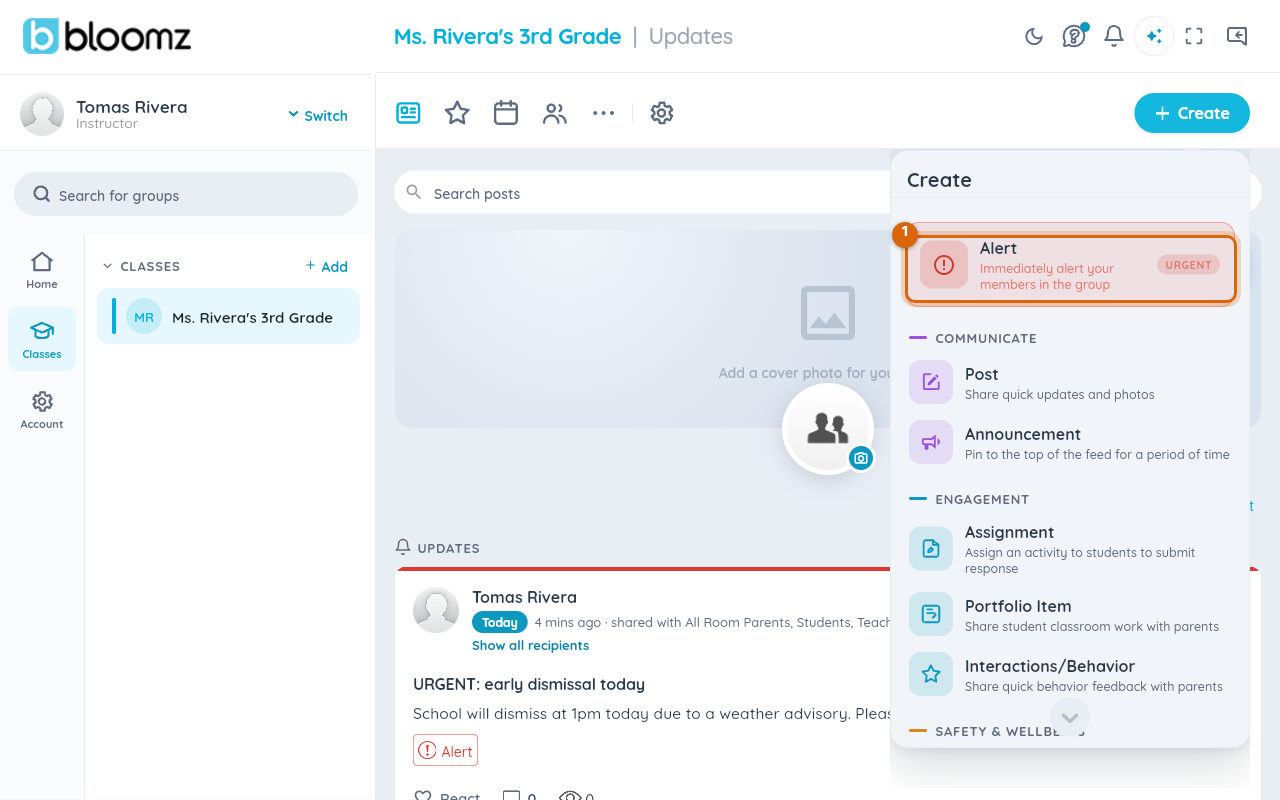
From Create, choose Alert. It sits above the Communicate section, tagged URGENT.
Step 2 — Read the warning
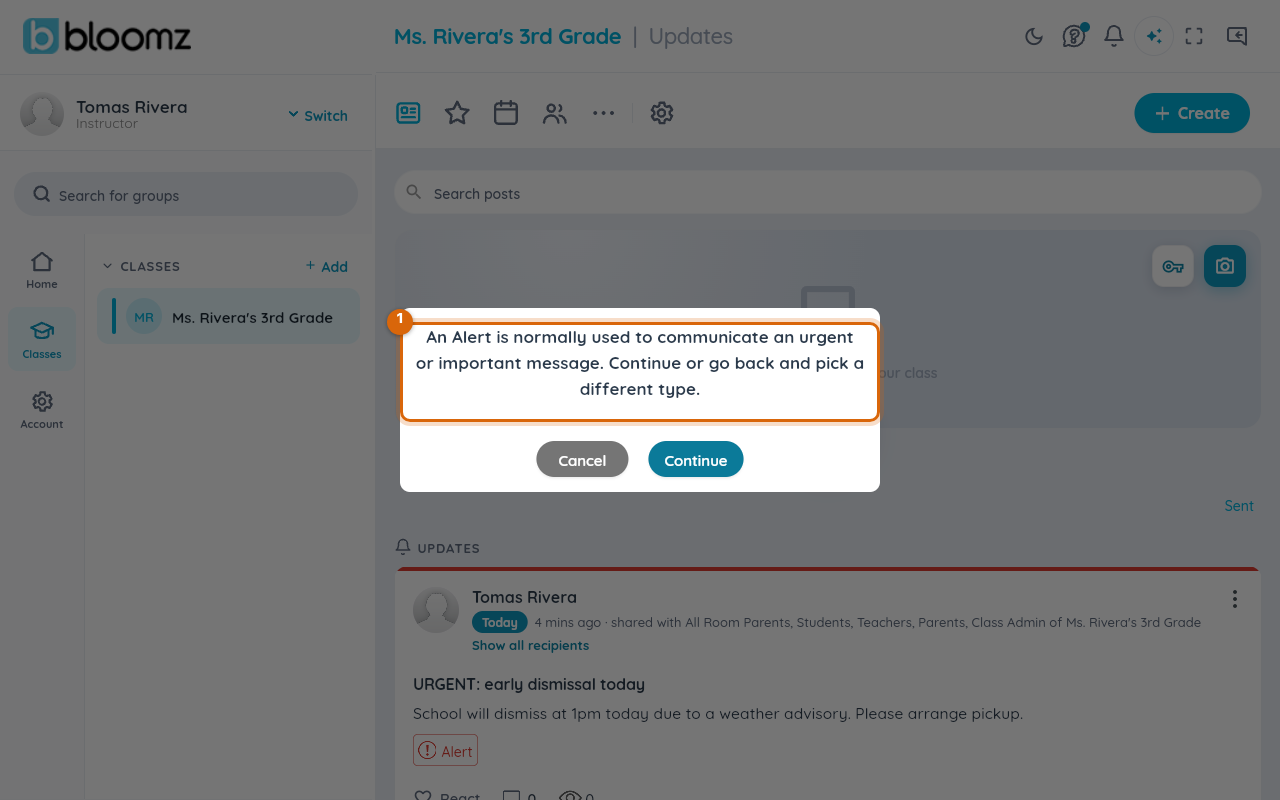
Choosing Alert opens a warning first: "An Alert is normally used to communicate an urgent or important message. Continue or go back and pick a different type."
Step 3 — Confirm
Choose Continue.
Step 4 — Write and send the Alert
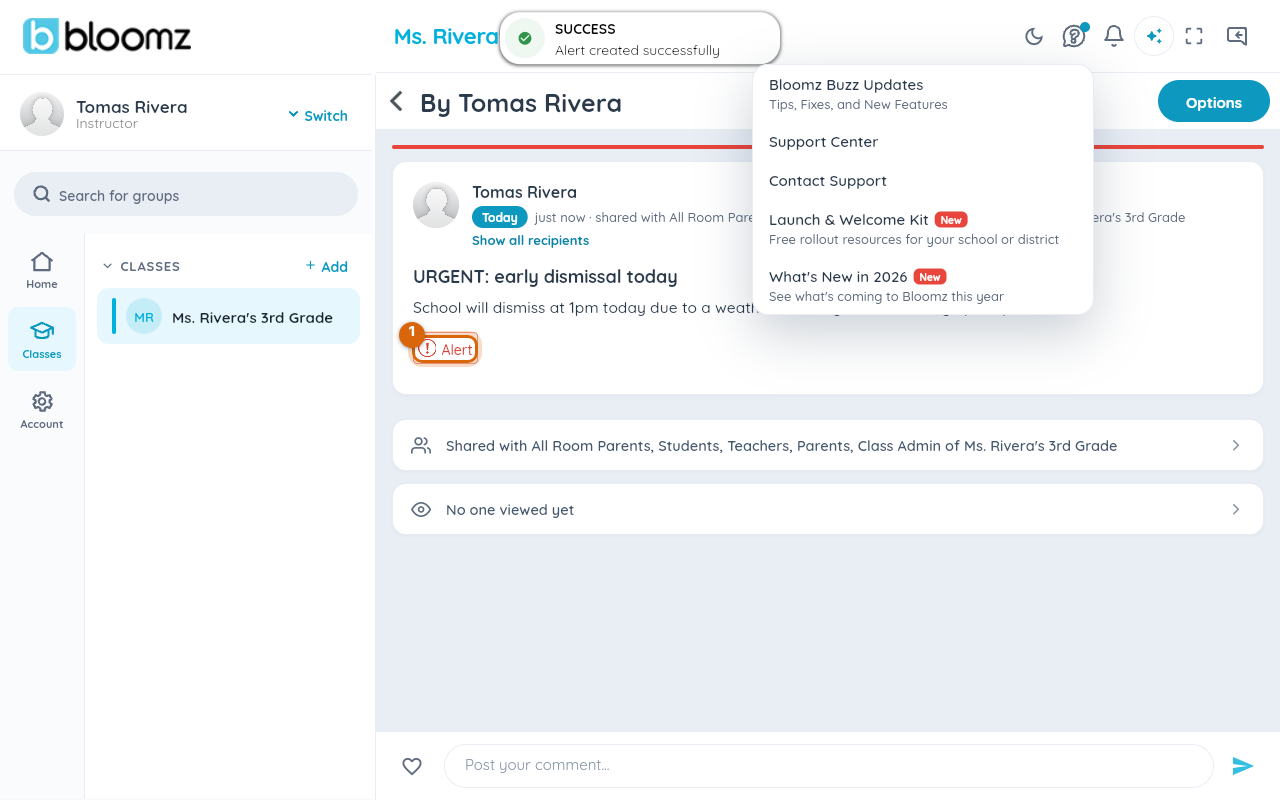
Pick recipients and write your message the same way as any post, then choose Send Alert. You'll see it on its own page with a red Alert tag, a red bar across the top, and a success confirmation.
Watch out: check the message before you send. You can recall an Alert like any other post (see Recall a post you sent), which takes it out of Bloomz, but texts, calls, emails and push notifications that have already gone out stay delivered. An Alert sends all of them at once, so there is very little left to stop.