 Bloomz
Send a notice that bypasses the delivery delay
Every normal post has a brief delivery delay — a short window that lets you catch a mistake and recall it before it truly goes out (see Recall a post you sent). For something genuinely time-sensitive, an urgent-send option skips that window and delivers immediately.
Before you start
Use this sparingly — it trades away your own safety net. Skipping the delay means there's no undo grace period if you spot an error after sending, so it's meant for the notices where speed matters more than that cushion: a lockdown update, a sudden closure, a bus running late right now.
Step 1 — Choose Alert instead of Post
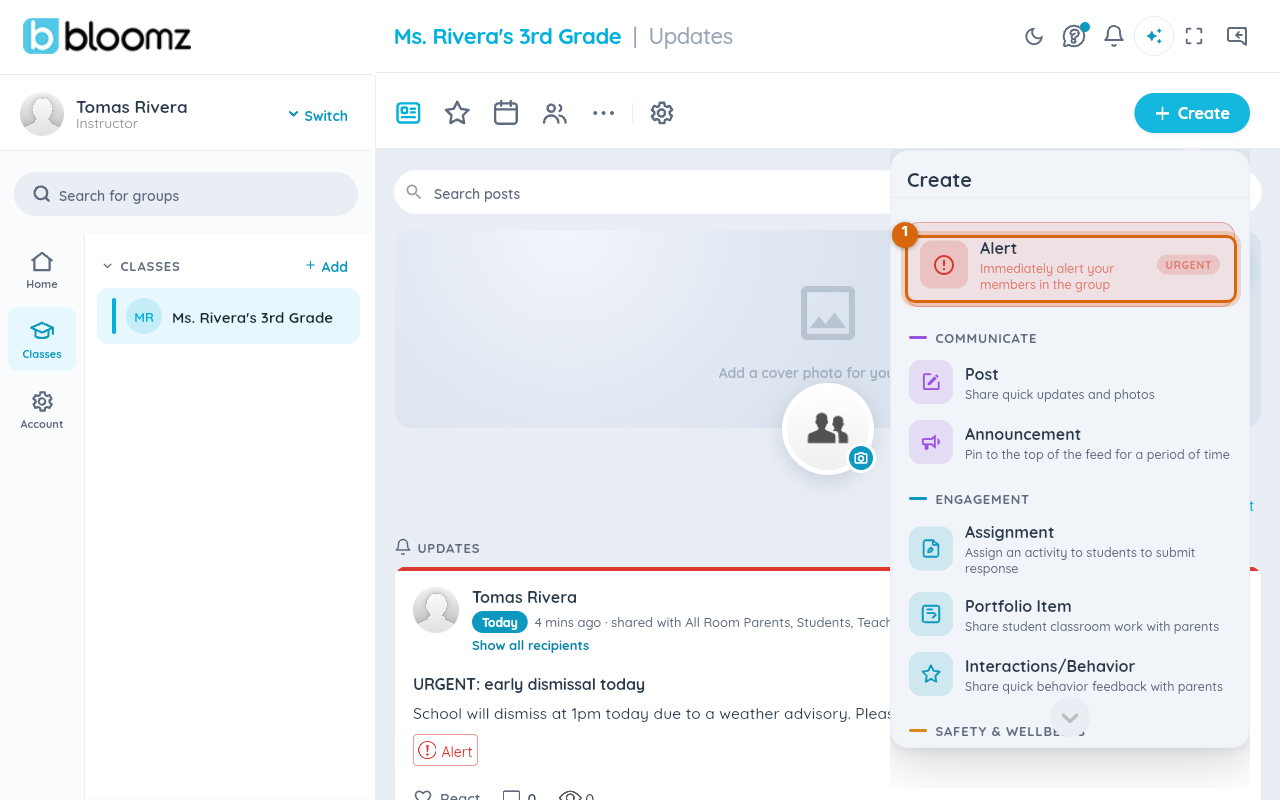
From Create, choose Alert — it sits above the Communicate section, tagged URGENT. This is the school's urgent-send option; everyday updates use Post or Announcement instead.
Step 2 — Read the warning
Choosing Alert opens a warning first: "An Alert is normally used to communicate an urgent or important message. Continue or go back and pick a different type."
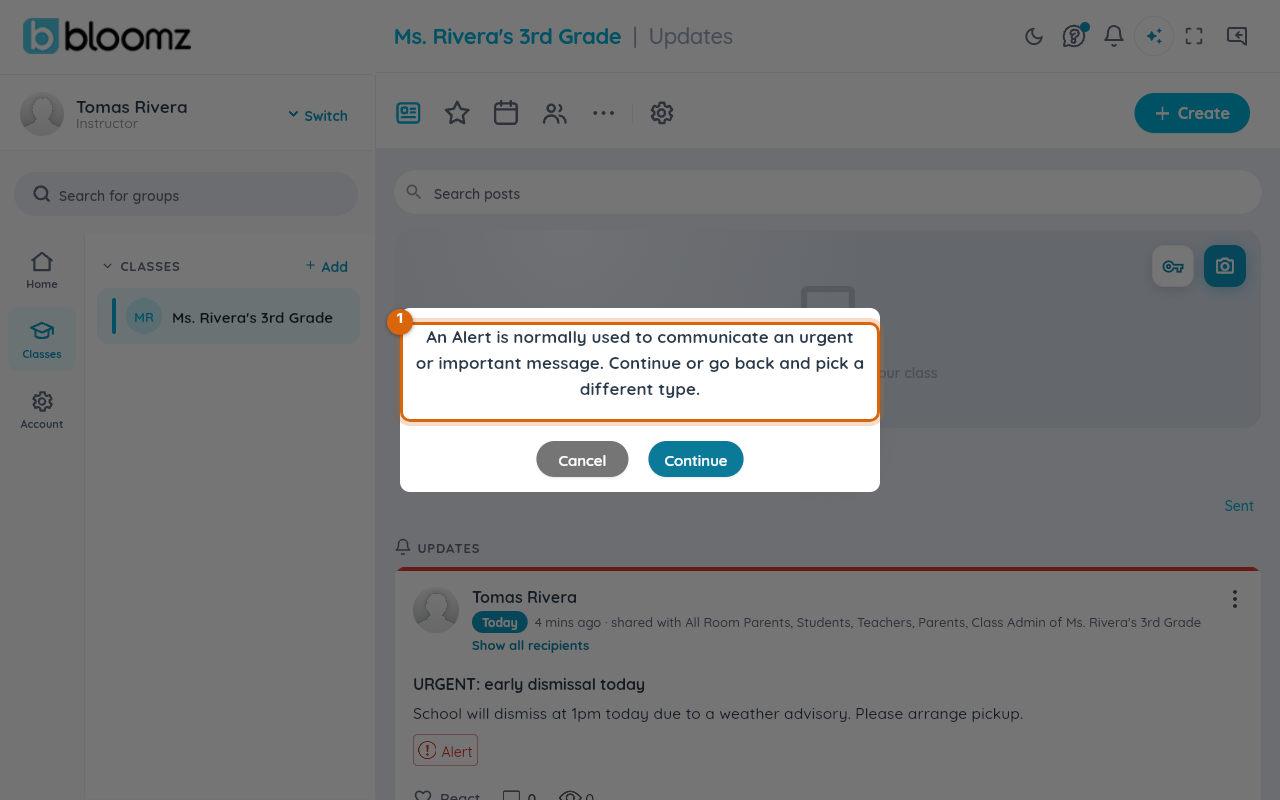
Watch out: this warning is your last chance to reconsider. An Alert skips the normal delivery delay other posts get, so there's less of a window to catch a mistake once you continue.
Step 3 — Confirm
Choose Continue.
Step 4 — Write and send the Alert
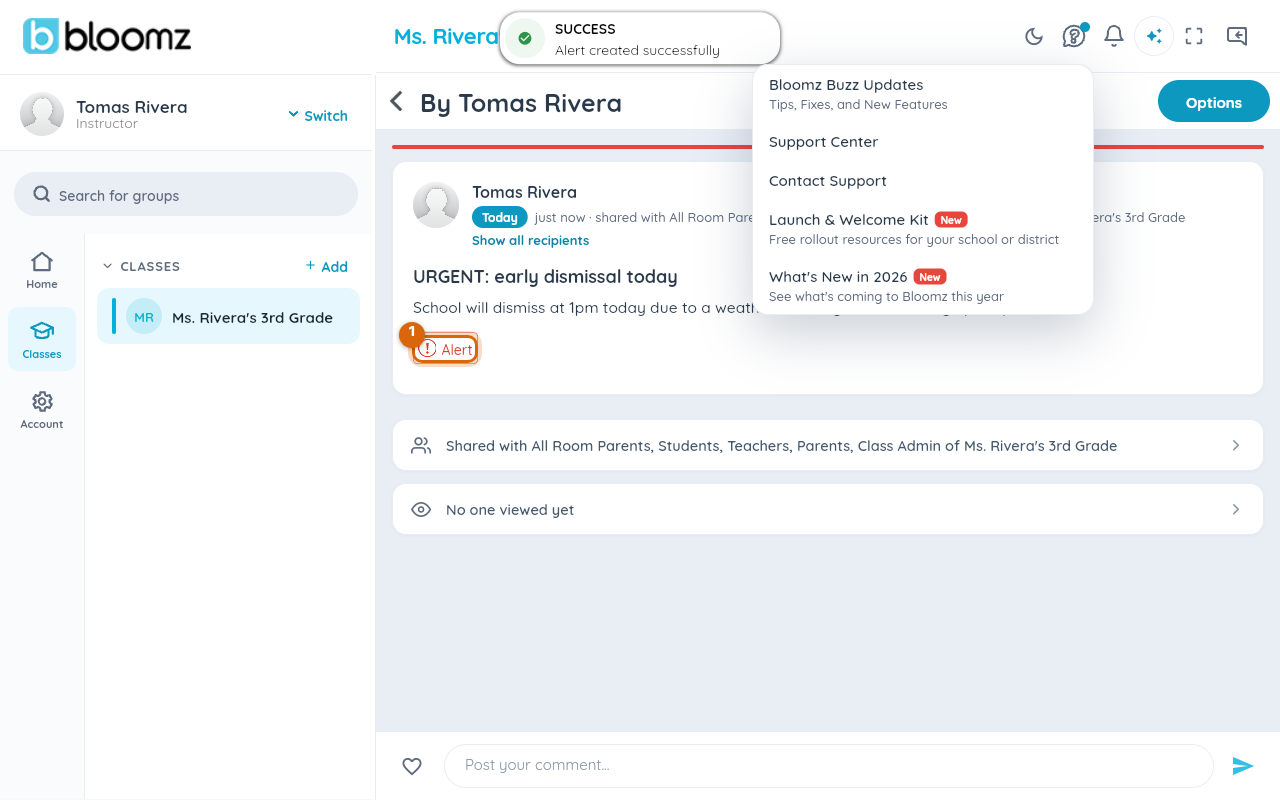
Pick recipients and write your message the same way as any post, then choose Send Alert. It delivers immediately — you'll see it on its own page with a red Alert tag and a red bar across the top, and a success confirmation.
Related
- Recall a post you sent
- Check how many people will see a post before you send
- Turn on Intelligent Notifications for your school