 Bloomz
Send the same message to several families privately
Sometimes you need to tell several families the same thing, but privately — each parent should get their own message, without seeing who else got it or being pulled into a group chat. Bloomz sends it as a mass private message (BCC): one message from you, delivered as a separate one-to-one conversation to each person you pick.
Before you start
This is for individually-selected people, not a class or group. If you pick two or more individual people while starting a message, Bloomz asks how you want to send it — that's where this comes in.
Watch out: mass private message does not reach a whole school or district — it only sends to the people you pick by name. For anything wider, send a post to a class or group instead.
Step 1 — Start a new message and pick your recipients
Start a new message and, in the recipient picker, select two or more individual people — not a class or a role group. As soon as you pick a second person, Bloomz asks how you want to send it.
Step 2 — Choose Mass private message (BCC)
Bloomz asks How do you want to send this? — choose Group thread for one shared conversation everyone can see, or Mass private message (BCC) for a separate private message to each person.
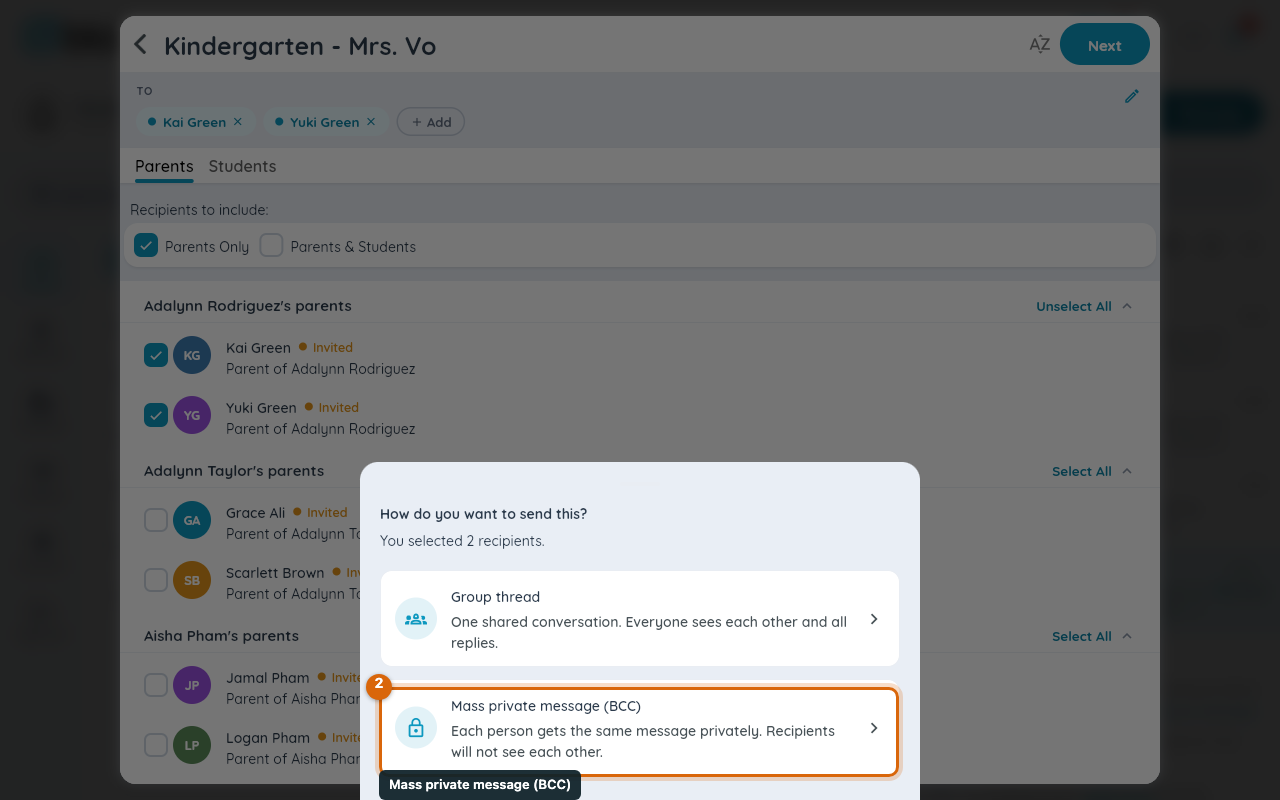
Choosing Mass private message (BCC) opens the compose screen for that mode.
Step 3 — Write your message
Write your message once, and attach a photo if you want to. Each recipient is shown as a chip at the top so you can confirm who's getting it before you send.
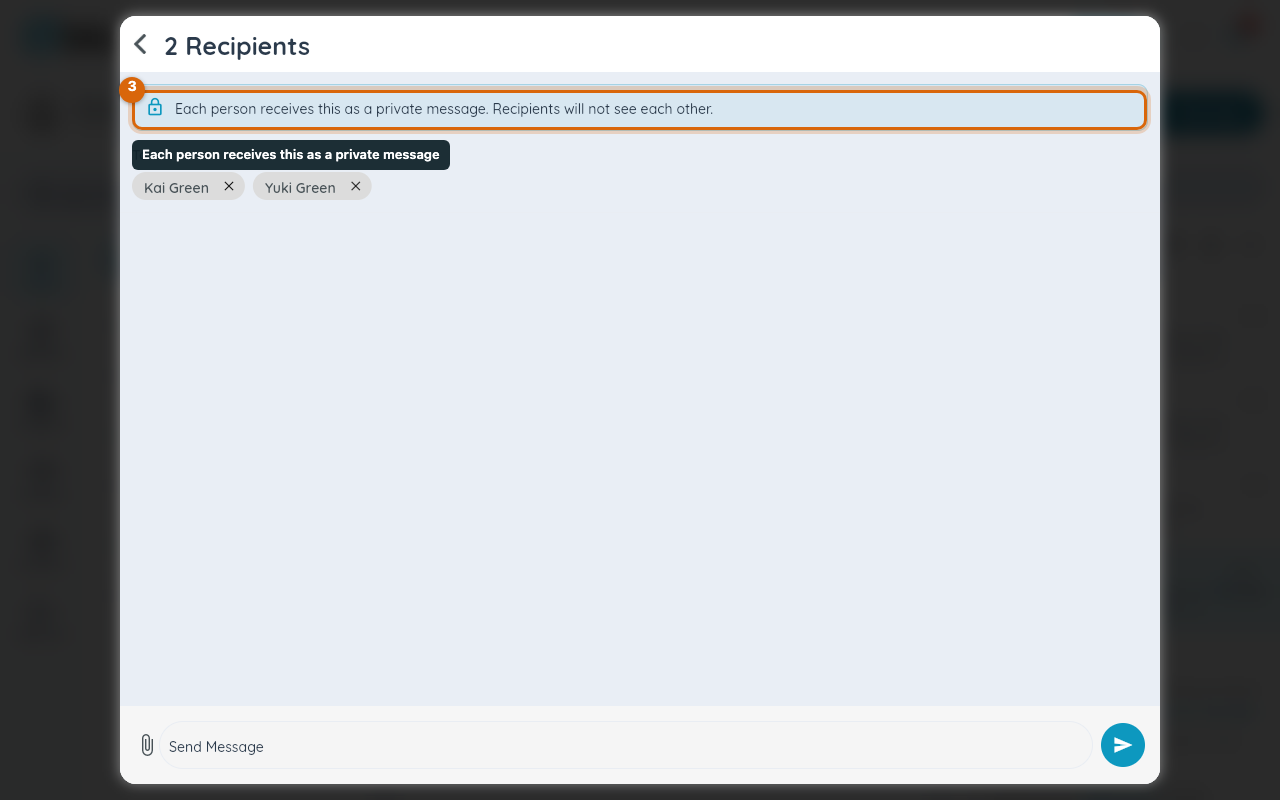
Note: a banner reminds you each person receives this as a private message and recipients will not see each other — that's the whole point of choosing this mode over Group thread.
Step 4 — Send
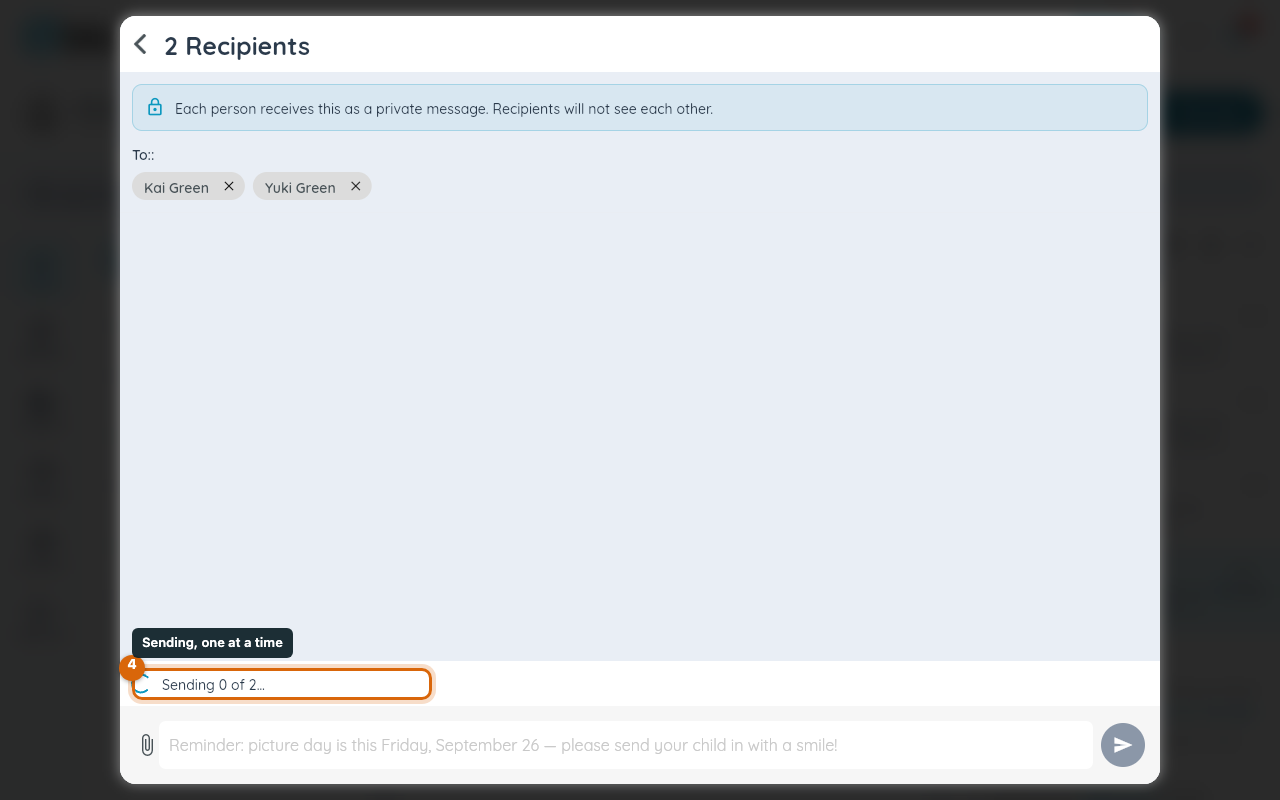
Send the message. Bloomz sends it to each recipient one at a time and shows progress as it goes.
What happens next
Each recipient gets an ordinary one-to-one conversation with you — it sits in their message list like any other thread, and yours too, once per recipient. If sending to someone fails, Bloomz tells you who and lets you retry just that one, without resending to everyone else.
Related
- Message a parent, a student or a colleague
- Message your family
- Search, sort, and clean up your messages