 Bloomz
Delete your account
Deleting your Bloomz account permanently removes your profile, messages and settings — immediately, with no grace period and no way to undo it. Make sure it's really what you want before you start; consider whether Choose which notifications you receive or Change your email address solves the actual problem instead.
Before you start
You need your current password. If you are the only parent connected to a child's account, deleting your account may leave that child without a connected guardian — add another guardian first if that matters to your family.
Step 1 — Open your account menu
Select your name and photo in the top-left corner, then select Account Settings from the menu that opens.
Step 2 — Select Delete Account
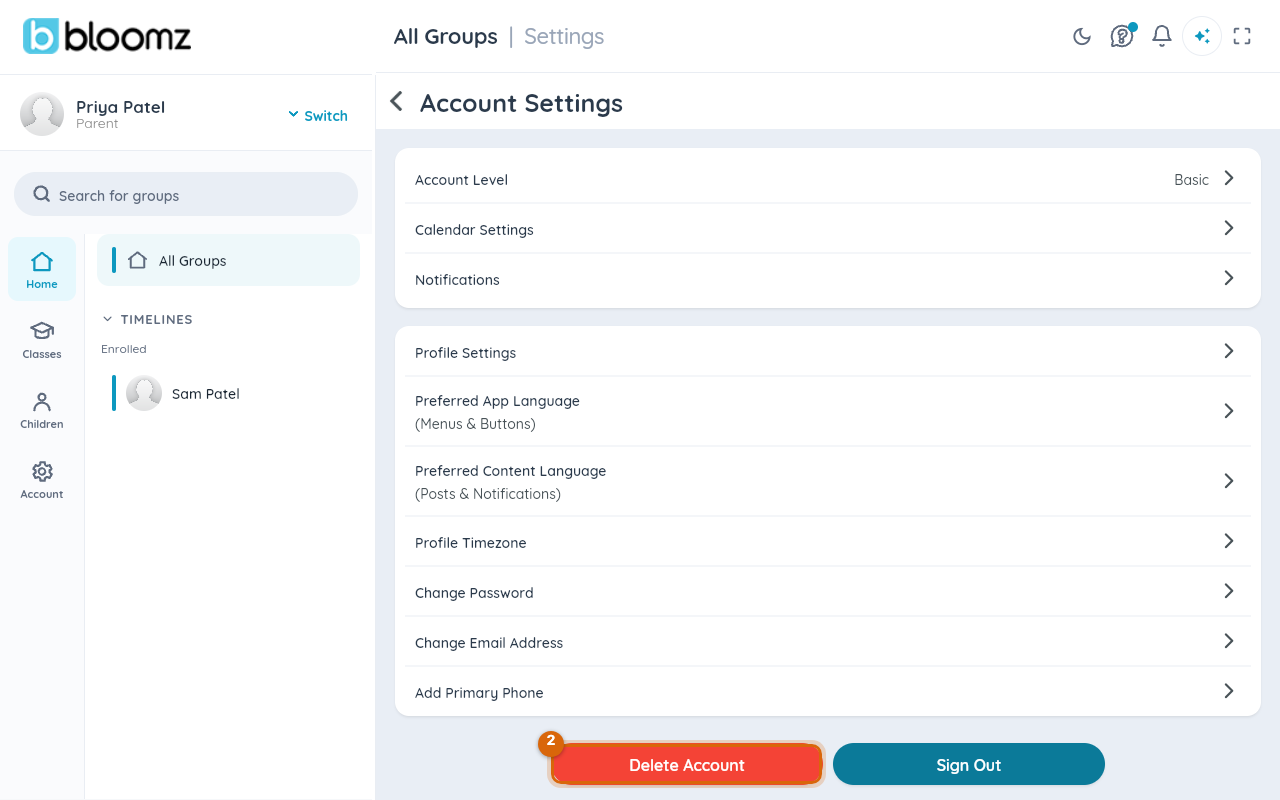
At the bottom of Account Settings, select the red Delete Account button.
Step 3 — Choose a reason and confirm your password
Select a reason from the list, then type your current password. An optional feedback box appears once you've picked a reason — Bloomz reads it, but it isn't required.
Step 4 — Select Delete Permanently
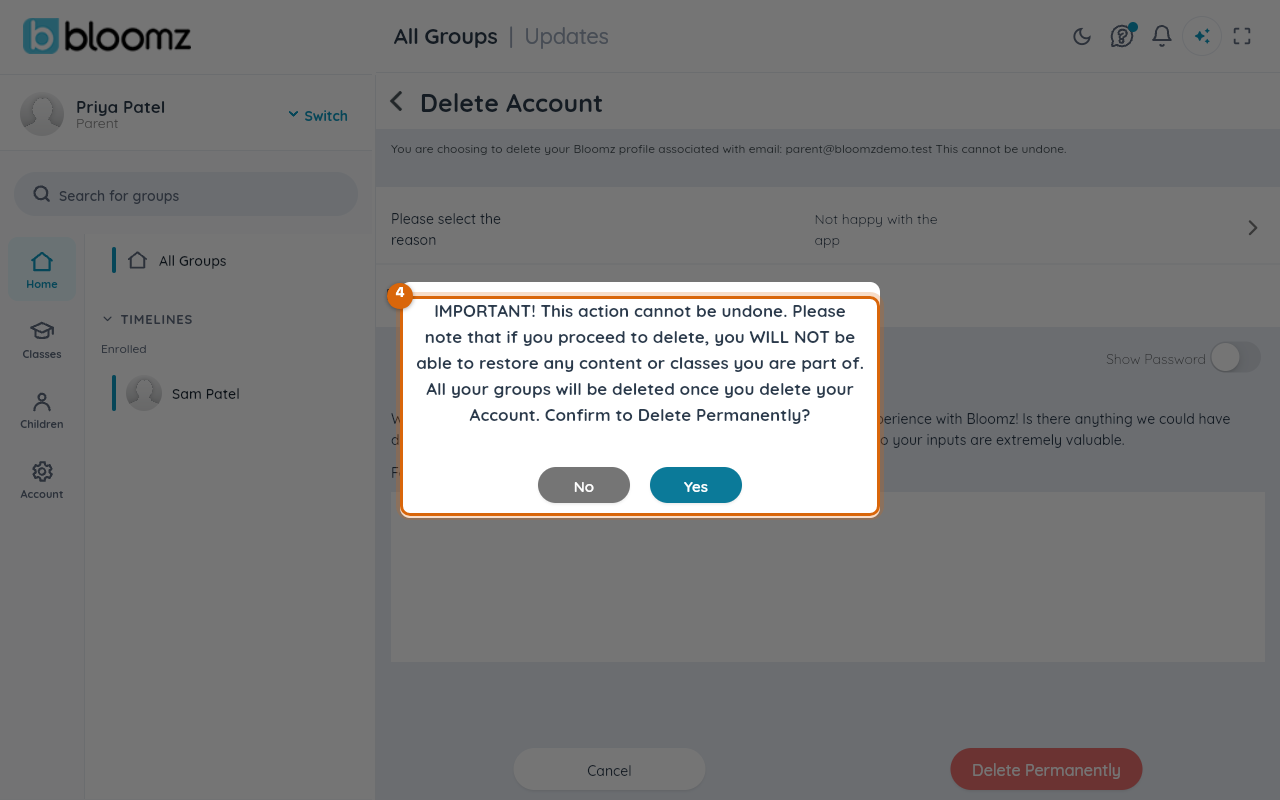
Bloomz shows one last warning before anything happens: "IMPORTANT! This action cannot be undone. Please note that if you proceed to delete, you WILL NOT be able to restore any content or classes you are part of. All your groups will be deleted once you delete your Account." Select Yes only if you're certain — there is no later chance to change your mind, and no grace period afterward.
Watch out: deleting your account does not delete your child's Bloomz record — only your own guardian profile and access. Contact your school if you need a child's record itself addressed.
Related
- Change your password
- Change your email address
- Choose which notifications you receive