 Bloomz
Change your email address
Your email address is how Bloomz reaches you and how you sign in, so changing it changes both. Do this rather than creating a second account with the new address — a second account will not have your children, classes or history.
Before you start
You need your current password; the form will not accept the change without it. If you cannot remember it, reset it first (Reset your password). Have the new inbox open too — Bloomz may send a confirmation there.
Step 1 — Open Account
In the left rail, select Account, then scroll the panel down to the Account section.
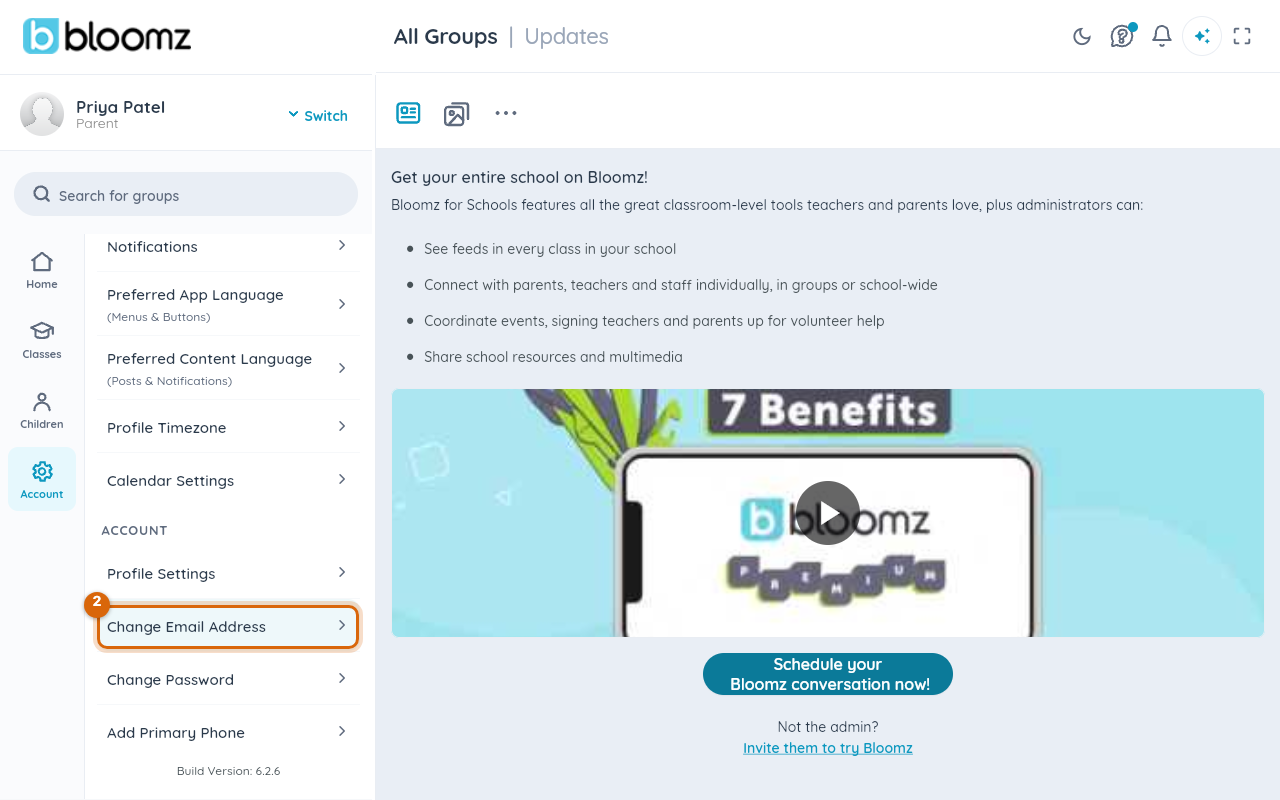
Step 2 — Choose Change Email Address
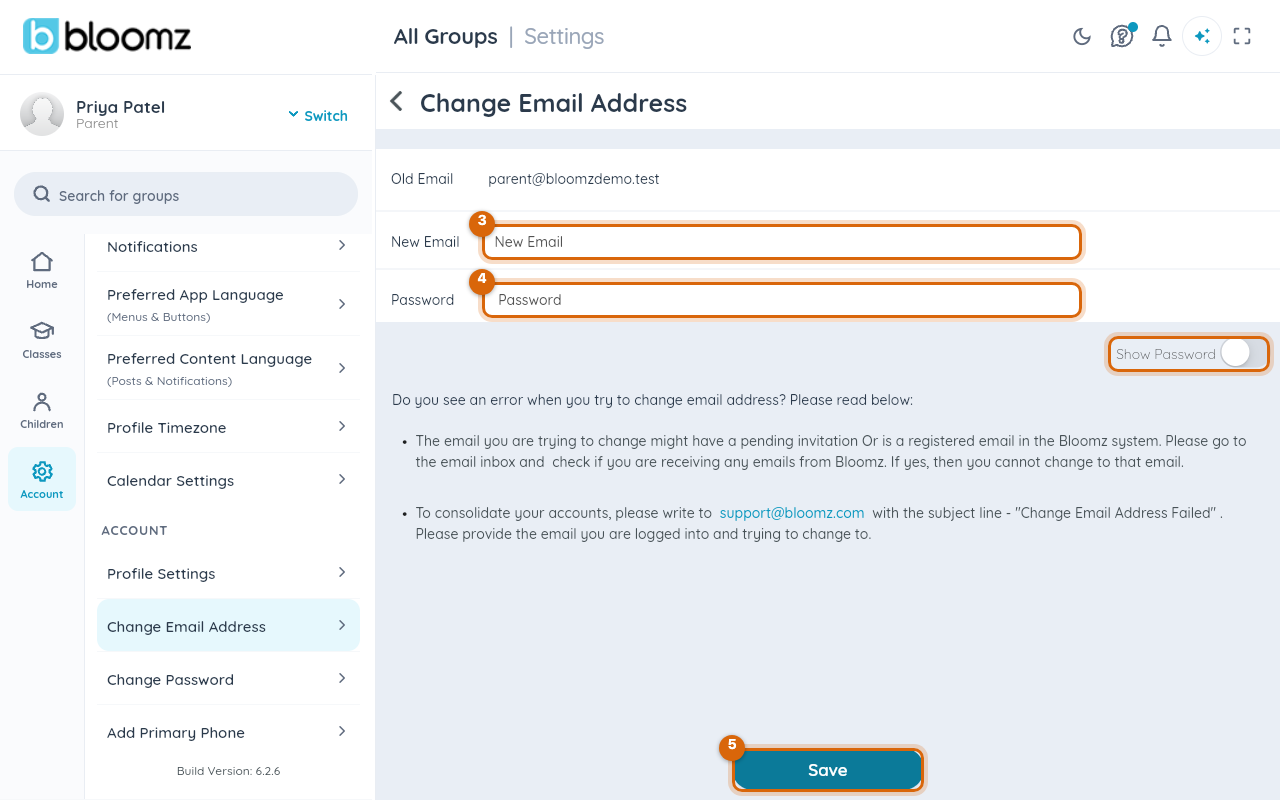
Select Change Email Address. The form opens on the right with your current address shown as Old Email.
Step 3 — Type the new address
Type the new address into New Email. Check it letter by letter — this is where sign-in emails and school notices will go from now on.
Step 4 — Type your current password
Type it into Password. The password confirms it is really you; it does not change. Switch on Show Password to see what you typed.
Step 5 — Save
Select Save at the bottom. From now on, sign in with the new address.
Watch out: the most common failure is shown on the screen itself — the new address is already known to Bloomz, because someone invited it and the invitation is still pending, or it already belongs to an account. Check that inbox for anything from Bloomz. If you find an invitation or an account there, you have two accounts rather than one address to change: write to
support@bloomz.comwith the subject "Change Email Address Failed", saying which address you are signed in as and which one you want to move to, and they can consolidate them.
If school notices stopped arriving
Before assuming the school is not sending anything, check two things: is the address still correct (a closed school-issued or work address silently rejects everything), and is Bloomz going to spam (add it to your contacts or safe-sender list). If neither explains it, tell your school — an address that keeps bouncing needs to be corrected on their side too.
Related
- Change your password
- Choose which notifications you receive
- Reset your password