 Bloomz
Request an interpreter for your conference
If you're more comfortable talking with your child's teacher in another language, ask for an interpreter right when you book your conference slot — no separate call to the office needed.
Before you start
The option appears while you're booking a slot on a published Conferences/Office Hours event — see Book a parent-teacher conference for the booking steps up to this point.
Step 1 — Get to the booking sheet
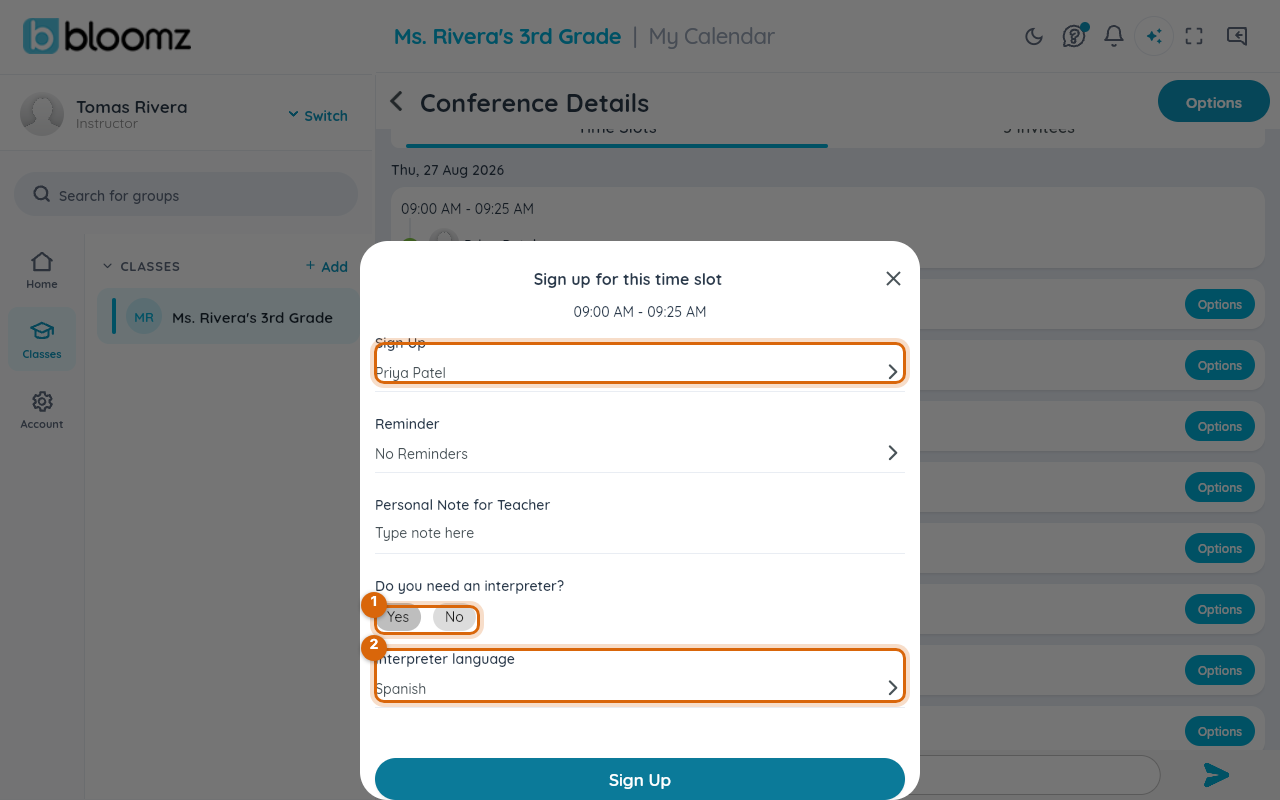
Open the conference, select an open time slot, and select Sign Up. The Sign up for this time slot sheet opens.
Step 2 — Answer the interpreter question
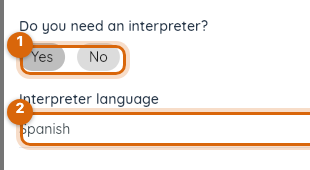
Under Do you need an interpreter?, select Yes. An Interpreter language row appears below it — select it to pick from a short list of languages (for example Spanish, Mandarin, Cantonese, or Vietnamese).
Step 3 — Finish booking
Add a reminder or a note for the teacher if you want, then select Sign Up to confirm the slot.
Step 4 — What happens next
Your request is saved with your booking. Opening the slot from the teacher's side shows the same interpreter answer and language alongside your name, so the teacher — and the office — know to arrange one before the conference date.
Watch out: requesting an interpreter doesn't guarantee one for every language on short notice. If your conference is only a day or two away, also call the office directly so they have as much lead time as possible.
Change your request
Open the conference again, select your booked slot, and choose Edit Details — you can switch your interpreter answer or the language up until the teacher's sign-up cutoff.
Related
- Book a parent-teacher conference
- Publish conference slots for families to book
- RSVP to an event