 Bloomz
Target families with a recipient filter (grade, language, …)
Sometimes the class isn't the boundary you need — you want everyone in third grade, district-wide, or only the families whose preferred language is Spanish. A recipient filter builds that audience from conditions (grade, language, role, and more) instead of ticking classes one at a time.
Before you start
This is a district (or district-level "community" group) feature — it isn't available composing from a single school or class. It also requires the district to be on Bloomz's premium plan. If you don't see Select Filter described below, your account, group level, or plan doesn't qualify.
Step 1 — Select your district as a recipient
Open the recipient picker and tick the checkbox next to your district itself (not a school or class row below it). A second control appears next to the usual role picker: Select Filter.
Step 2 — Start a new filter
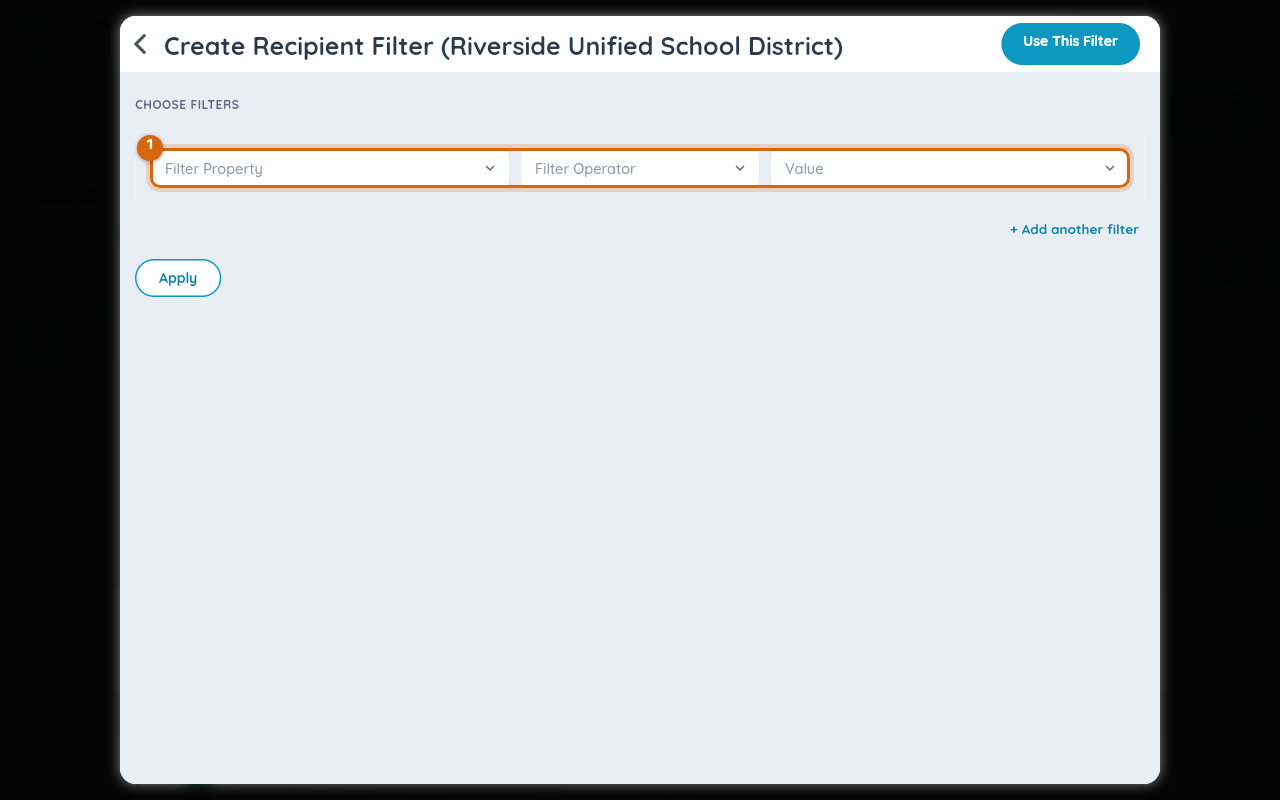
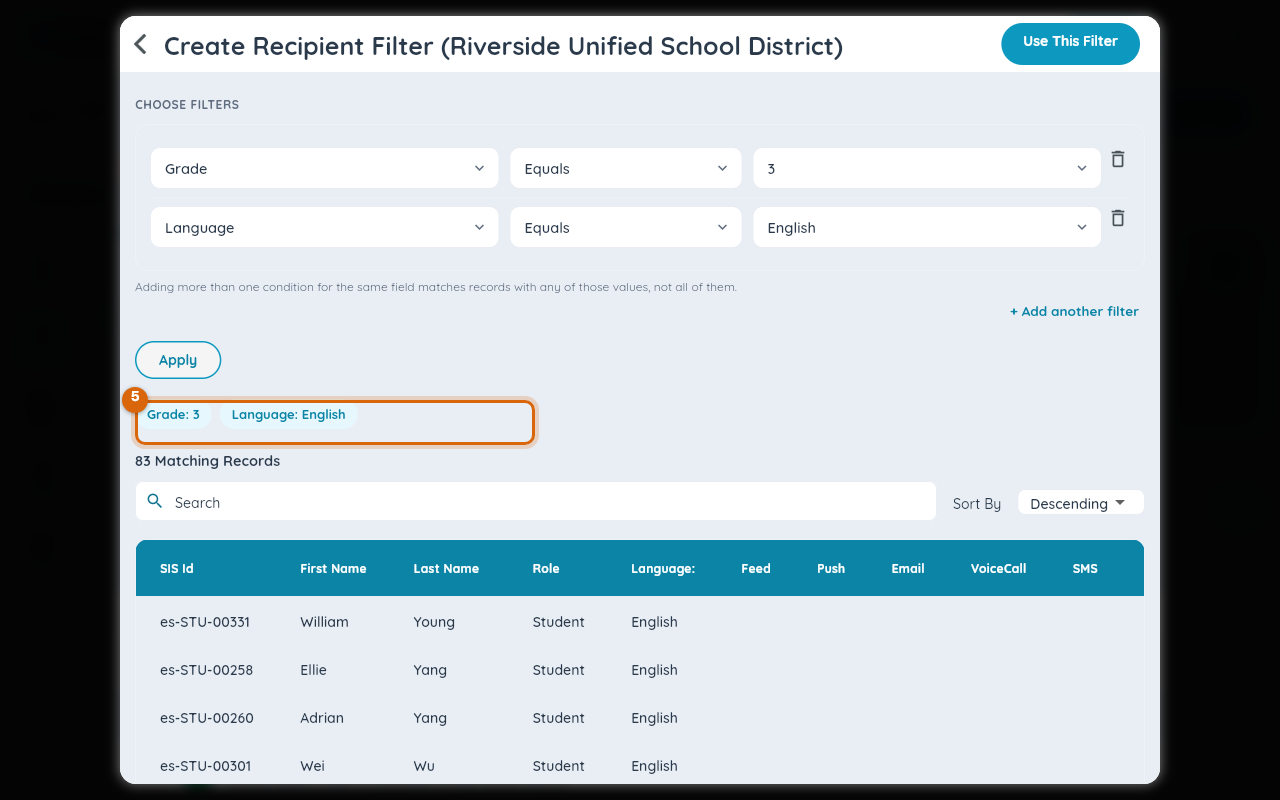
Tap Select Filter, then + New Filter. This opens Create Recipient Filter, an empty Property / Operator / Value condition row.
Step 3 — Filter by grade
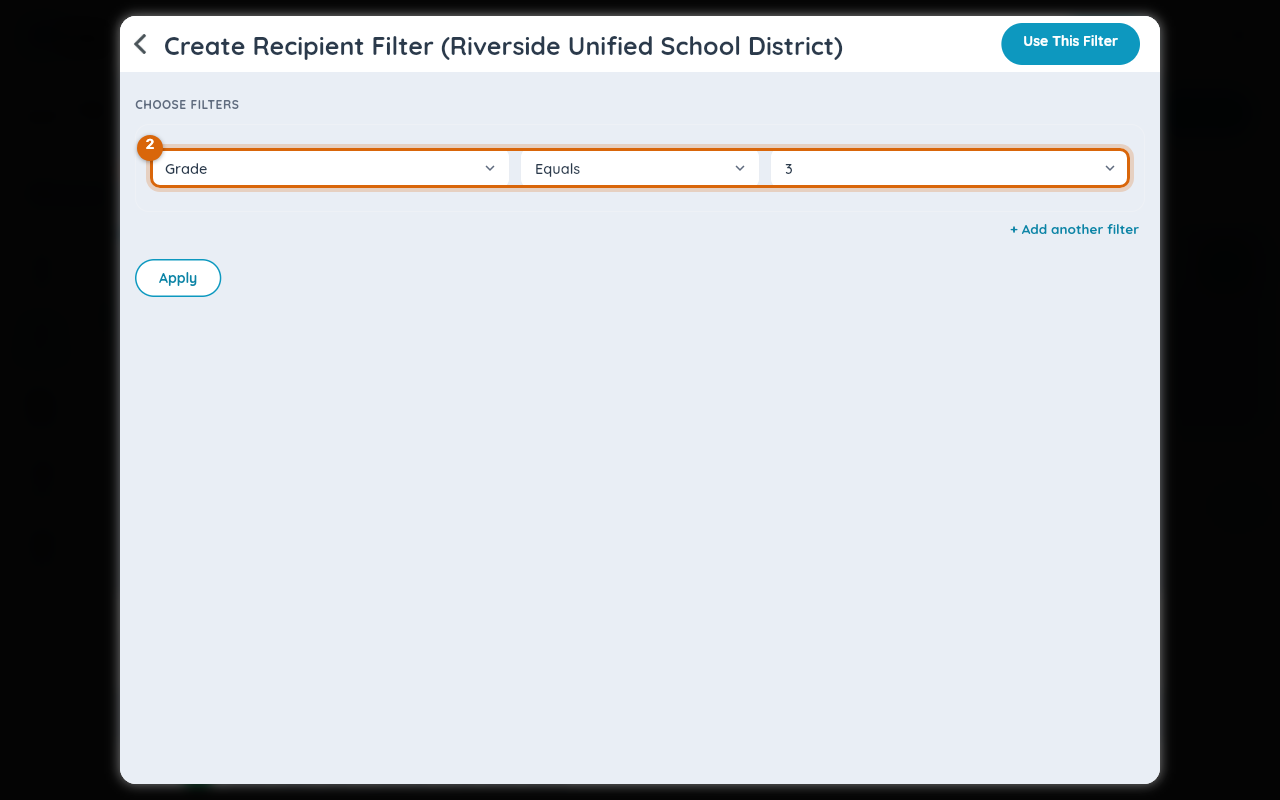
Set Property to Grade, Operator to Equals, and Value to the grade you want (for example, 3).
Step 4 — Add a language condition
Tap + Add another filter to add a second row, and set it to Language / Equals / the language you want. Conditions on different fields combine with AND — a recipient must match every row.
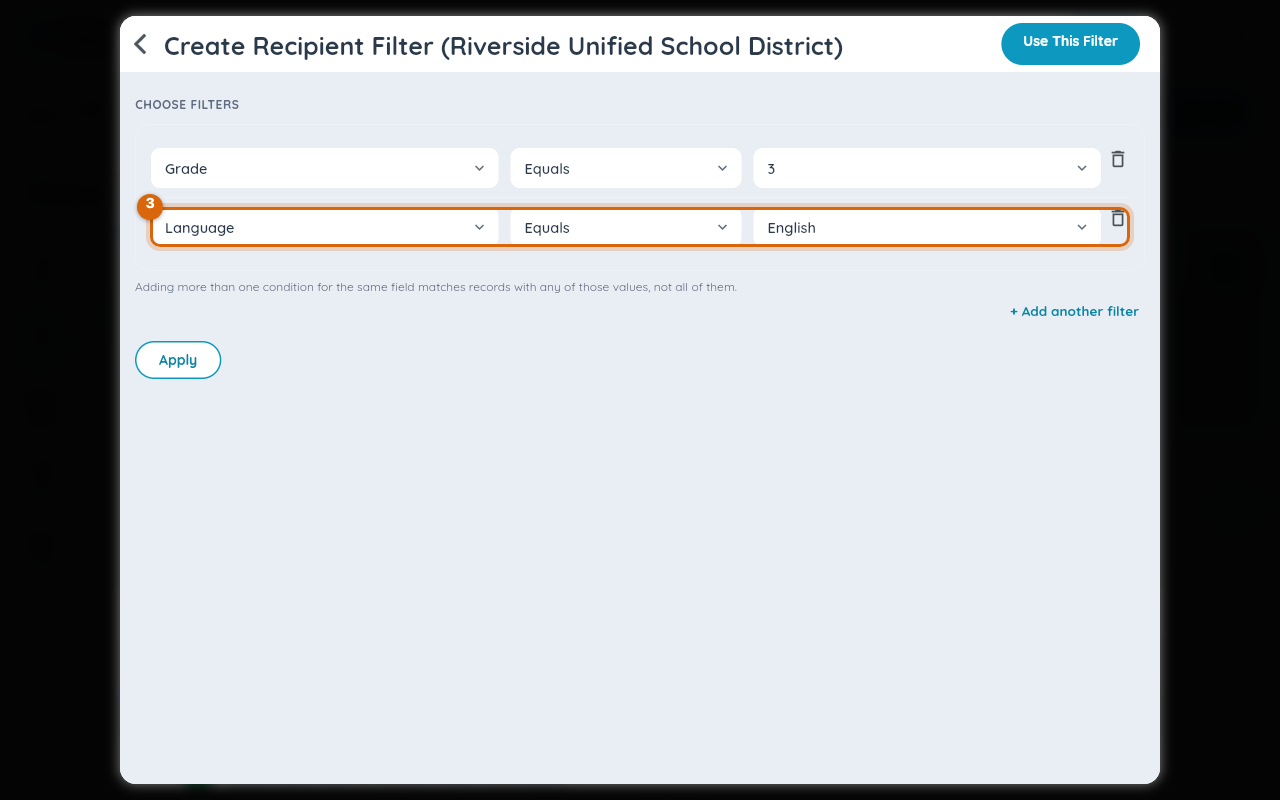
Watch out: more than one condition on the same field (two Grade rows, say) matches either value, not both — the screen says so directly above the rows.
Step 5 — Apply and review matches
Tap Apply. A chip appears per condition, above a live table of every matching recipient (SIS ID, name, role, language, and which channels reach them) — so you can check the audience before you ever open the composer.
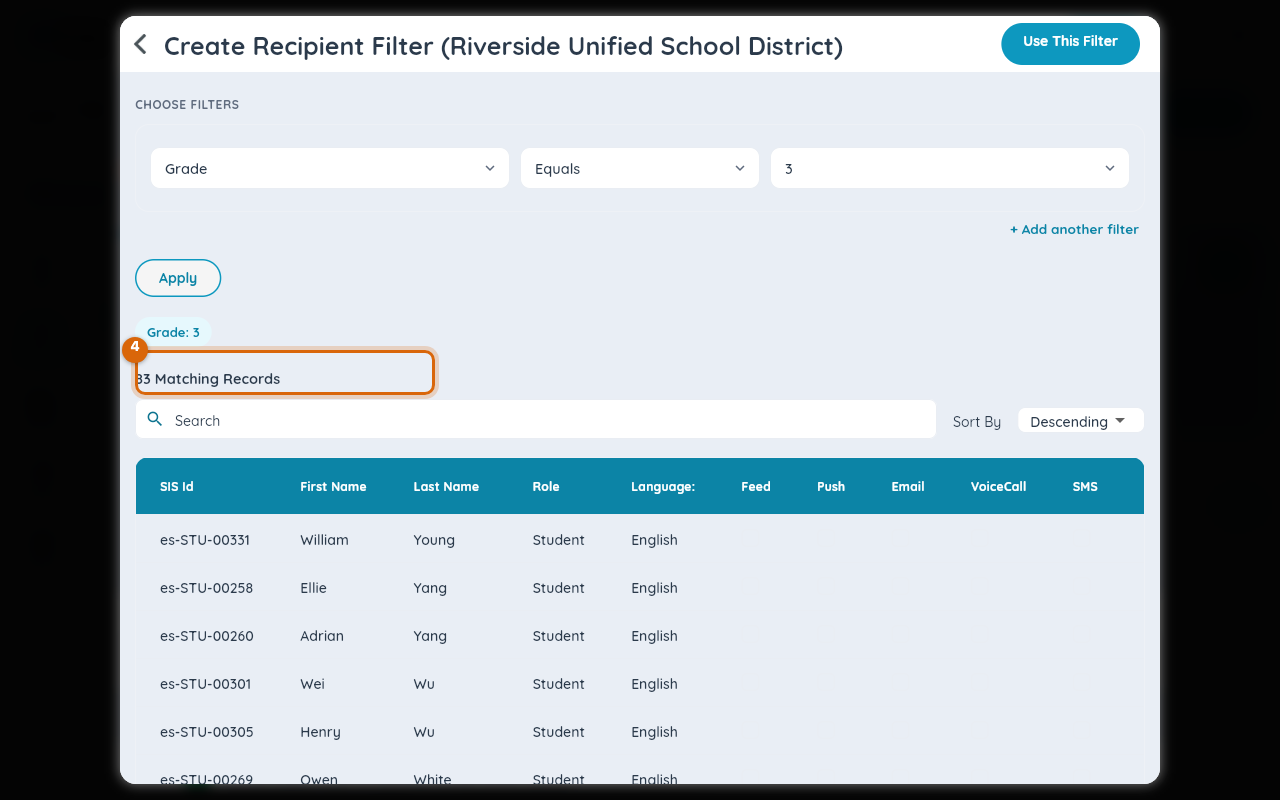
Adding the second condition narrows the table further to people who match both.
Step 6 — Use the filter
Tap Use This Filter to return to the composer with this filtered audience set as your recipients.
Related
- Pick exactly who gets a post (classes, roles, individuals)
- Check how many people will see a post before you send
- Read every broadcast sent in your school (All School Communication)