 Bloomz
Invite a co-parent or another guardian
A child can have more than one guardian connected on Bloomz — a co-parent, an ex-spouse, a grandparent who does pickup. Each invited guardian gets their own login and sees the same classes and messages independently, without sharing your password.
Before you start
Inviting another guardian is not something you do yourself from your own Account menu — it is your child's teacher or the school office who sends the invitation, the same way they added you. Have the guardian's email address ready, then ask the teacher or office to add them. Doing this does not remove or limit your own access — you both keep full, separate accounts connected to the same child.
Step 1 — Ask the teacher or school office to open Manage
From the class, the teacher (or an admin) opens the class's Manage screen and the Parents tab, which lists everyone currently connected as a guardian.
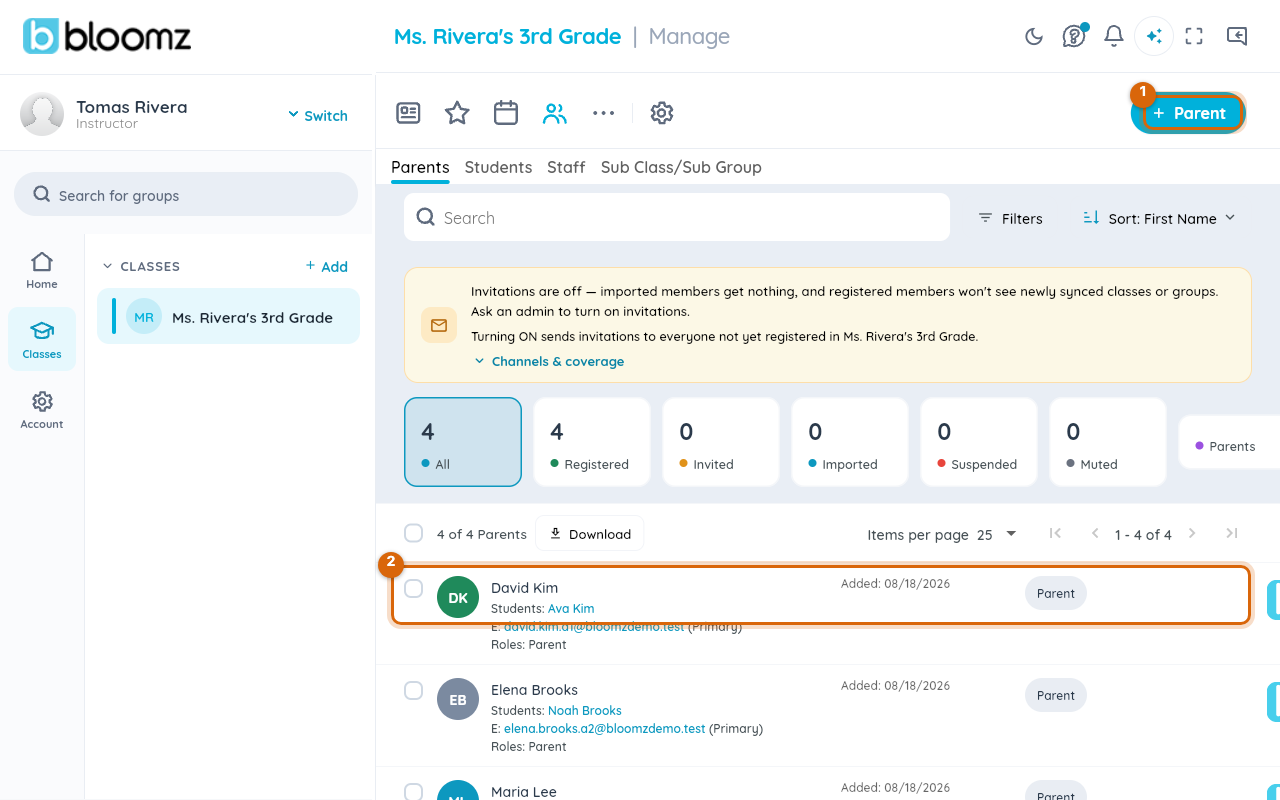
Step 2 — They choose how to invite
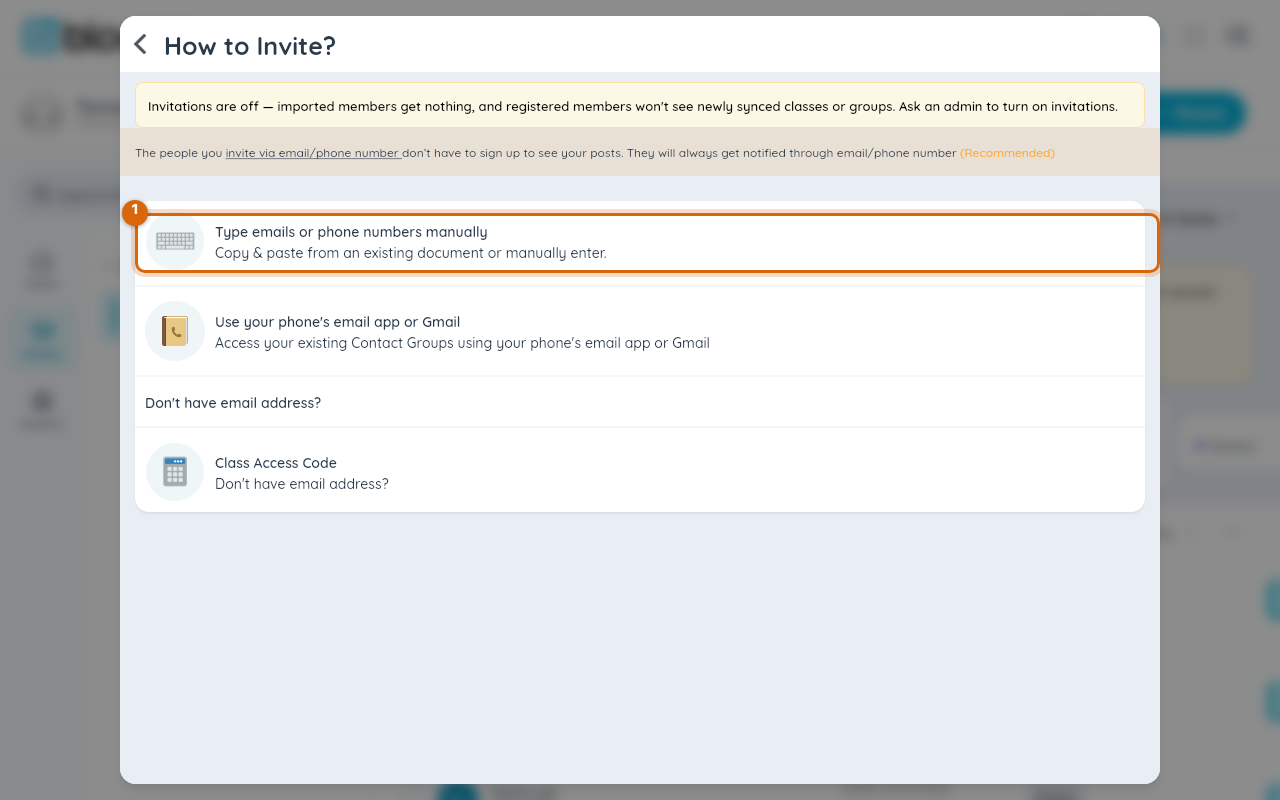
Selecting + Parent offers a few ways to send the invitation; typing the email address in directly is the most common.
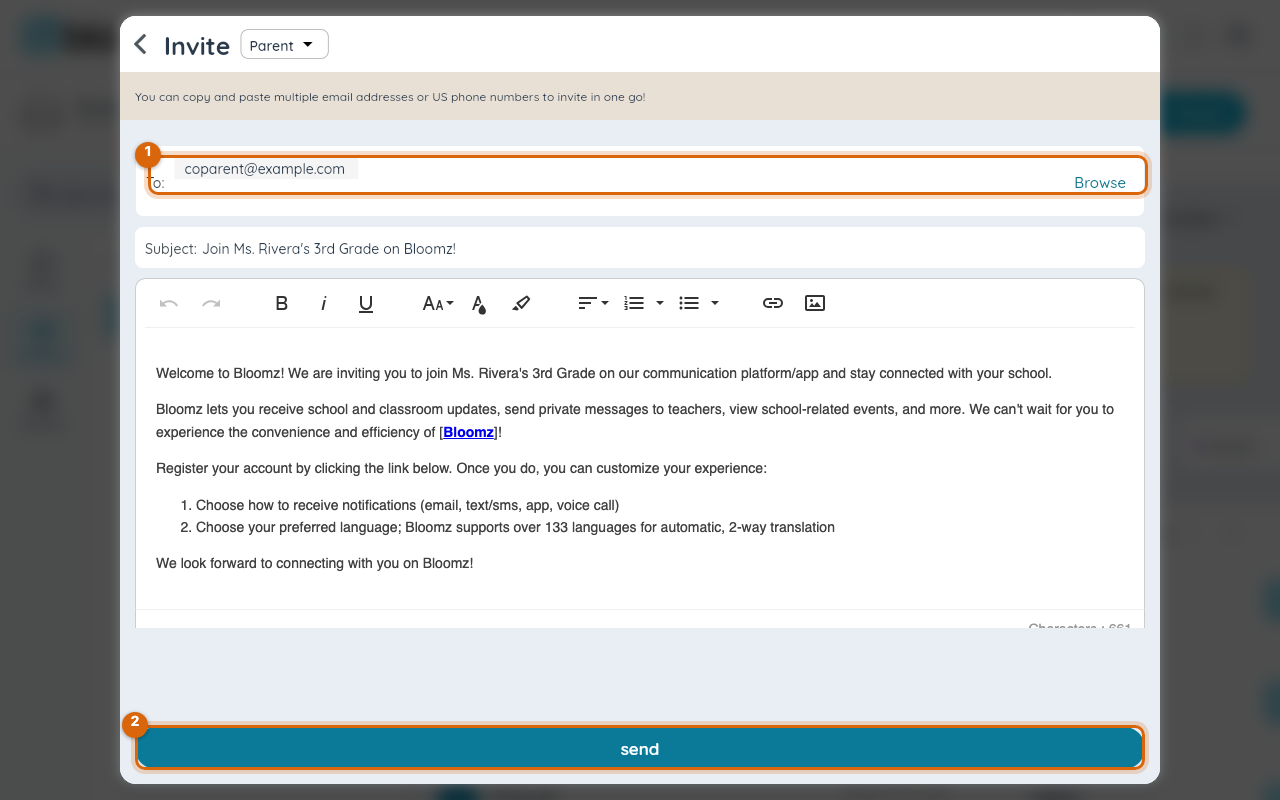
Step 3 — They enter the guardian's email and send it
The email address you give them goes straight into the invite, alongside a ready-made message explaining how to join.
Step 4 — The guardian gets their own invitation
They receive an email much like the one you got when you first joined — see Join your child's school from an invitation email or text. They set up (or sign in to) their own account from that link, and once they accept, they show up in the class roster as a second guardian for your child, with their own login and their own view of the same classes and messages.
Watch out: if the co-parent already has a Bloomz account under a different email than the one you gave the teacher, they should accept using that same email, or the invite can create a second, disconnected account instead of adding them as a guardian on this one.
Related
- Join your child's school from an invitation email or text
- Switch between your children
- Message your family
- See your child's messages