 Bloomz
Limit sign-ups per person
By default, one motivated family could claim every slot on a Volunteer Help task. A per-person limit caps how many slots one family can hold on a single task, so more families get a chance to help.
Before you start
You need to be the event's owner or a class admin. The limit lives on each task inside a sign-up sheet, not on the whole event — you can cap one task while leaving another unlimited.
Step 1 — Open the task's Options
While creating or editing a Volunteer Help sheet, select a task, then open its Options sheet.
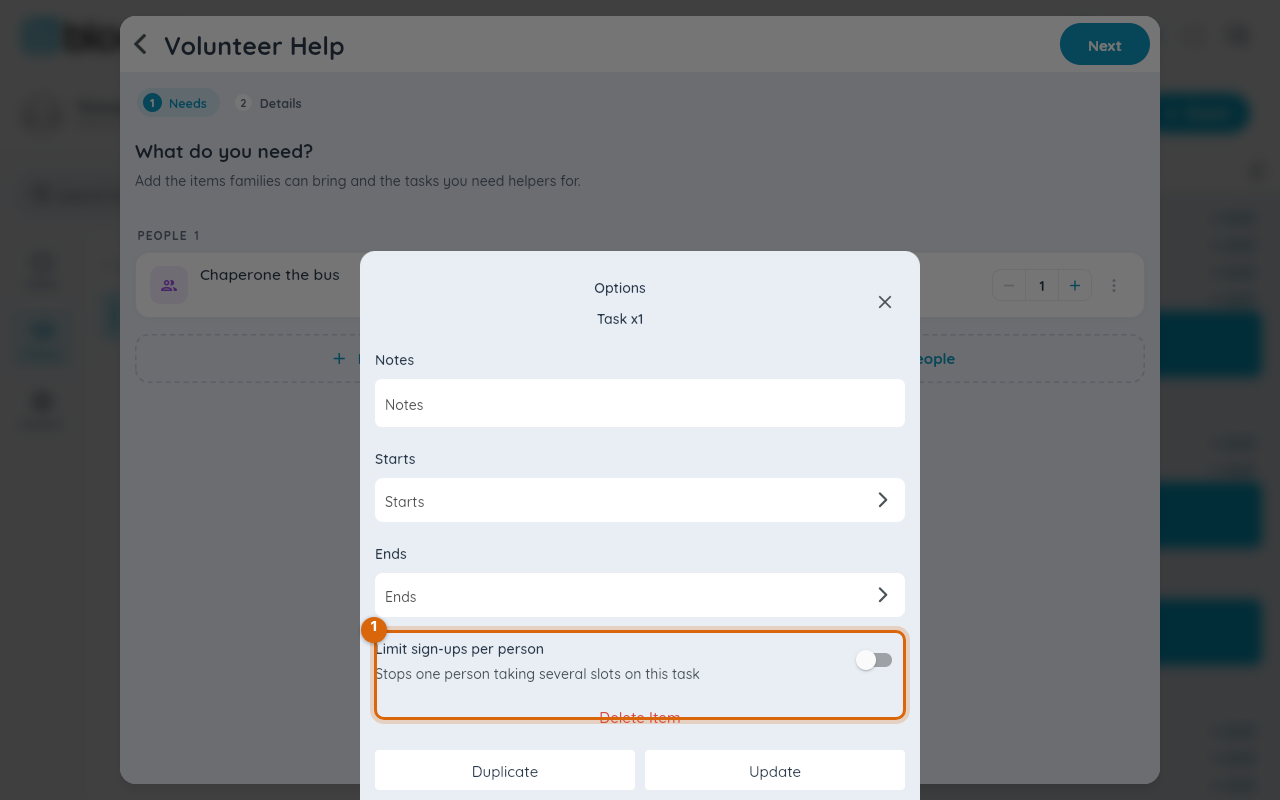
Step 2 — Turn on Limit sign-ups per person
Switch it on. It starts at 1 — the most common setting, meaning one slot per family on this task.
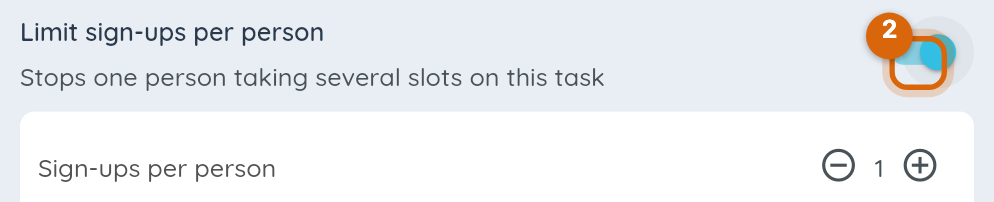
Step 3 — Raise the limit if you want
Use the stepper to allow more than one — for example, "2" lets a family cover two shifts of the same task. Leave the switch off for a task where more from one family is fine, like a bulk supply drop-off.
Step 4 — Save and let it take effect
Save the sheet. Once a family reaches the limit on that task, their Sign Up button there reads Signed up and is disabled — for that task only. They can still claim slots on other tasks on the same sheet.
Watch out: the limit counts slots, not people within a family — if a parent signs a spouse up too, it counts against the same household, so a two-parent family still isn't blocked from volunteering on separate slots as different people.
Related
- Create a volunteer sign-up sheet
- Sign up for a volunteer slot
- Set a sign-up cutoff date, or close sign-ups early